Visionix EyeRefract User Guide
11
Equipment and Installation
Optical-measurement head (right)
The left and right heads (#2 and #4) contain the hardware used to perform all of
the measurements during patient diagnostic exams.
Left and right apertures
The patient should be instructed to look through the apertures during the
refraction.
Chin rest
The patient's chin should be on the chin rest during all diagnostic procedures.
Base
Contains the unit's computer and other electronics
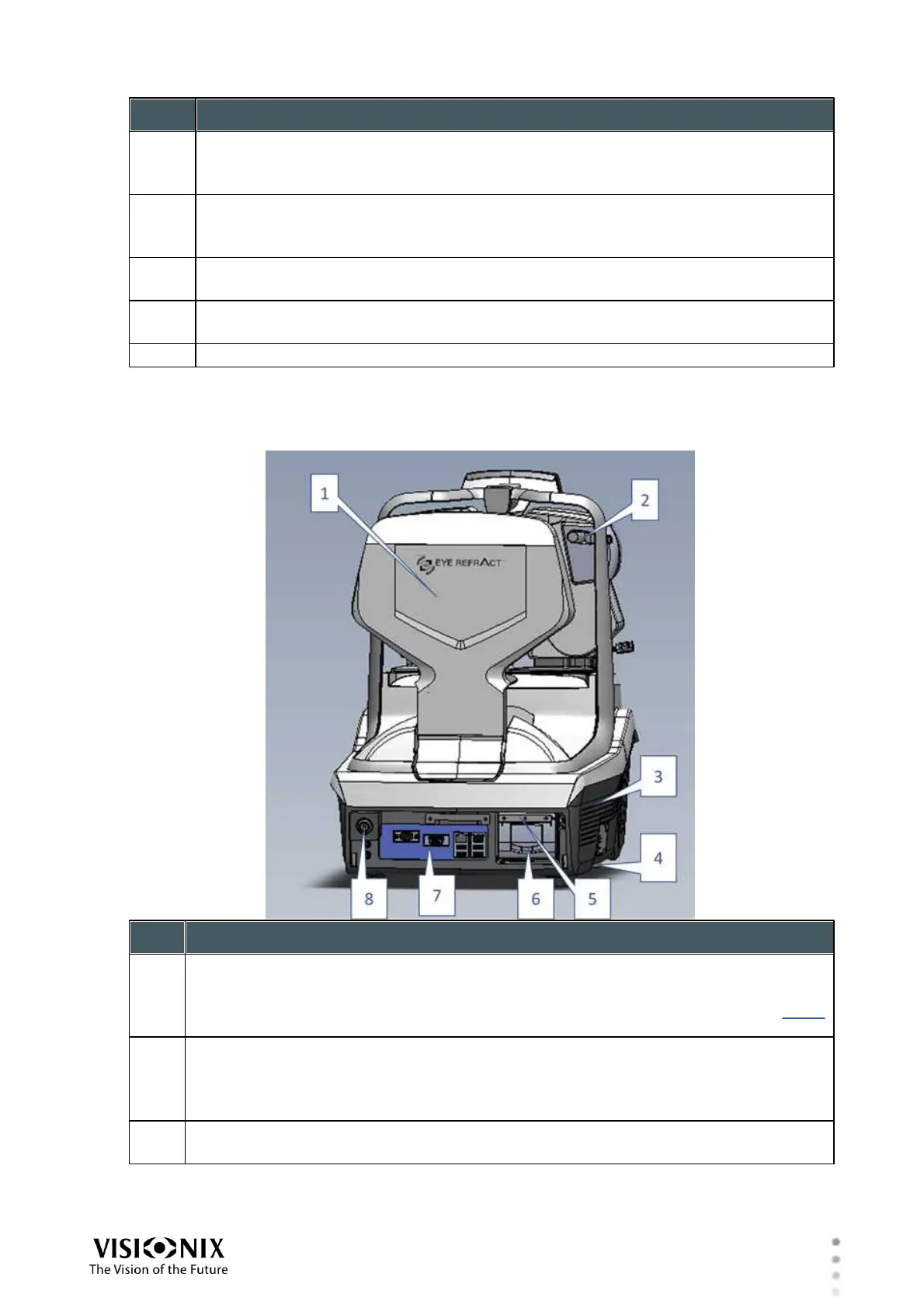
Rear Panel
Near-vision target
Displays a screen for near-vision refraction
Open during near-vision testing (shown); closed during far-vision testing; see Near-
Vision Target
Prism lever
Push down to engage the prism or up to disengage it.
Note: When the prism is engaged, it can be adjusted through the software; see
Available Accessories.
Base
Contains the unit's computer and other electronics



 To Next Page