68
Visionix EyeRefract User Guide
68
Overview of the Software
This option is used when you want to measure the patient's visual acuity
with no correction. To do this:
1. Select this data set in the Exam File screen. The heads are reset to
their default positions, with no correction.
2. Open the Refraction screen and then, in the chart control area on the
right, use the VA arrows to manually measure the patient's visual acuity
for each eye and binocularly. The VA values are saved with the rest of
the patient's data, and appear at the bottom of the Exam File screen.
4. 8 Patient Database
The patient database saves patient refraction data and personal information. You can add,
delete, or modify patient records as required. If a patient record is selected when you perform
an exam, the patient's prescription (i.e., the contents of the Final data set) is stored in the
patient's record.
The patient database can be accessed in one of two ways:
Patient window: An interface for opening a patient record - either existing or new - in
which to store the results of the current exam
Patient Database screen: An interface for managing the database, in which you can add
new patients, modify patient information in existing records, move prescriptions from one
patient to another, and delete records.
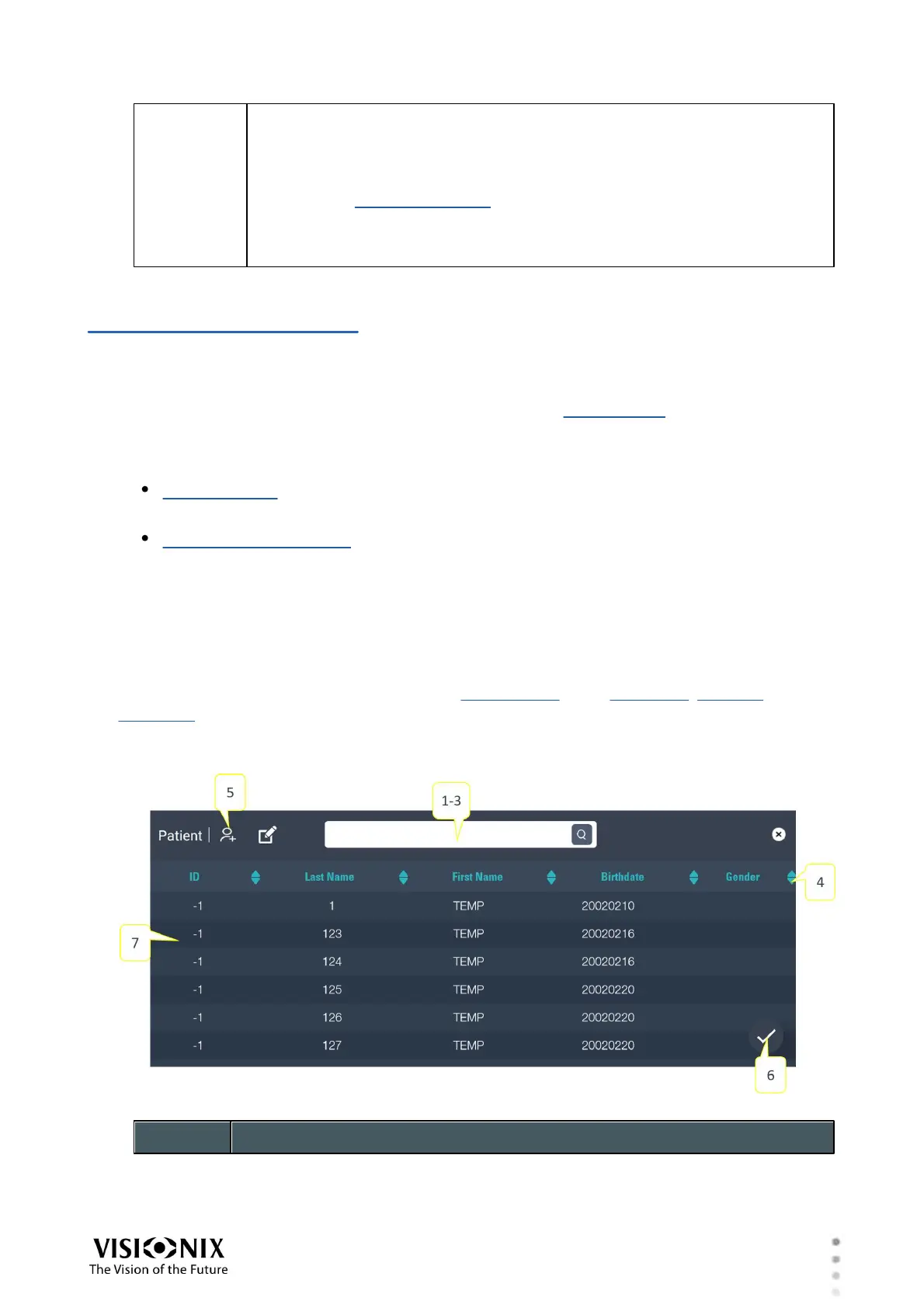
Patient Window
The Patient window can be opened from the heading area of the Refraction, Measure, or
Exam File screens. The window displays a list of the patient records currently included in the
database, and enables you to find existing records by filtering the list, and add new records as
necessary. The results of the current exam are stored in the record of the patient you select.



 To Next Page