22
Visionix EyeRefract User Guide
22
Overview of the Software
4. 1 Login screen
The EyeRefract software is an application that is pre-installed on the supplied tablet computer.
When you turn the tablet on, the application opens automatically, and the initial screen is
displayed. Other screens and options can be accessed from the heading area and the main
menu.
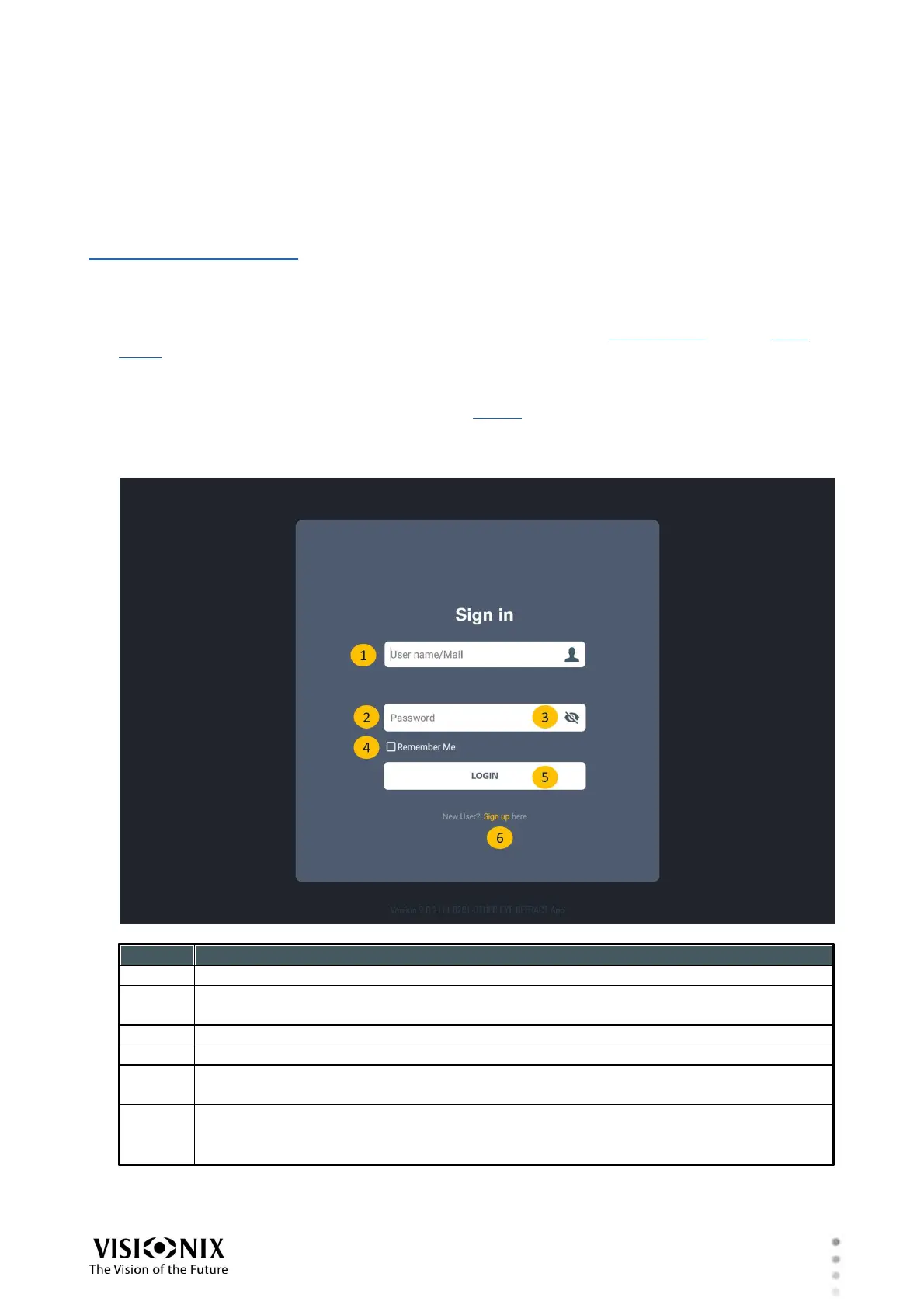
The Log-in Page allows the user to login. It has two fields: User Name and Password.
The inputs will be compared with our User database and the password verified.
If the user is new, the user should click on the "sign in" link to provide the necessary information
and be added to the database.
User name-Type your user name in this field
Password-Provide your password.
Show password icon-available after password is entered
"Remember me" check box- Local user only
Log in button-Once a valid user-name/password combination has been entered, the
user may attempt to log in by pressing this button
"Sign up"-This link sends the user to registration screen -Local user only.
Please refer to the "User registration" section for more information about this
feature.



 To Next Page