Visionix EyeRefract User Guide
41
Overview of the Software
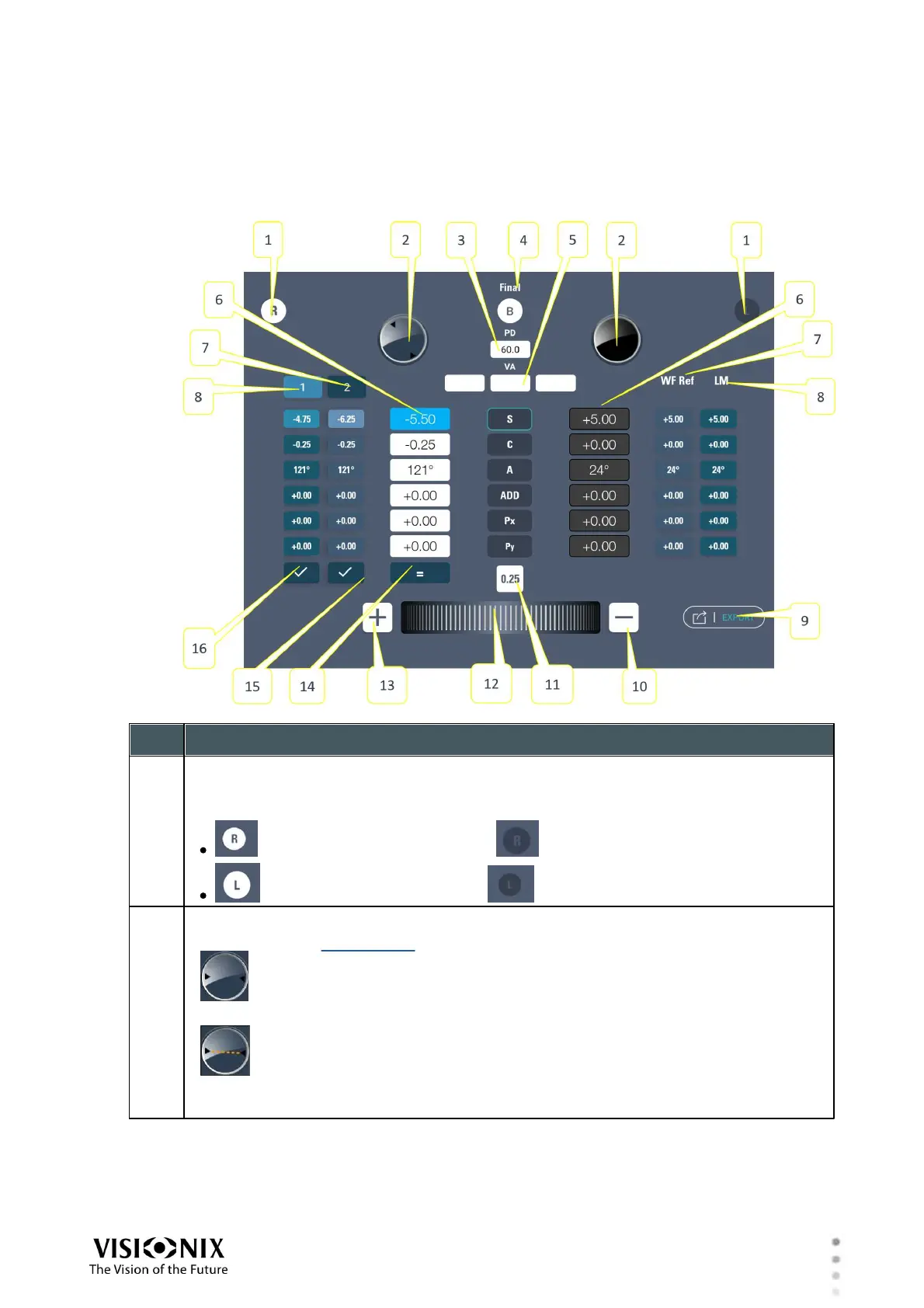
Exam Results in Quick Pro Mode
In Quick Pro mode, during the subjective refraction, the Exam Results region of the Refraction
screen contains the following items:
Eye selector
Indicates the eye to which the results displayed on this side of the screen relate
Tap to open or close the patient's view from this eye:
indicates the right eye is open; indicates it is closed
indicates the left eye is open; indicates it is closed
Accessories button
Tap to open the accessories for the eye.
indicates no accessories are currently active. Any other symbol indicates
one or more accessories are currently active.
The angle of the axis is indicated by the two triangles at the edge of the
circle; a line connecting these triangles (like the dotted orange line) would be at the
same angle as the axis.



 To Next Page