12
Visionix EyeRefract User Guide
12
Equipment and Installation
Power cable connector
Connect the power cable to this connector, and plug the other end of the cable into
a standard electrical outlet.
Paper slot
Printed tickets come out through this slot .
For paper-loading instructions, see Replacing the Printer Paper.
Paper-roll compartment
Raise the latch and gently pull it downwards to open the compartment for loading
or removing a paper roll.
For paper-loading instructions, see Replacing the Printer Paper.
Connection panel
Connectors for the network cable and for optional external devices
For a list of the available connectors, see below.
Power switch
Turns the machine on and off
Note: The machine should normally be turned off from the app on the tablet PC;
see Turning the Unit On and Off.
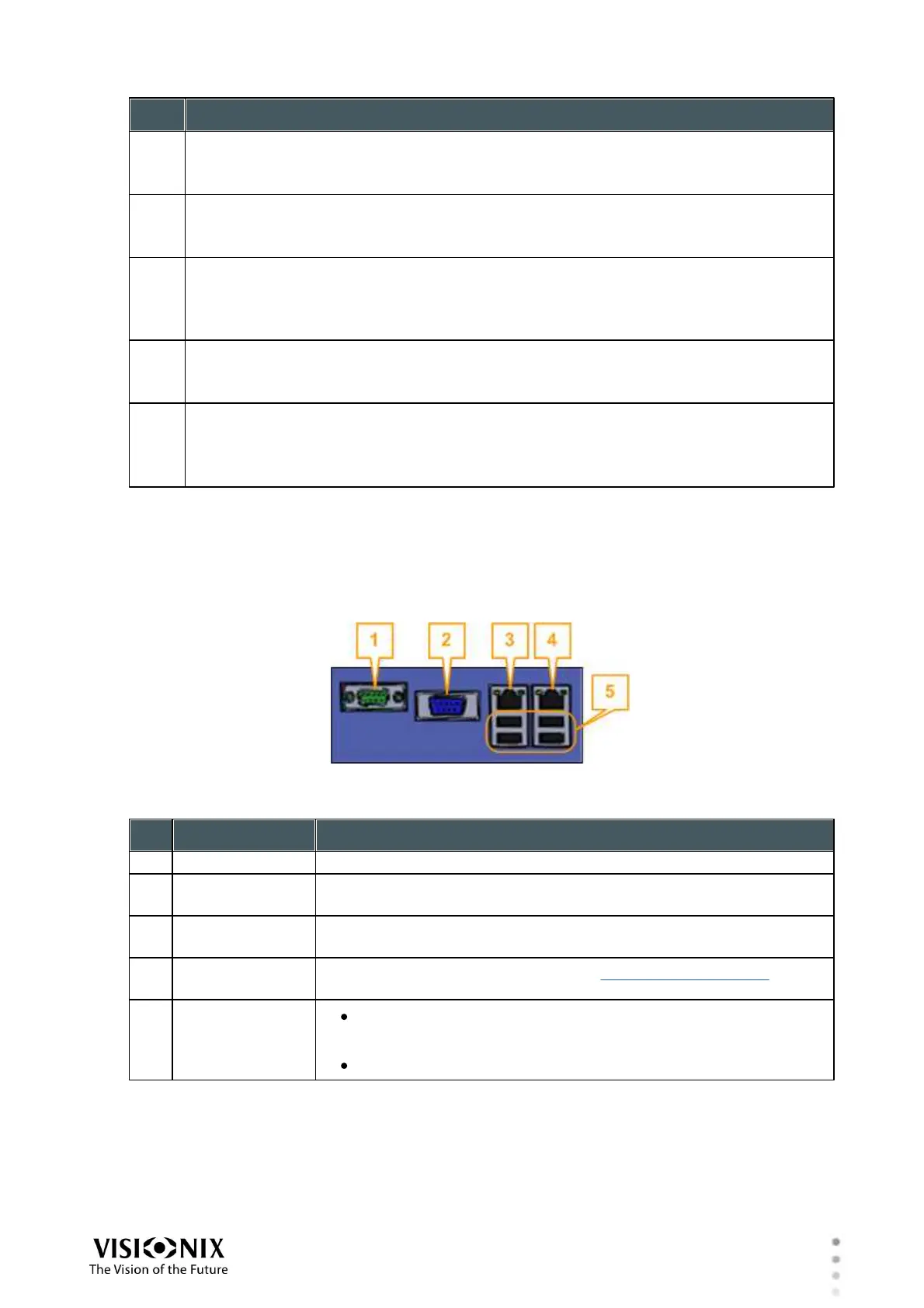
Connectors
The connection panel on the rear of the EyeRefract unit contains the following ports for external
devices.
Note: Only the connection between the right network-port and the supplied router is required.
All the other ports are for optional devices that are not part of the standard system.
Connect an external monitor to the unit.
Connect a compatible optometric device, such as a lens meter,
to the unit.
Connect the EyeRefract unit to an additional local network.
Connect to the supplied router (see Network Connections).
Connect an external hard drive or flash drive to export data
from the unit's database and/or to import data to the unit.
Connect a printer to print on standard printer paper.



 To Next Page