Visionix EyeRefract User Guide
47
Overview of the Software
Decrease Value button
Tap to reduce the value that is currently selected by the increment indicated in the
Step field (#12).
Step
The increment by which the currently selected value is raised or lowered each time
the Increase Value (#11) or Decrease Value (#14) buttons are tapped, or when
the Adjust Value dial (#13) is moved to the right or left one notch
Tap to open a dialog box in which you can choose a different step (or select a fixed
value for the axis).
Adjust Value dial
Drag to the right or left to raise or lower the currently selected value.
Increase Value button
Tap to raise the value that is currently selected by the increment indicated in the
Step field (#12).
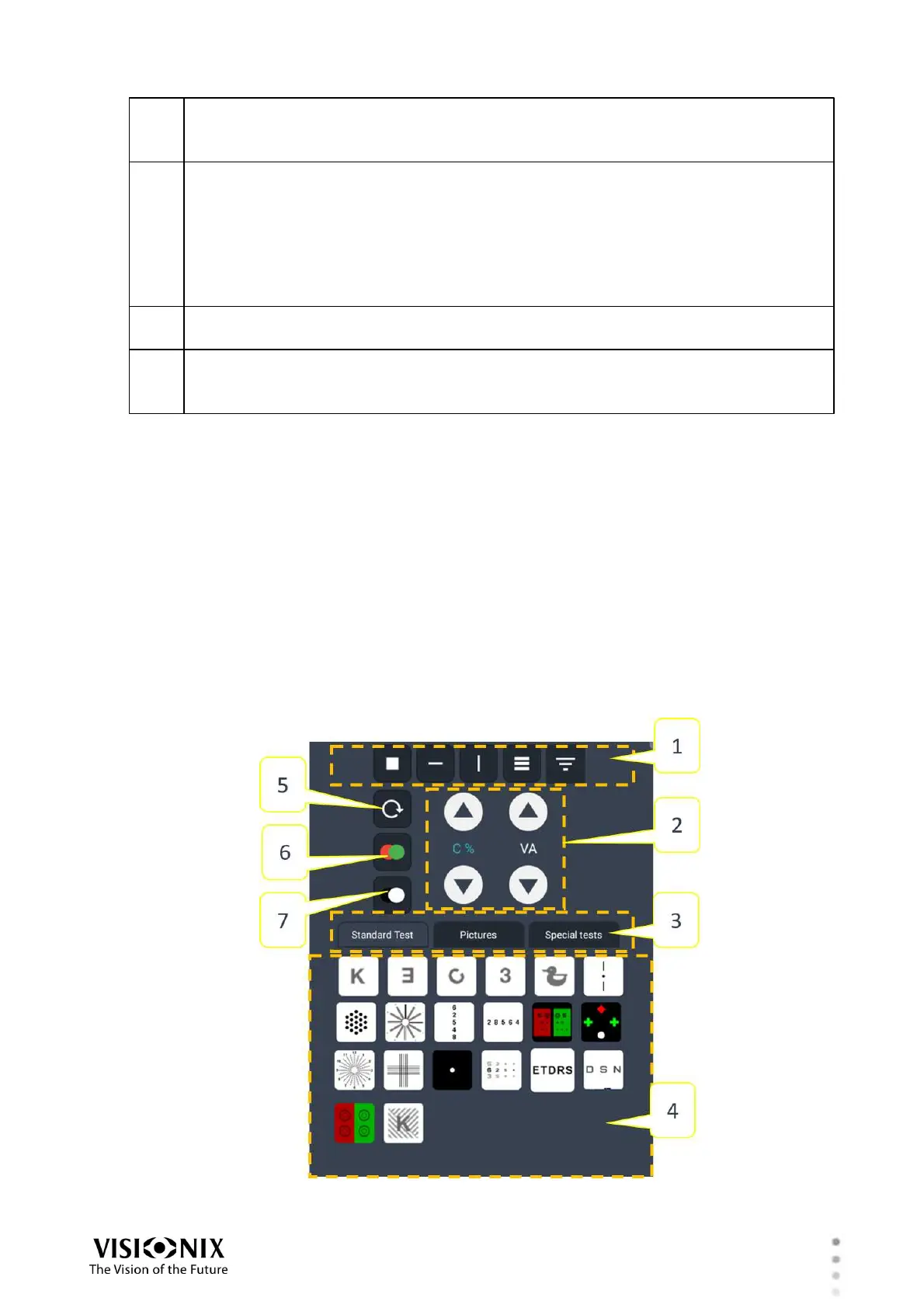
Chart Controls - Far Vision
The complete set of far-vision chart controls enables you to select from a wide variety of
optotypes and choose how they will appear in the chart display. These controls can be
accessed In both Quick Pro and Manual modes. In Manual mode, they appear below the chart
display at all times. In Quick Pro mode, they are normally hidden by the Steps, but you can
open them at any time by tapping the Remote button below the chart display.
When Far Vision is selected, the Control region of the Refraction screen contains the items
described below. Depending on the type of chart selected, some of these controls may be
unavailable. Available controls are displayed with a black background, while unavailable
controls are displayed with a gray background.
Chart controls - far vision



 To Next Page