Visionix EyeRefract User Guide
71
Overview of the Software
Patient Record Screen
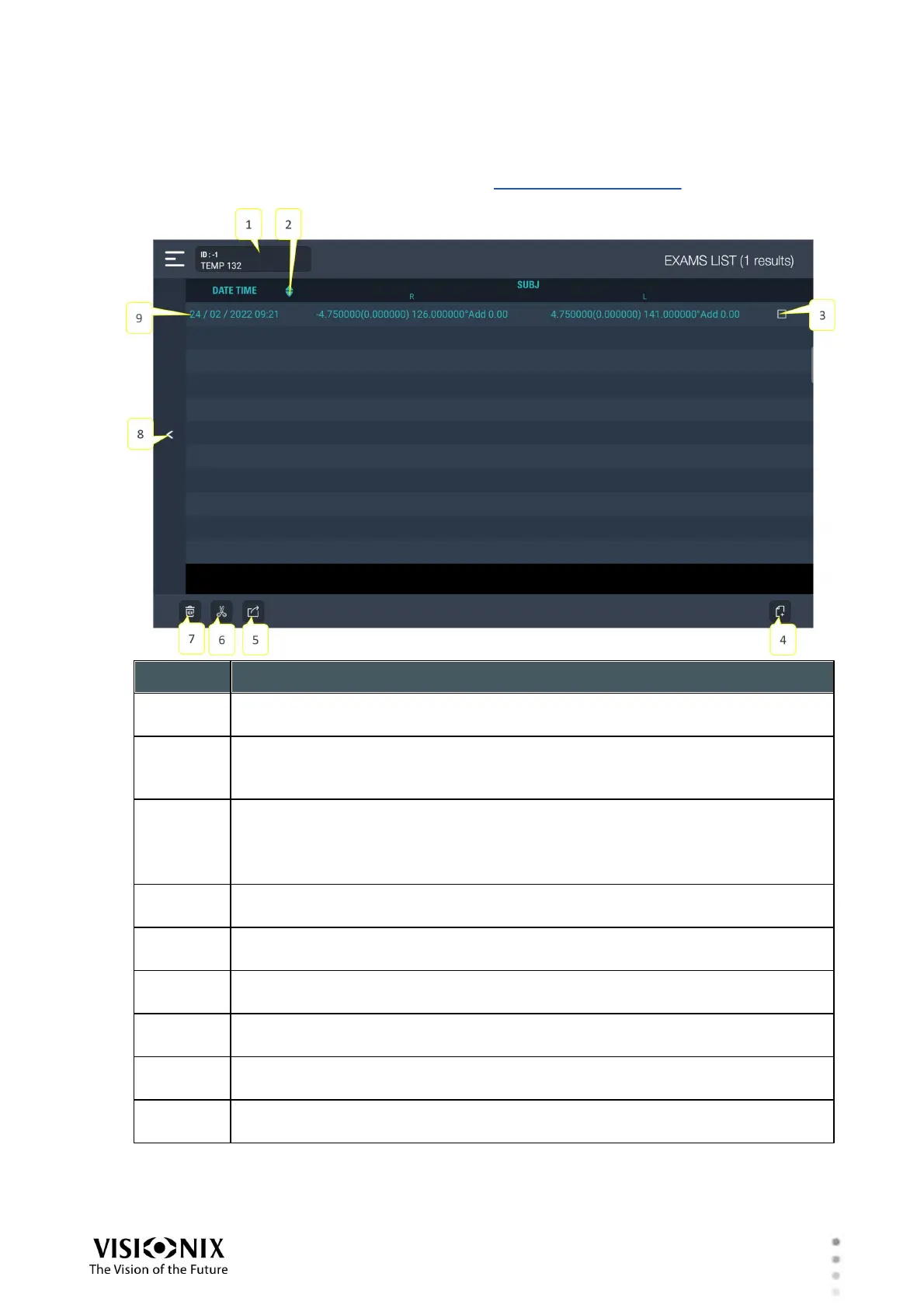
Individual patient records can be opened from the Patient Database screen. They contain a list
of exam results that are stored in the patient record.
Patient information
The patient's ID number and name
Sort by
Tap to sort by the column to the left of this button. Tap a second time to
reverse the sort order (e.g., 3-2-1 instead of 1-2-3).
Select Item checkbox
Tap to select an exam result. Once the item is selected, you can delete it by
tapping the Delete button (#7).
Note: Only one item can be selected at a time.
New Record button
Tap to open a new patient record.
Open Exam File
Tap to open the selected exam results in the Exam File screen.
Cut
Move the selected exam results to a different patient record.
Delete selected exam results
Tap to delete the selected exam results (see #3)
Back
Tap to go back to the previous screen.
Exam results
Each line in the table contains the results of one exam.



 To Next Page