Visionix EyeRefract User Guide
33
Overview of the Software
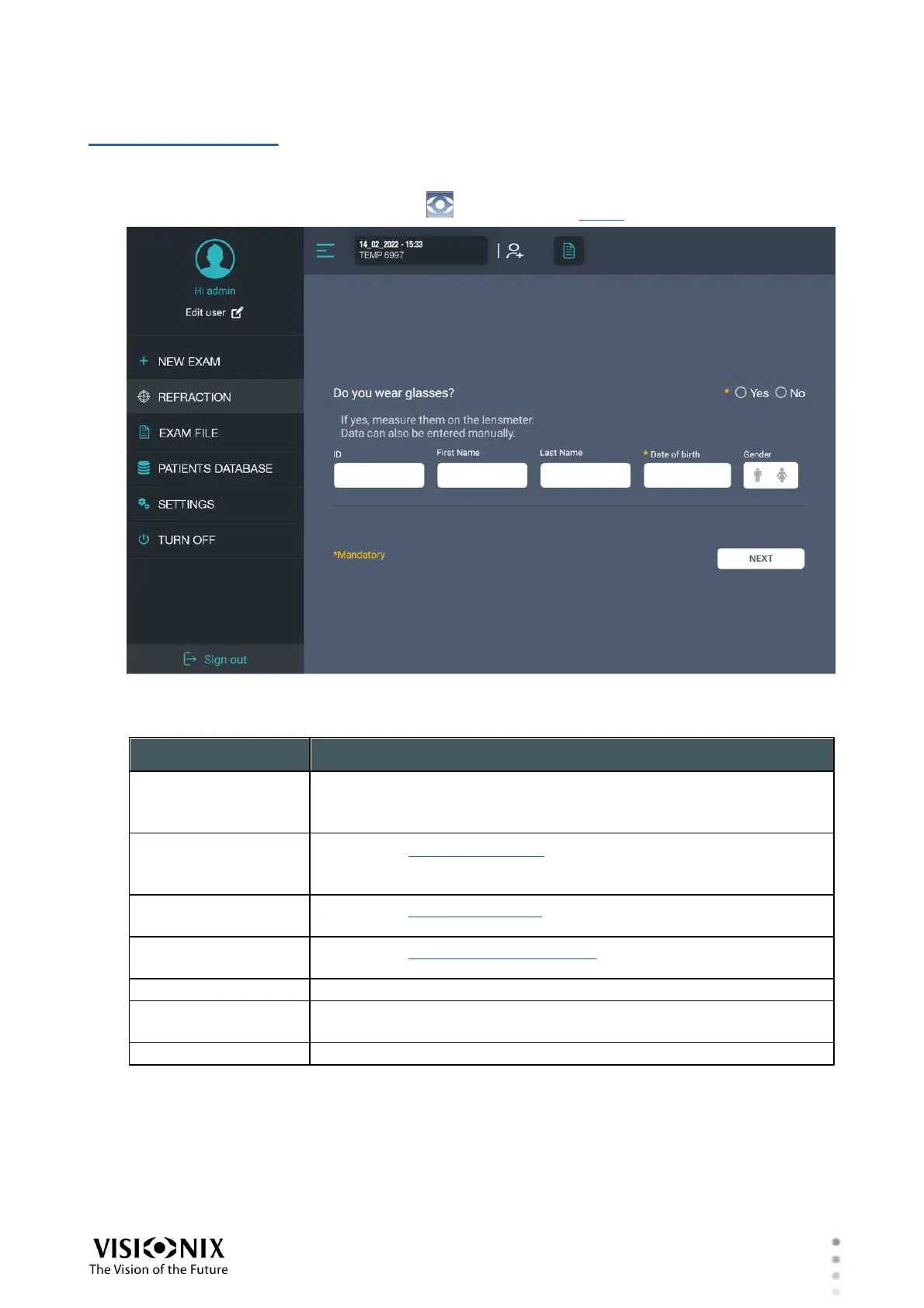
4. 4 Main Menu
The main menu allows you to switch to a different screen, and to shut down the system. It can
be opened from any screen by selecting (#1 in the figure above).
Main menu opened on the left side of the screen
The main menu contains the following options:
Opens the screen that is designated in the app settings as the
new-exam screen
By default, this is the Refraction screen.
Opens the Refraction screen, in which subjective refractions are
performed using the phoropter
By default, this is the initial screen.
Opens the Exam File screen, in which the data-sets of the current
refraction session are managed
Opens the Patient Database screen, in which patient records are
managed
Opens the Settings screen, in which app settings are managed
Shuts down the system (both the EyeRefract machine and the
tablet app).
Log out from the current user account



 To Next Page