32
Visionix EyeRefract User Guide
32
Overview of the Software
4. 3 Heading Area
The upper portion of every screen contains some or all of the following information and
controls:
ETDRS Patient-Response Controls
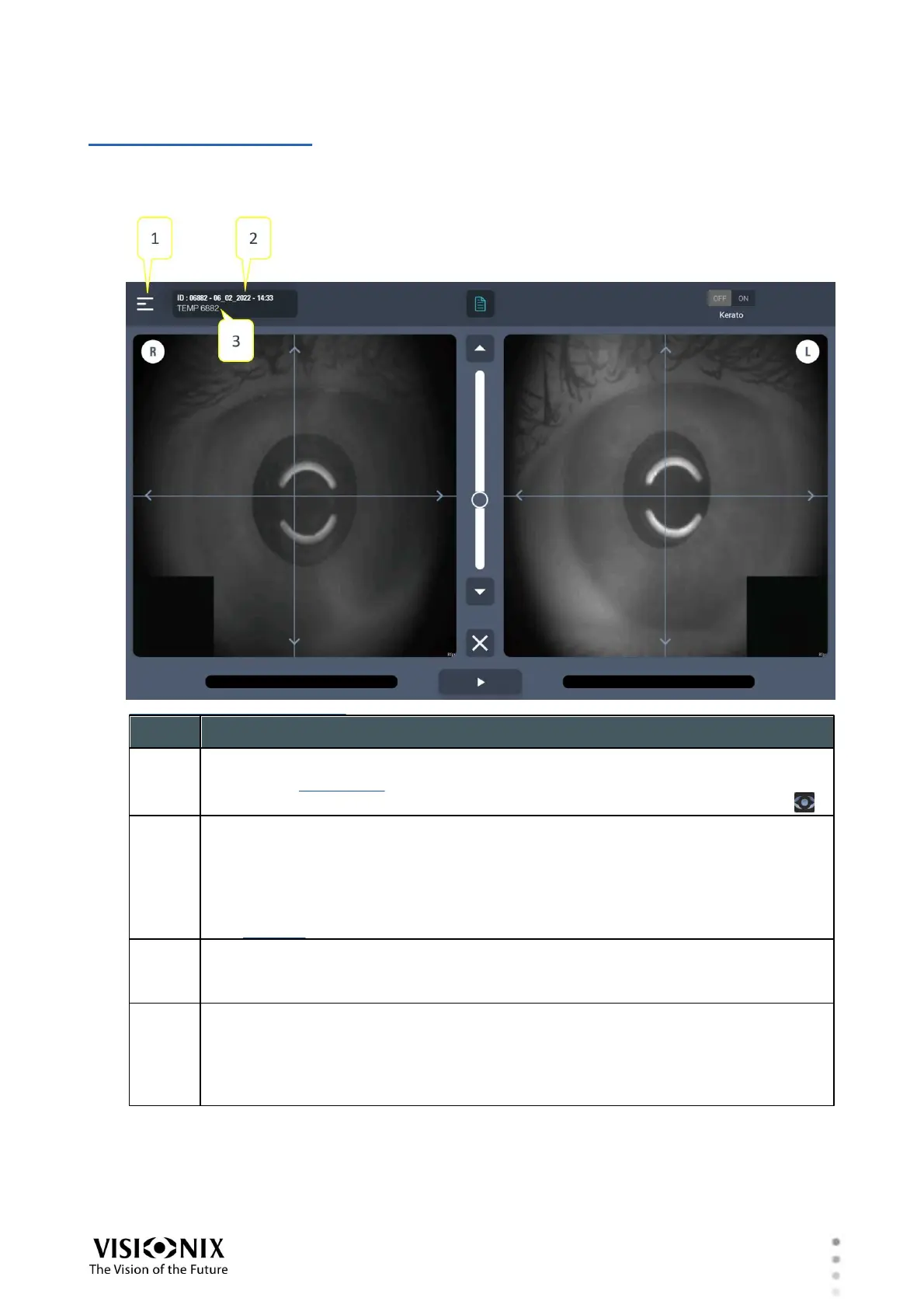
Menu button
Opens the main menu
To close the main menu, in the heading area, to the right of the menu, select .
Time
By default, displays the date and time at which the examination began
The display in this field can be configured in the app's settings to display either
the date and time at which the exam began (the default setting), the time elapsed
since the beginning of the current exam, or nothing. This setting is configured in
the Settings screen, under General>Time display.
ID or name
An automatically generated ID for the exam, or the name of the patient (entered
manually in the Patient Info dialog box; see #4)
Distance to chart
Indicates the distance from the patient to the chart
For far-vision, this value is retrieved from the monitor's configuration. For near
vision, this value is measured on the fly, and changes as the near-vision target is
moved closer to or further from the patient.



 To Next Page