60
Visionix EyeRefract User Guide
60
Overview of the Software
Near Vision Chart
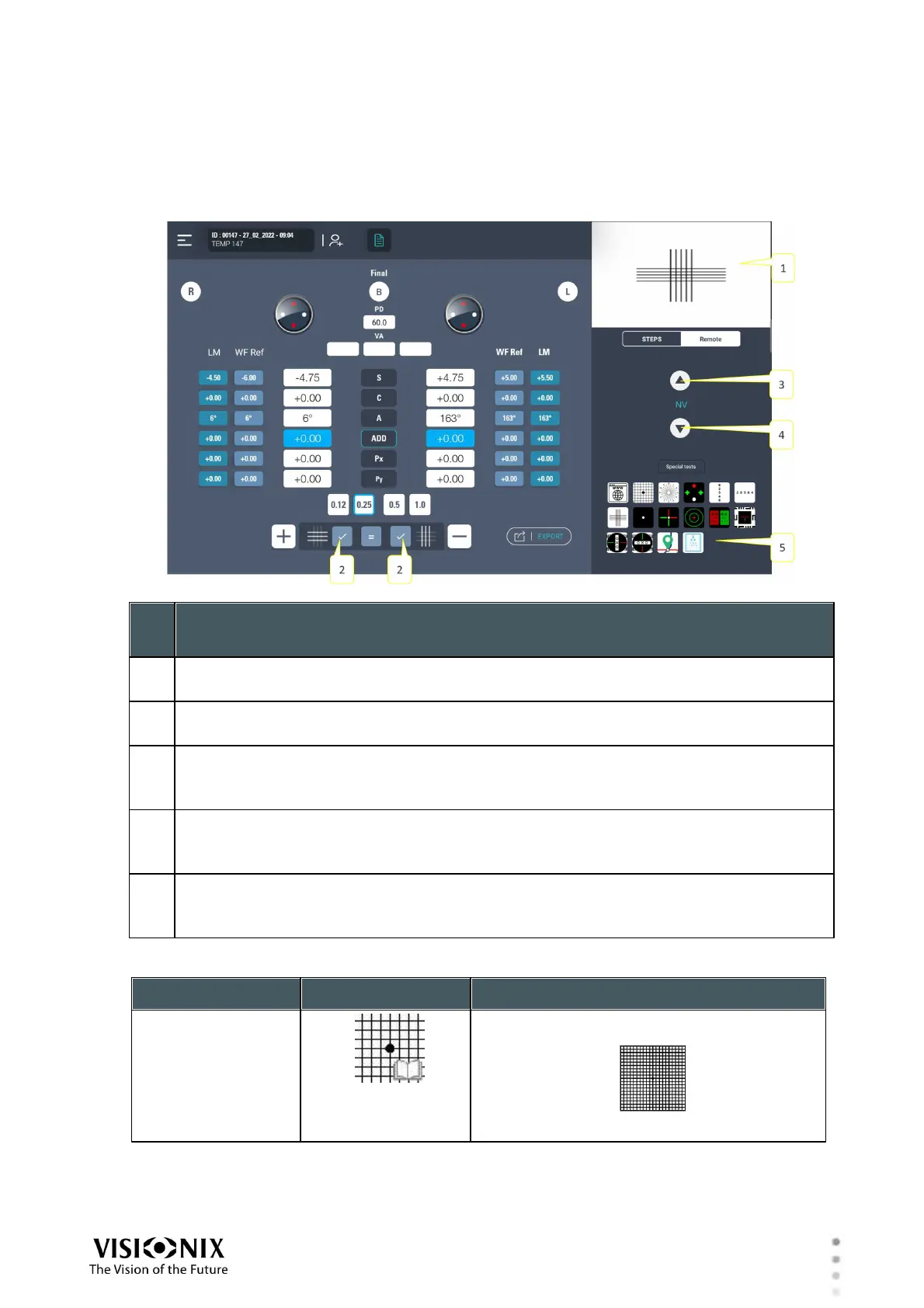
When Near Vision is selected, the Chart Control region of the Refraction screen contains the
items described below.
Chart display
Shows what the patient sees in the near-vision tablet
decrease/increase addition value
choose horizontal/vertical tab according to PX answer.
Increase text size
Tap the up arrow to increase the size of the optotypes by one step. Tap and hold
the up arrow to increase the size of the optotypes by three steps
Decrease text size
Tap the down arrow to decrease the size of the optotypes by one step. Tap and hold
the down arrow to decrease the size of the optotypes by three steps
Tests
Available Tests
shows all the tests that are available. The default is text, as in the illustration above.
Near Vision Tests list



 To Next Page