VIVOTEK - A Leading Provider of Multimedia Communication Solutions
User's Manual - 101
How to Use the Talk Panel
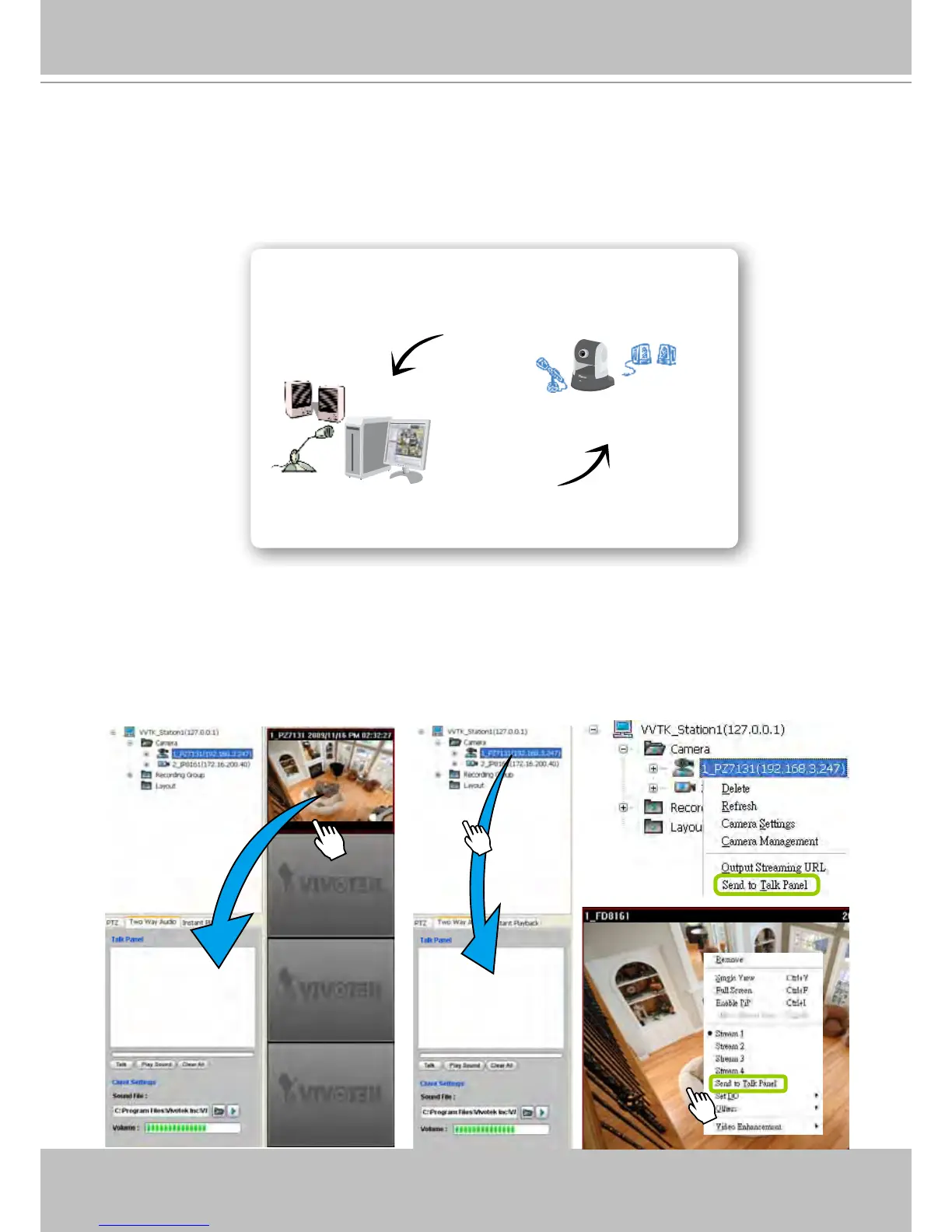
VAST LiveClient supports the two way audio function which allows the user to communicate with
people around the network camera. Please enable the two way audio function on the camera
side. Below is a conceptual drawing of the two way audio function:
Add a Camera to the Talk Panel
There are several ways to add a Network Camera to the Talk Panel:
Drag-and-drop a camera from the video cell or from the hierarchical device tree to the talk panel as
shown below. You can also right-click the target camera or the video cell, then click Send to Talk
Panel on the popup menu.
Audio transmitted from operators
Audio transmitted from network camera
Network Camera with internal
or external microphone



 To Next Page