VIVOTEK - A Leading Provider of Multimedia Communication Solutions
User's Manual - 25
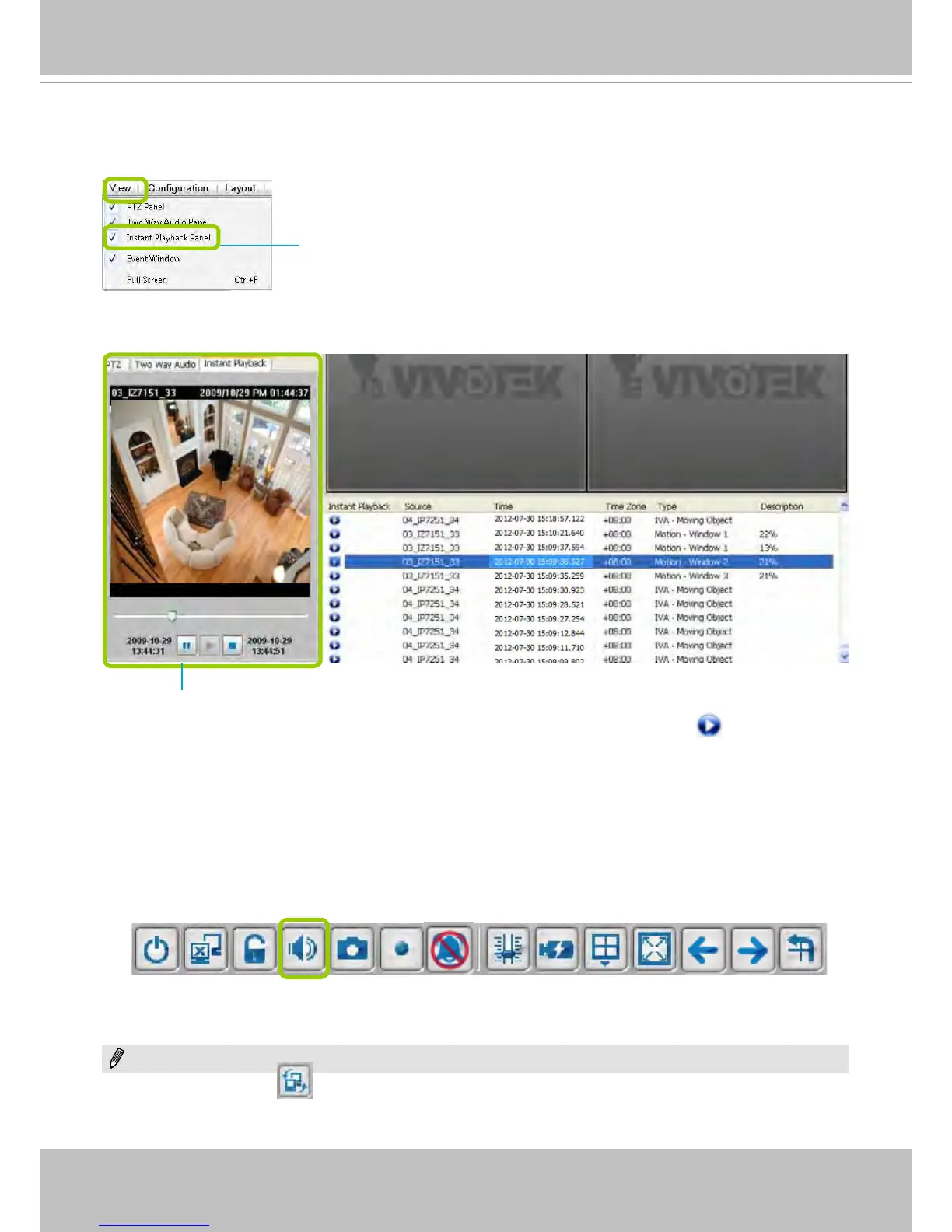
Instant Playback
Check View > Instant Playback to open the window on the panel.
The recorded media that was triggered by an event will be indicated with an
icon.
You can double-click an event on the list to playback the recorded video. Each event contains a
video clip of about 20-seconds in length. (The default recording data of an event is 20 seconds.
For more information about event recording, please refer to page 75.)
Audio Control
The audio function will be enabled if the device is equipped with an internal or external
microphone. For detailed audio control settings, please refer to page 138.
Instant Playback Window with a slide bar, play, pause, and stop function
Uncheck this item if you want to hide this window.
NOTE:
The Switch Monitor button is available on an independent LiveClient instance installed on a remote PC. For a
direct connection with the NVR, this button is not available.



 To Next Page