VIVOTEK - A Leading Provider of Multimedia Communication Solutions
80 - User's Manual
Edit Camera List
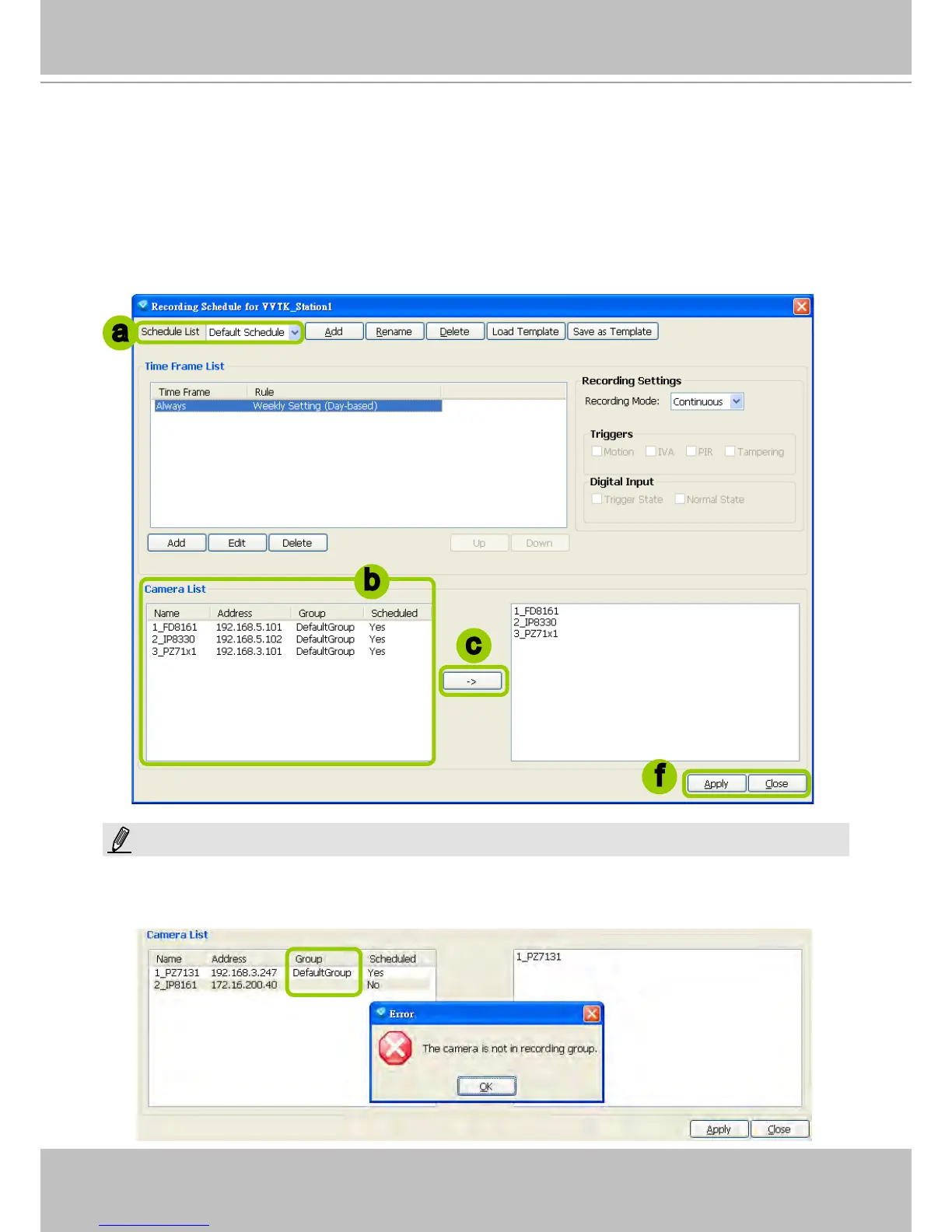
Please follow the steps below to assign a device to a recording schedule:
a. Select a recording schedule on the schedule drop-down list.
b. By default, all devices under the station are assigned to the Default Schedule.
c. Click << to remove devices from the Default Schedule. Click >> to add devices to the Default
Schedule.
d. Click Apply to conrm or Close to discard the settings.
If you add a Network Camera that does not belong to any Storage Group, a warning dialog will pop up as shown
below. For more information about how to set up Storage Group(s), please refer to Storage Group Settings on page
72.
b
c
f
a
NOTE:



 To Next Page