VIVOTEK - A Leading Provider of Multimedia Communication Solutions
User's Manual - 57
Manage a User Account
Add a New User Account
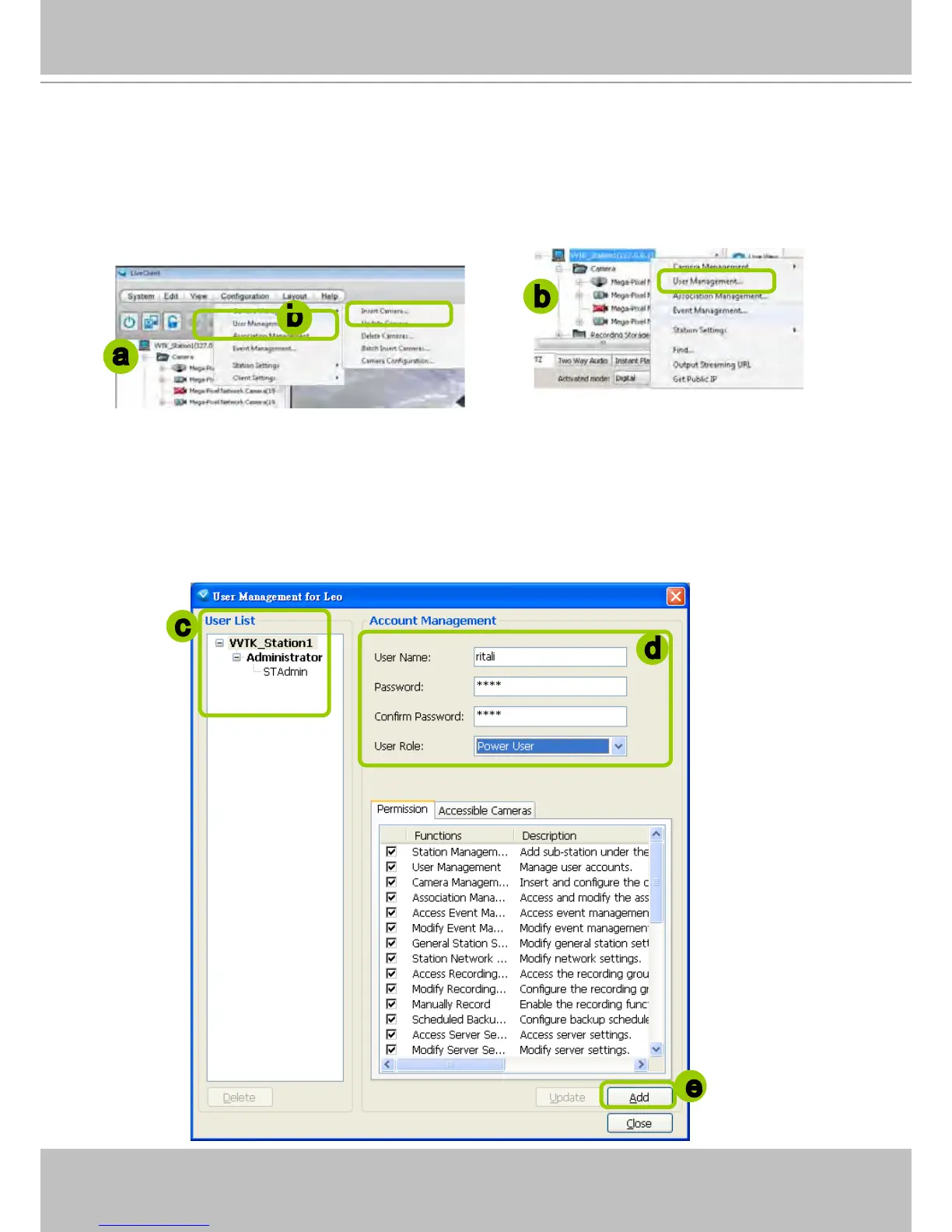
a. Select the station from the hierarchical management tree.
b. Click Configuration > User Management on the menu bar (or right-click the station, then select
User Management).
c. The User Management window will pop up. The user accounts under the station will be displayed
under the left User List tree.
d. Enter the User Name, Password, and specify the User Role of this user.
e. Click Add to add the user account to the station. It will be displayed under the User List.
c
d
e
b
a
b



 To Next Page