VIVOTEK - A Leading Provider of Multimedia Communication Solutions
User's Manual - 69
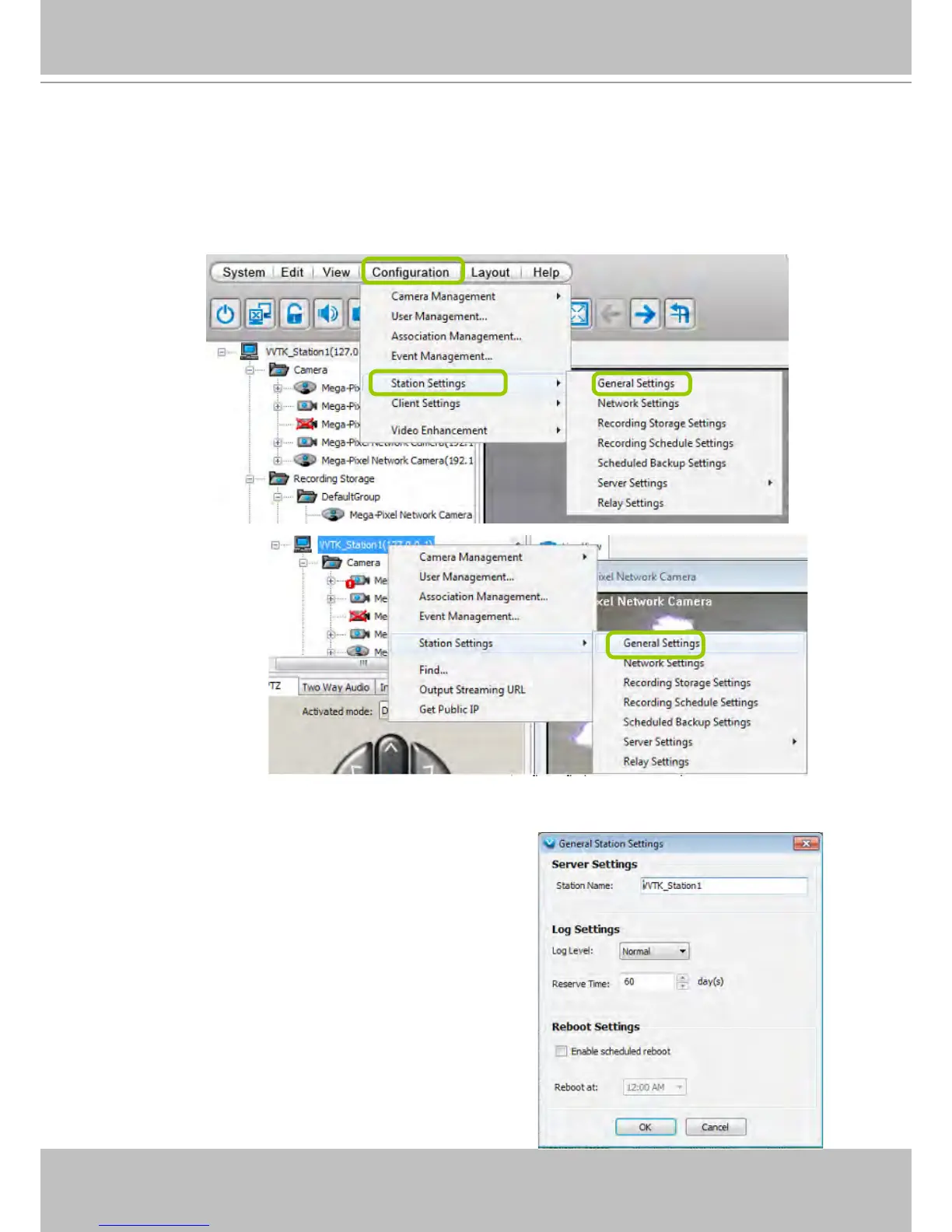
How to Congure the Station General Settings
Select the target station from the hierarchical management tree, then click Configuration
> Station Settings > General Settings on the menu bar (or right-click the station on the
hierarchical management tree and select Station Settings > General Settings). The Station
General Settings window will pop up.
Server Settings
In this section, you can modify the name of your NVR Station.
Log Settings
In this section, you can set up Log Settings for the station.
The VAST server allows user to search for the recorded log
through VAST Playback. For more information, please refer
to How to Search Logs on page 178.
Log level: Select High (only record high-level logs),
Normal (record high-level and normal-level logs), Low
(record all logs). For detailed information about log levels,
please refer to page 179.
Reserve Time: Enter the time interval that you want to
reserve the log record. The maximum value is 365 days.



 To Next Page