VIVOTEK - A Leading Provider of Multimedia Communication Solutions
68 - User's Manual
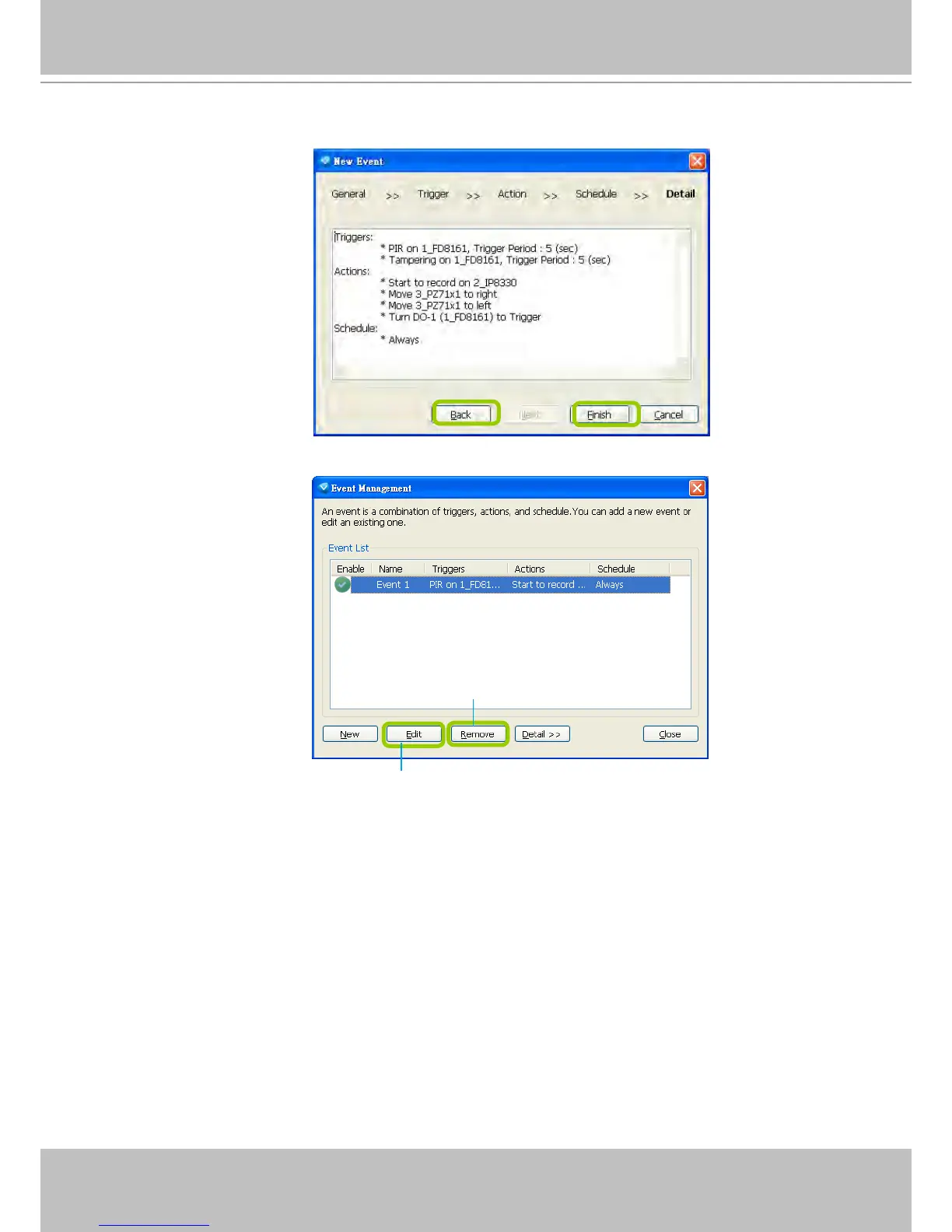
u. Following is the detailed information of the new event setting. You can click Back to modify the event
setting or click Finish to close the window.
v. Following is an example of an enabled event. You can click New to set up more events or click Close
to exit the window.
Click to disable or modify the selected event
Click to remove the event



 To Next Page