VIVOTEK - A Leading Provider of Multimedia Communication Solutions
User's Manual - 169
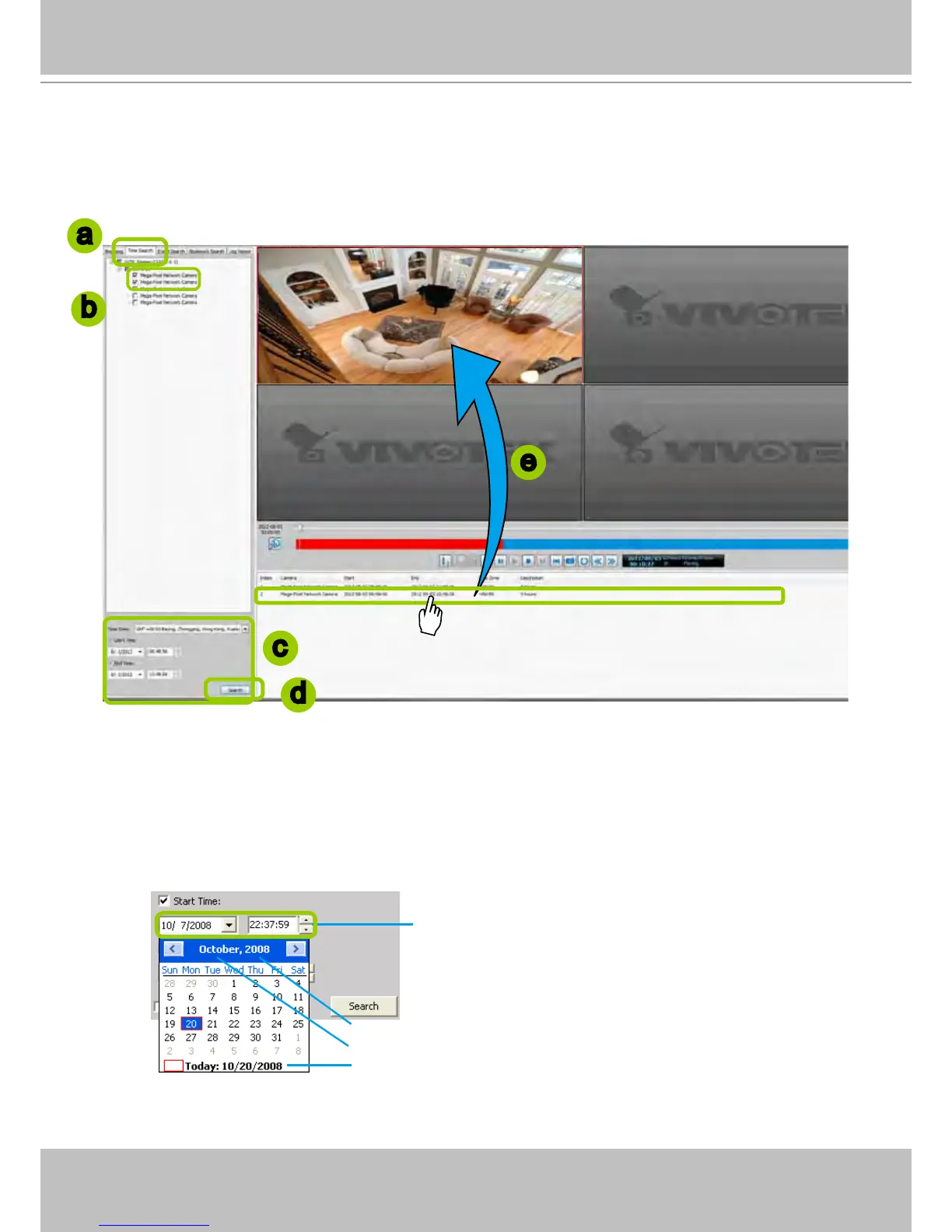
How to Search for a Video Clip Taken at a Specic Time
Please follow the steps below to use Time Search function:
a. Open the Time Search page.
b. Select the target station(s)/device(s) that you want to search for video clips.
c. Specify the time span. You can choose to set up the start time only, the end time only, or both the
start time and end time. The search results will only include the video clips within the time span. If you
uncheck both the start time and end time, the search results will include all video clips recorded by the
selected device(s).
d. Click Search to start time search.
e. View the retrieved video clips.
Click here to move the focus to the current date
Click to select a year
Click to select a month from the drop-down list
You can manually enter a specic time.
a
c
e
d
b



 To Next Page