VIVOTEK - A Leading Provider of Multimedia Communication Solutions
170 - User's Manual
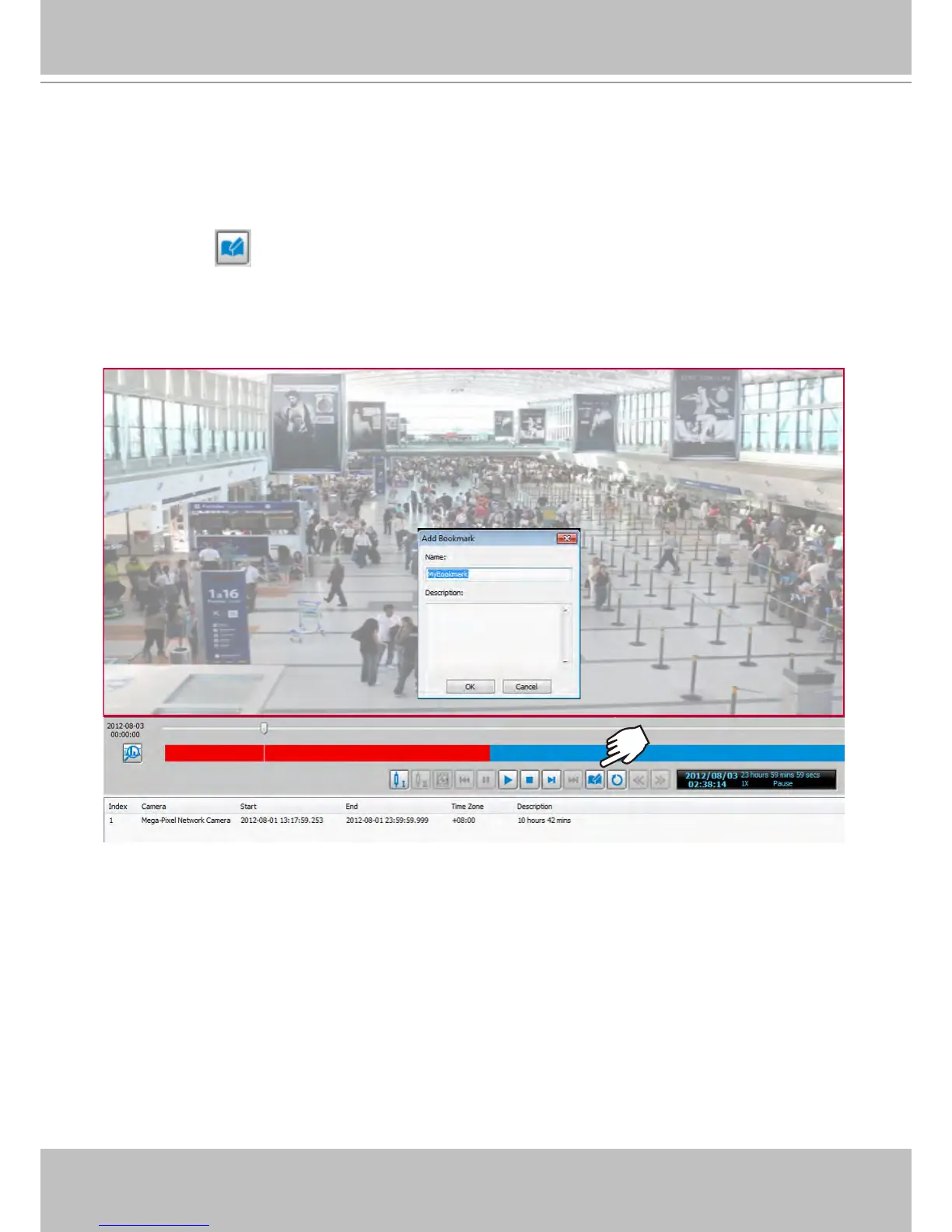
How to Add a Bookmark
Bookmark is a convenient tagging function that allow your to pinpoint and extract a 20-second
video clip from out of a video recording. When you see somehting of your interest while
browsing through a recorded video,
1. click on the
Bookmark button,
2. Enter a name for the bookmark, such as thief spotted.
3. You may enter a short description in the Description eld. You may also search for the bookmarks you
created later on.
Please refer to page 178 for how to search for bookmarks.



 To Next Page