VIVOTEK - A Leading Provider of Multimedia Communication Solutions
42 - User's Manual
View Live Videos
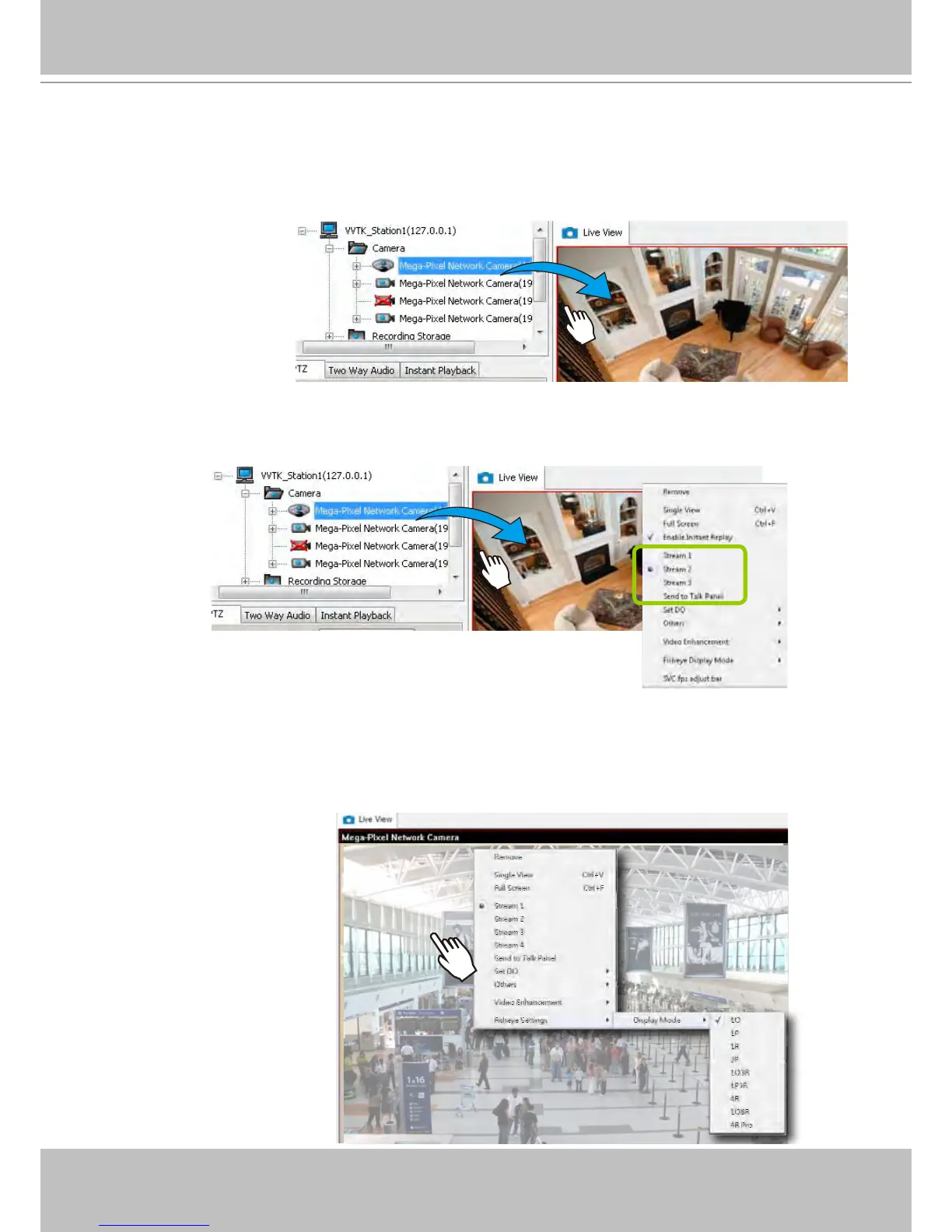
You should double-click the target device or drag-and-drop the target device from the
hierarchical management tree window to a video cell.
Dual / Multiple Streams
For multiple-stream devices, you can right-click on the focused view cell to select a stream. The NVR
system automatically selects a video stream depending on the size of the current layout and view
window. Normally it is not necessary to change the video stream.
Mega-Pixel Network Camera
Mega-Pixel Network Camera
Fisheye Display Modes
By default, an oval view is displayed when a fisheye camera is successfully connected. To
display Regional, Panoramic, or the combination of different views, right-click on a fisheye
camera's live view to display the associated commands. The display modes available are: 1O
(Original), 1P (Panoramic), 1R (Regional), 2P (2 Panoramic), 1O3R (1 Original & 3 Regional),
1P3R (1 Panoramic & 3 Regional), 4R (Quad Regional), 1O8R (1 Original & 8 Regional), and
4R Pro (4 Proactive) modes.



 To Next Page