VIVOTEK - A Leading Provider of Multimedia Communication Solutions
User's Manual - 121
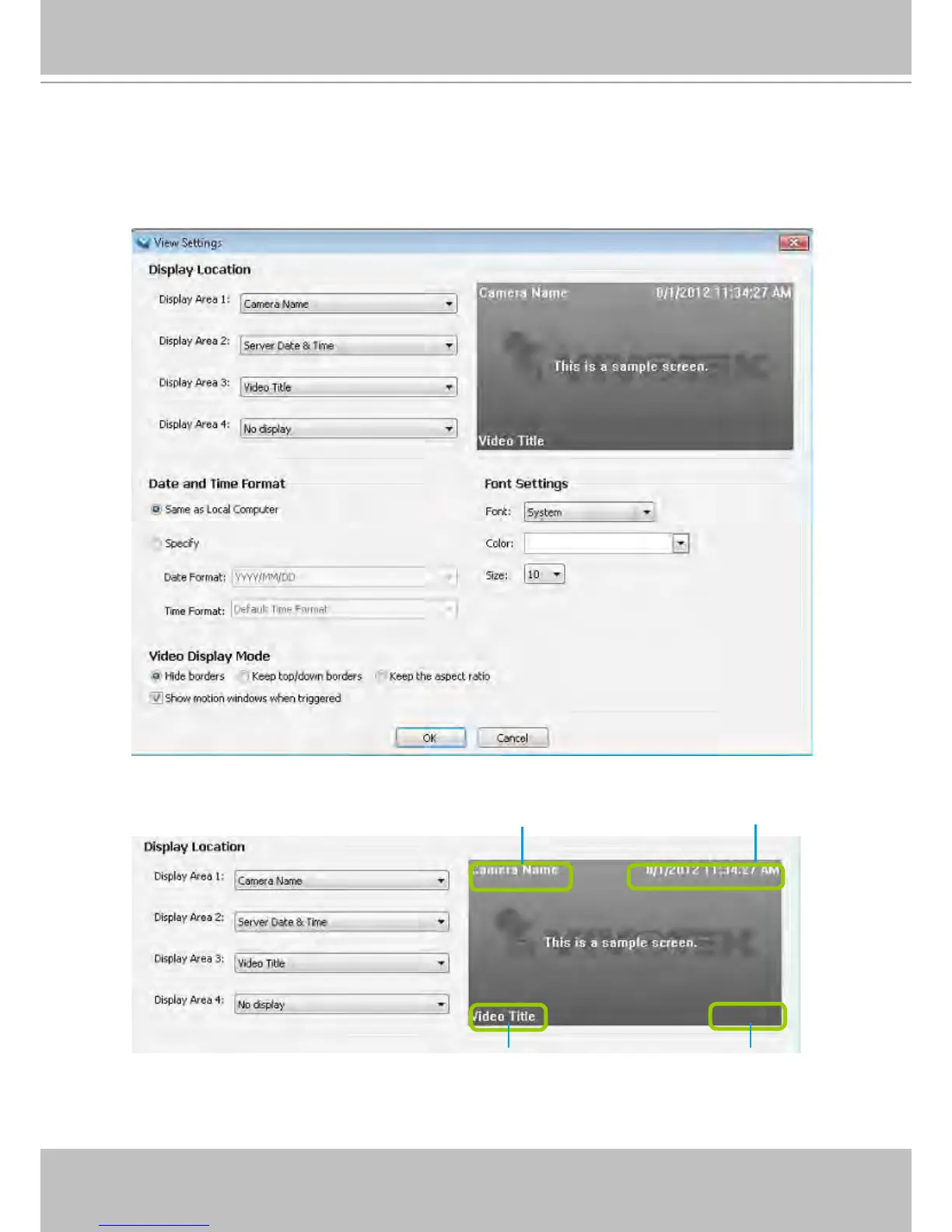
View Settings
This section allows you to set the display mode of a video cell, including Display Location,
Date and time Format, Video Display Mode, and Font Settings. When you change the
settings, the sample window will change accordingly for you to preview the settings.
Display Location
As the illustration shows, there are 4 display areas for you to input information about the live video. Each
drop-down list includes 6 options for you to select: No display, Camera Name, Video Title, Camera
Date, Camera Time, and Camera DateTime.
Display Area 1
Display Area 2
Display Area 3 Display Area 4



 To Next Page