VIVOTEK - A Leading Provider of Multimedia Communication Solutions
120 - User's Manual
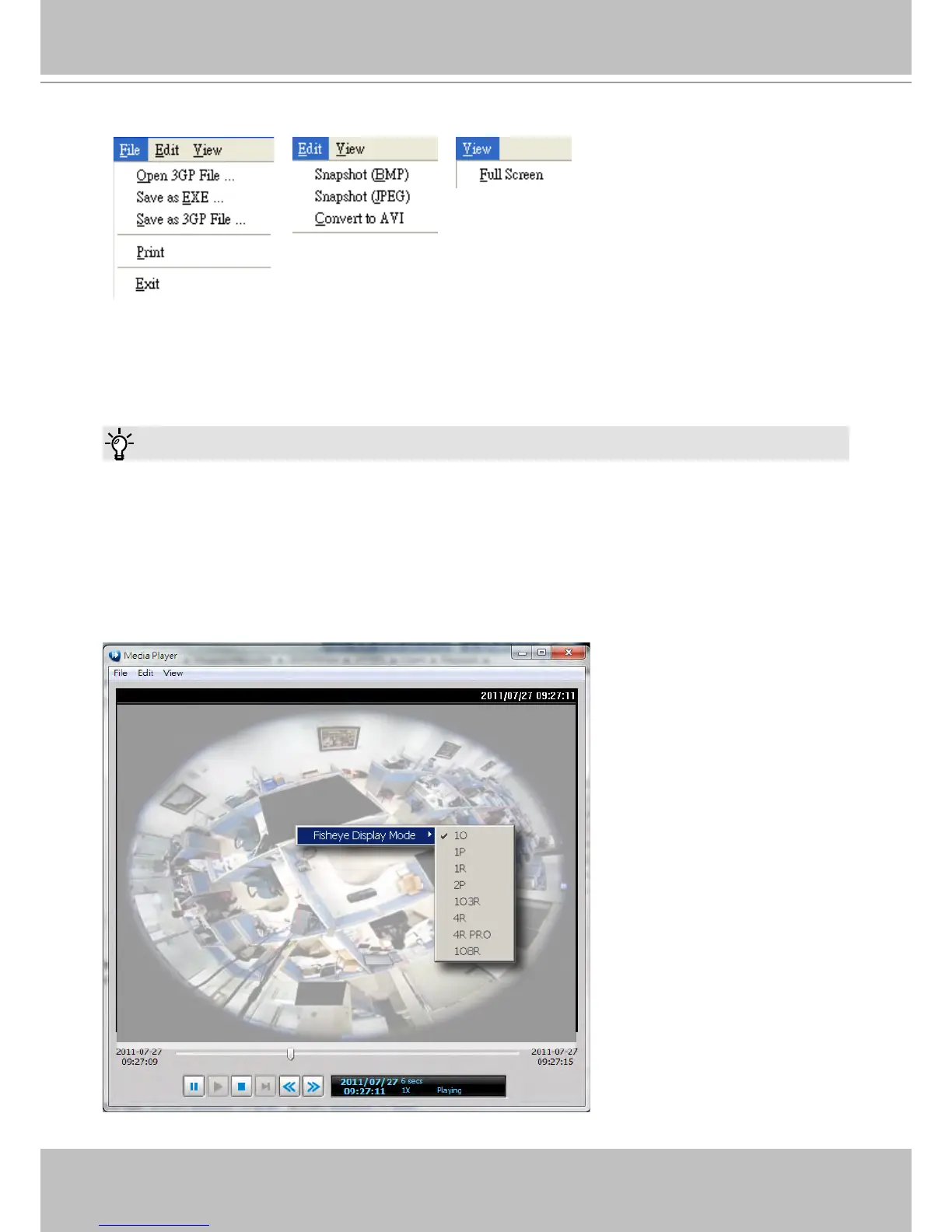
The function menu of the built-in media player are displayed as shown below:
The built-in player is able to playback 3GP les.
The built-in player is able to save 3GP les as EXE les.
The built-in player is able to save EXE les as 3GP les.
The built-in player is able to convert EXE and 3GP les into AVI les.
The built-in player also supports snapshot and print functions.
Below are special notices related to video recording with the sheye cameras:
For recorded videos from the fisheye cameras, only the built-in Media Player can playback the
Regional or Panoramic views. If you access the recorded videos using other playback software, you
will end up with the oval-shape Original view.
When recording videos from fisheye cameras, the Regional and Panoramic views can only be
preserved in the EXE and 3GP format. If you save the dewarped views, i.e., Regional and Panoramic,
as AVIs, only the oval-shape Original view will be preserved.
Currently the video playback on the Emap window displays the Original view only.
To display a Regional or Panoramic view, right-click on the Media Player window.
Tips



 To Next Page