VIVOTEK - A Leading Provider of Multimedia Communication Solutions
User's Manual - 39
Camera Conguration
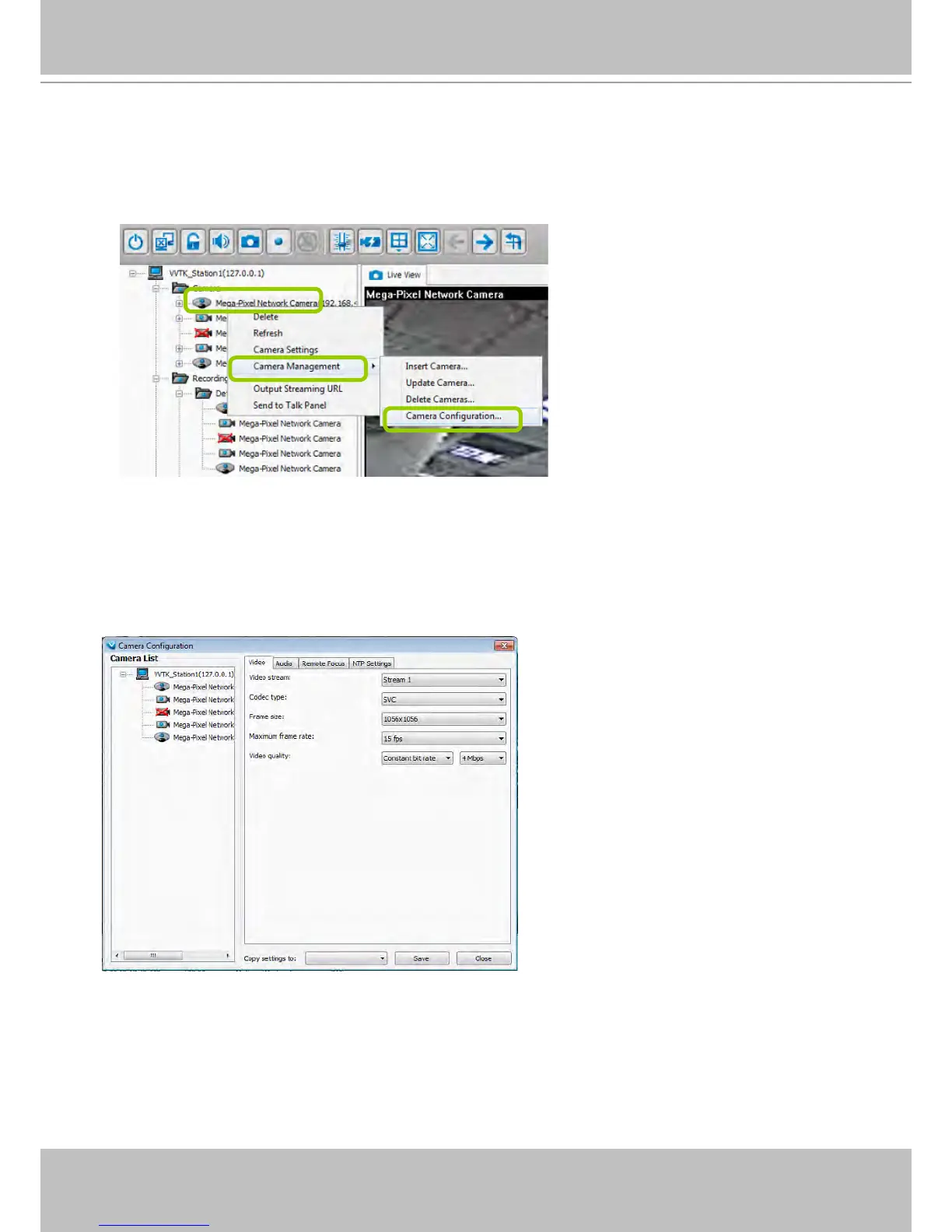
The Camera Conguration function group provides immediate access to the video streaming and other
settings without the need to open a web console. The function group is accessed by selecting a camera
on the device tree, and right-click to select Camera Management > Camera Conguration.
Video
This tabbed window privides access to the selection of the live view stream, its compression codec,
frame size, max. frame rate, and video quality. Note that Constant bit rate methodology can be used to
ensure that the size of video stream does not exceed a preferred threshold, regardless of the complexity
or the changes of pixels in the image. You should use a maximum of 1080P as frame size and 6Mbps as
constant bit rate for video streams managed by this system.



 To Next Page