VIVOTEK - A Leading Provider of Multimedia Communication Solutions
User's Manual - 175
Start Event Search
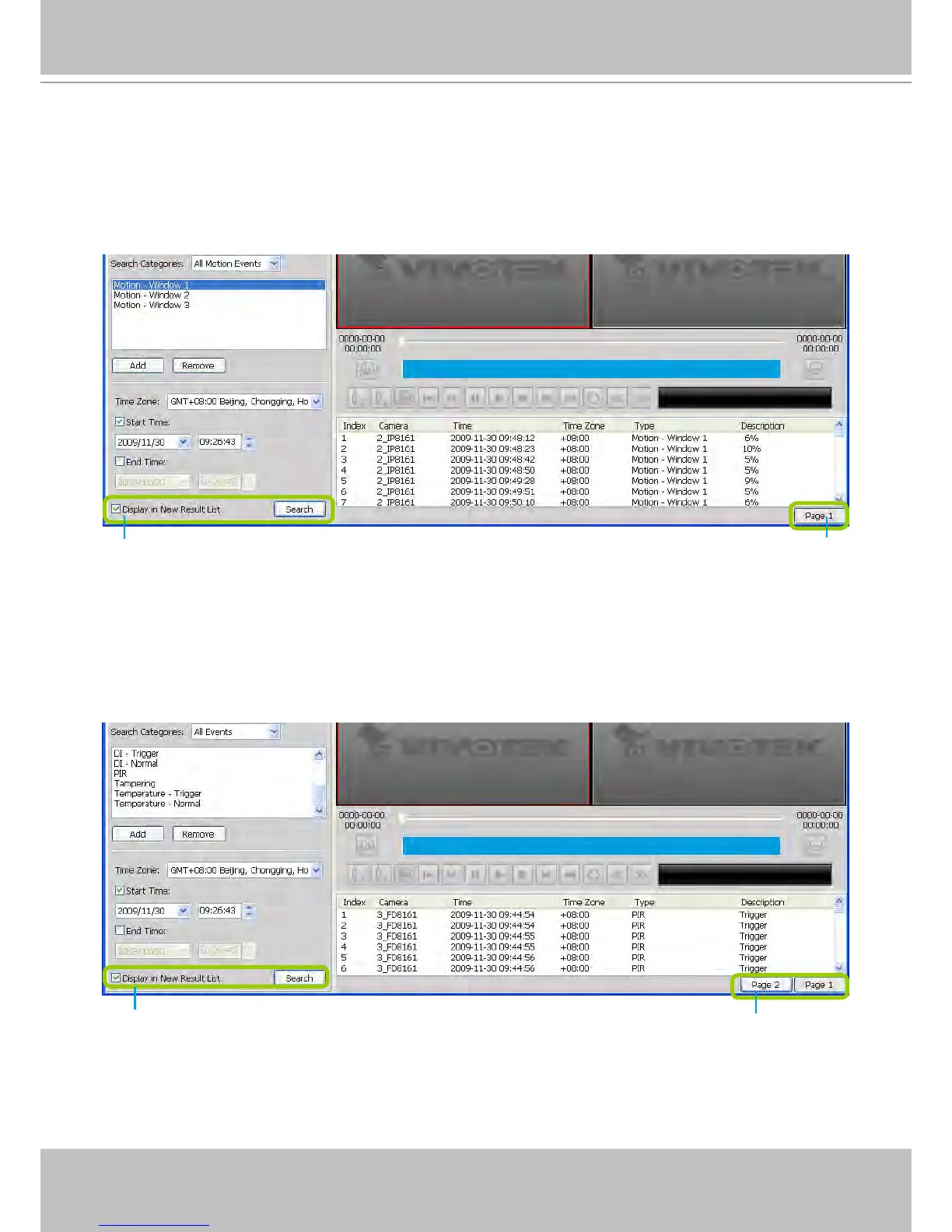
After you specify all of the search criteria mentioned above, check/uncheck Display in new result list
and click Search to begin event search.
If Display in new result list is unchecked, all search results will be displayed on the original event list
window as shown below.
In the above screen, The Type field in the search result page shows the event category, and the
Description eld displays the motion percentage of the detection window. Please refer to page 164
for more inforamtion about Motion Events.
If you select Display in new result list and click Search, the search results will be displayed on a
new page as shown below. This allows you to place the search results of each search category on an
individual page. You can set up to 5 pages in the event list window.
Unchecked
Only one page
Checked
You can set up to 5 pages.



 To Next Page