VIVOTEK - A Leading Provider of Multimedia Communication Solutions
User's Manual - 157
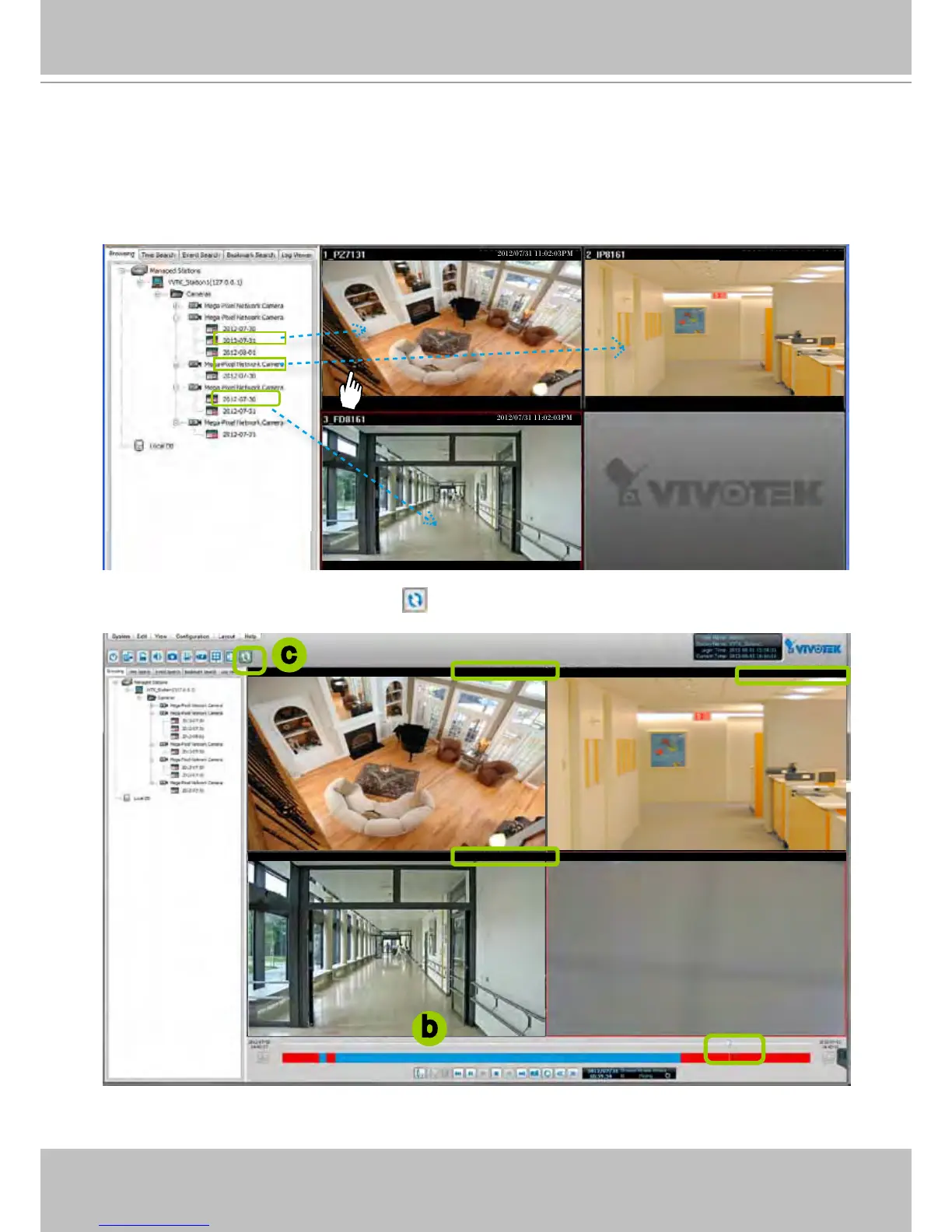
Synchronous Playback
VIVOTEK VAST Playback supports synchronous playback, which allows you to review up to
16-channel video clips simultaneously at their specic time point.
Please follow the steps below to enable synchronous playback:
a. Drag-and-drop the option “date”s to the video cells.
b. Drag the Timeline Slider Bar to the specic time point.
c. Click the synchronous playback button
on the quick access bar. The selected channel will start to
sychronously playback the footage taken at the same time.
2012/07/31 11:02:03PM2012/07/31 11:02:03PM
2012/07/31 11:02:03PM
2012/07/31 11:02:03PM
2012/07/31 11:02:03PM
2012/07/31 11:02:03PM
2012/07/31 11:02:03PM
b
c



 To Next Page