VIVOTEK - A Leading Provider of Multimedia Communication Solutions
User's Manual - 111
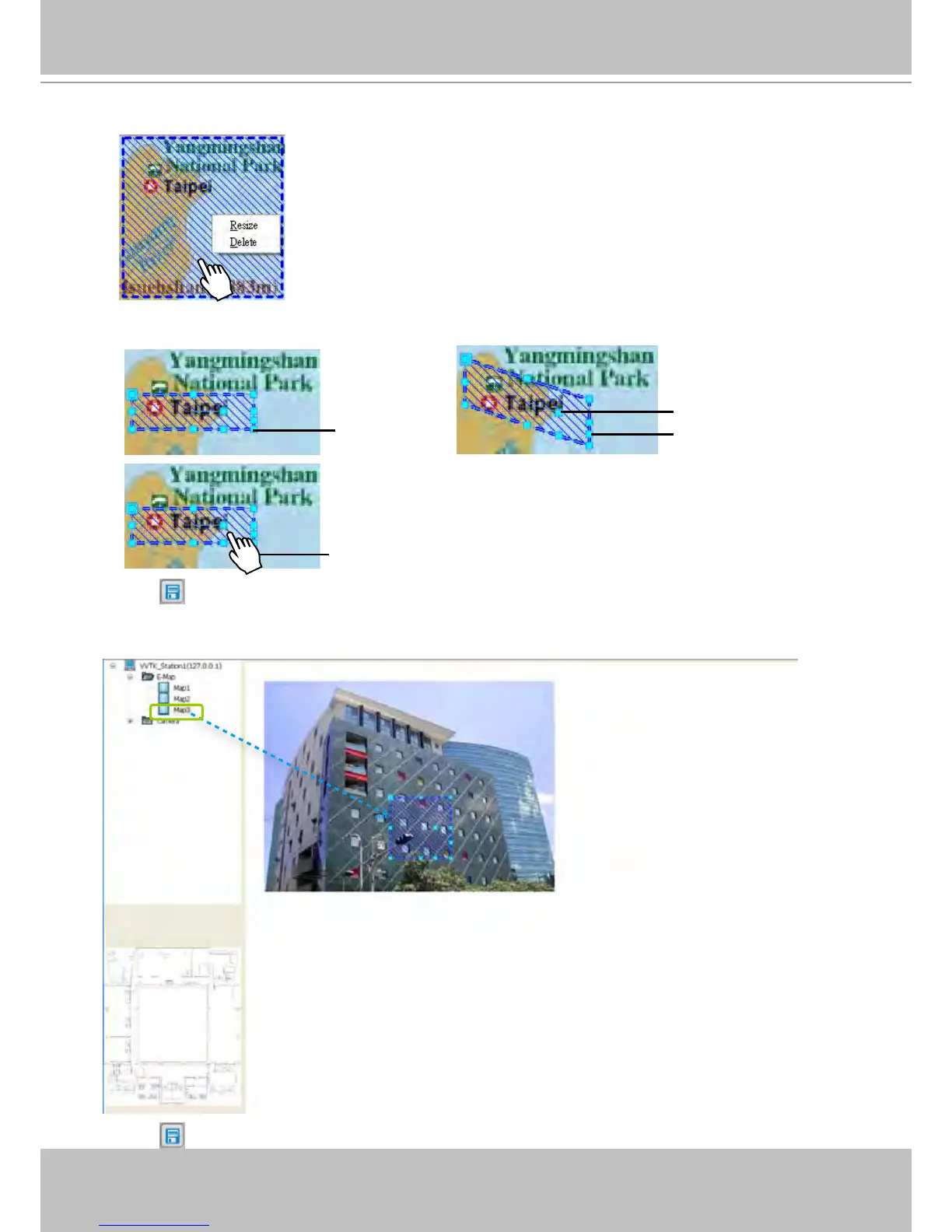
d. Right-click the blue frame to Resize or Delete it.
Click Resize, some nodes will appear around the blue frame. Then You can drag the nodes to move
the position, rotate the direction, adjust the size, and change the shape.
e. Click on the Quick Access Bar to save the new settings.
f. If you want to set additional map links, please repeat steps a. ~ e.
For example: Link Map2 to Map3 by dargging Map3 onto Map2
g. Click
on the Quick Access Bar to save the new settings.
resize
change the shape
rotate the direction
move the position



 To Next Page