VIVOTEK - A Leading Provider of Multimedia Communication Solutions
User's Manual - 9
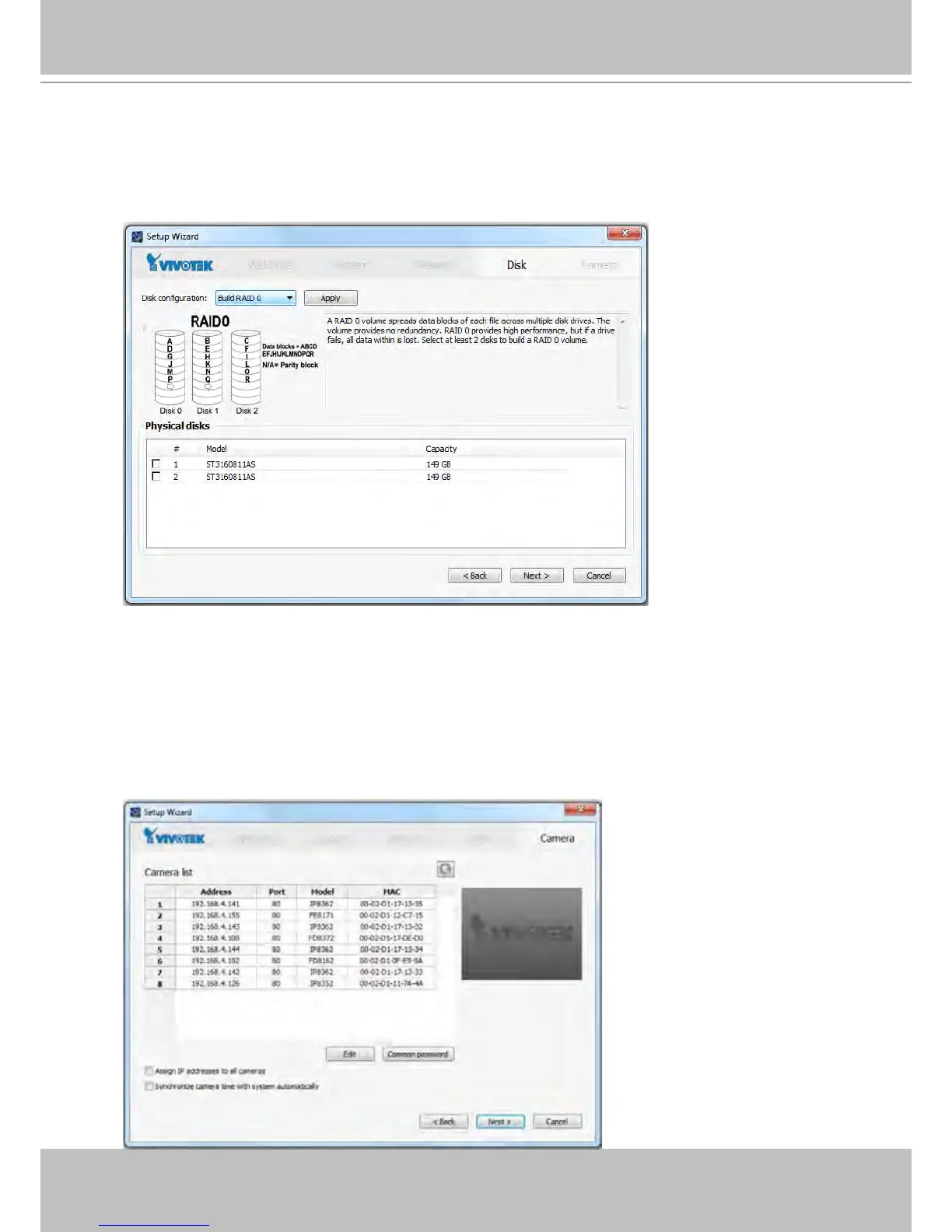
5. On the Disk page, Select disk drives by clicking the checkboxes in front of disk drives.Select
Build single disk, Build RAID0, RAID1, or other option from the Disk conguration pull-
down menu. Click Apply and wait for a few minutes for the conguration to take effect.
Refer to the description available with every disk volume type on the screen, such as those
for RAID0 and RAID1.
6. On the Camera page, all cameras connected through the local network should appear on
a Camera list after a brief search. You can manually assign IP addresses by clicking on
the cameras' address eld. You can also select the "Assign IP addresses to all cameras"
checkbox and let NVR assign IPs to cameras.
Click Next to end the initial setup. Make sure you have the cameras' access credentials in
order to make individual changes. It is also highly recommended to synchronize cameras'
time with that of the NVR system. Click the checkbox below for an automated synchronization.



 To Next Page