VIVOTEK - A Leading Provider of Multimedia Communication Solutions
12 - User's Manual
4. It is important to ensure that the live viewing and recording conguration does not
exceed the system's limits:
Compression MPEG4 H.264
Resolution CIF VGA 1080P CIF VGA 1080P
Frame rate 30fps 30fps 30fps 30fps 30fps 30fps
Bit rate 512Kbps 1Mbps 6Mbps 512Kbps 1Mbps 6Mbps
No. of streams 12 5 2 7 3 1
In terms of local display, the default stream 1 for live view can be congured with a
resolution up to Full HD 30fps. Stream 1 is also a source for continuous recording.
Make
sure your 8 cameras' stream 1 resolution does not exceed 1080P at 30fps.
The NVR supports Auto Stream Size, which automatically adjusts streaming display for
efcient leverage of system resources. If you disable the Auto Stream Size function and
manually congure your stream settings, you must comply with the limitations listed above.
You may need to congure a recording stream of a particular resolution and bit rate. When doing
this, you should make sure the Recording load does not exceed the maximum 96Mbps as the
sum of bit rates per second allocated for all recording streams. If you have multiple cameras and
the upper bound is exceeded, proceed with the following:
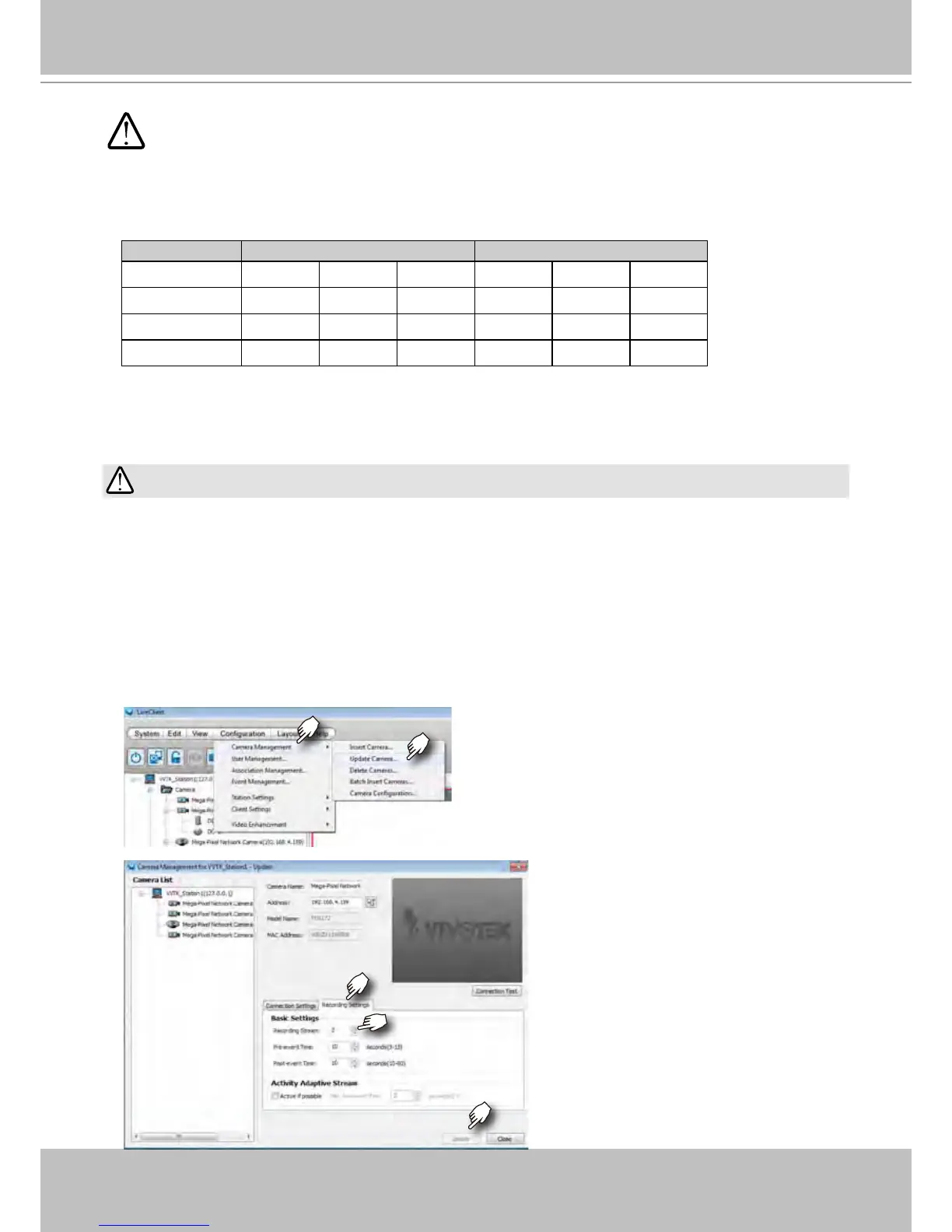
Congure the Recording setting in Conguration > Camera Management > Update
Camera. When the Update window prompts, select a camera. Click on the Recording
Settings tabbed menu, and select a smaller stream (in higher or lower bit rate or resolution)
as the source of recording. Click Update to save your conguration and repeat the setting
until the recording load is back within the 96Mbps limitation.
IMPORTANT:



 To Next Page