VIVOTEK - A Leading Provider of Multimedia Communication Solutions
28 - User's Manual
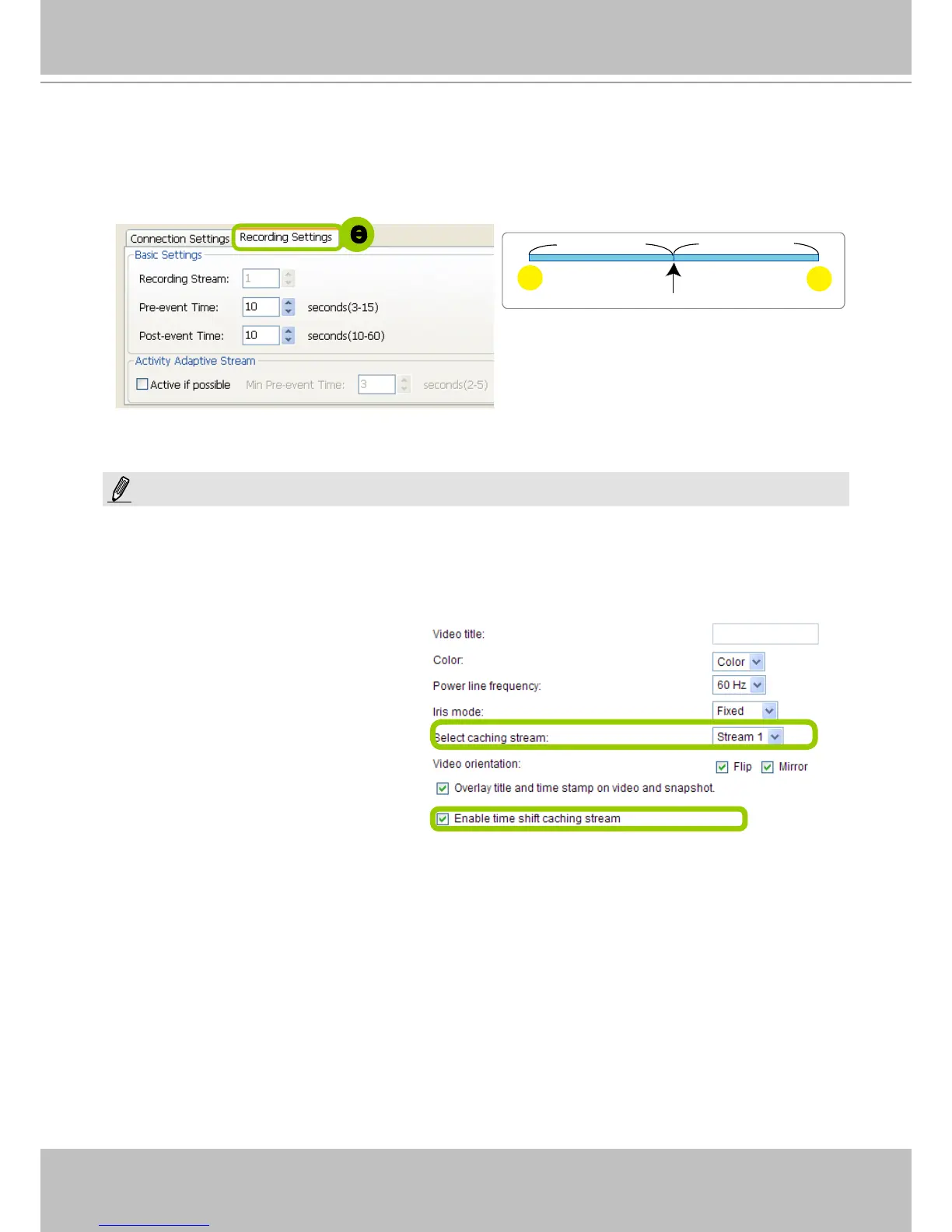
e. Congure Recording Settings:
Recording Stream: By default, the stream source of the recording stream is stream 1, if you want to
change it later on, please refer to the previous page to update the camera settings.
Pre-event time: Enter a number to decide how much time to record before an event is triggered.
Post-event time: Enter a number to decide the duration of recording after an event is triggered.
Please note that if you want to enable activity adaptive stream, we suggest you right-click the camera on the
heirarchical management tree > Camera Settings to open a managment session. Move to Conguraion > Media
> Audio and Video to activate "Time Shift Cache Stream" on the camera and select a stream source. This will
help record complete pre-event recording.
Note that some of VIVOTEK's latest cameras
have this function enabled by default. No
conguration option is needed on the camera.
post-
10 sec.
pre-
10 sec.
Trigger Activation
Pre-event time
Post-event time
e
NOTE:



 To Next Page