VIVOTEK - A Leading Provider of Multimedia Communication Solutions
User's Manual - 37
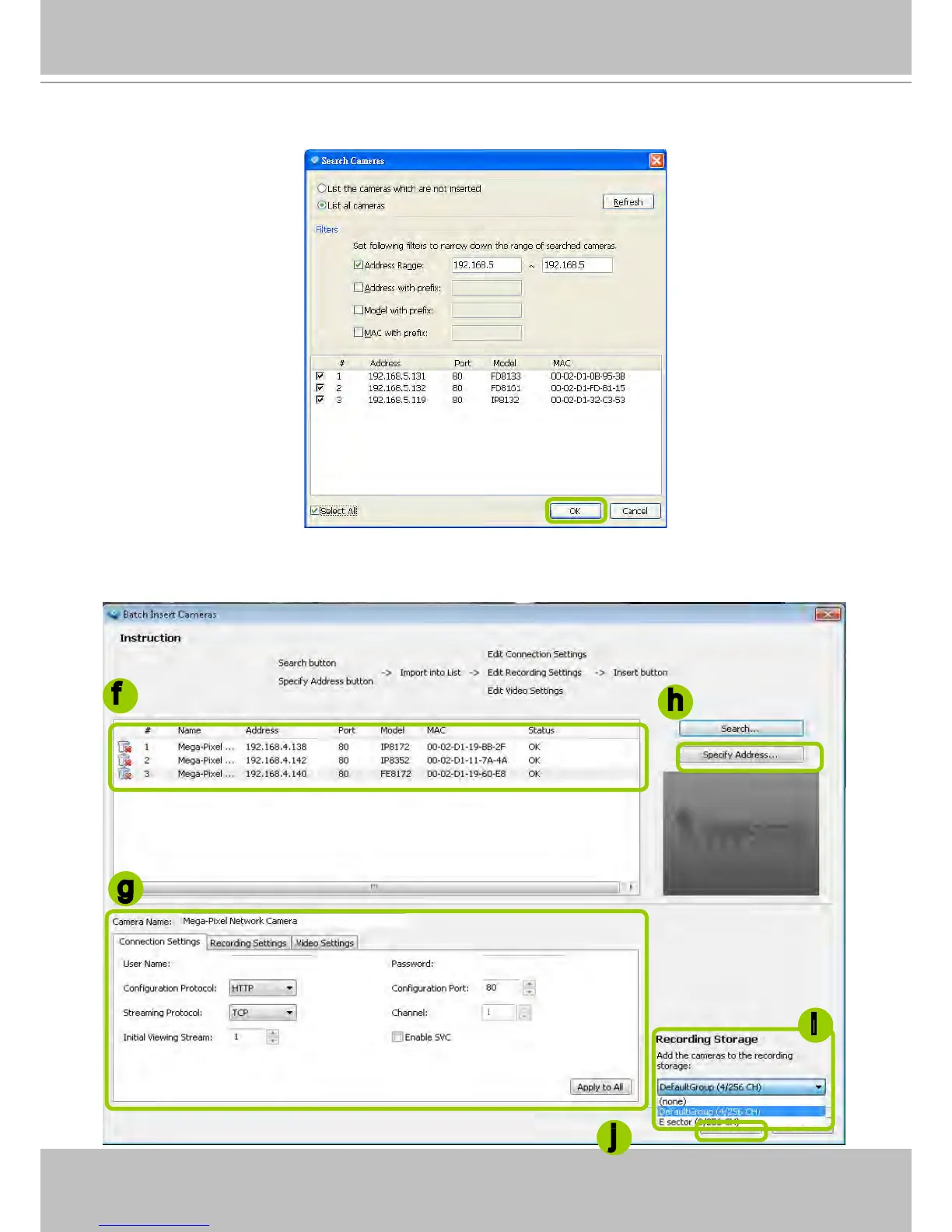
e. When the list is ltered, you can select the cameras one by one or check Select All to add them to the
batch insert list. Then click OK to nish searching.
f. The selected cameras will be shown on the batch insert camera list with the camera information and
the connection status. When you click on a camera, a snapshot will appear up on the right side for you
to identify the cameras on the list. If you want to remove a camera from the list, click the trash can icon
to delete it.
g
f
h
j
i



 To Next Page