VIVOTEK - A Leading Provider of Multimedia Communication Solutions
66 - User's Manual
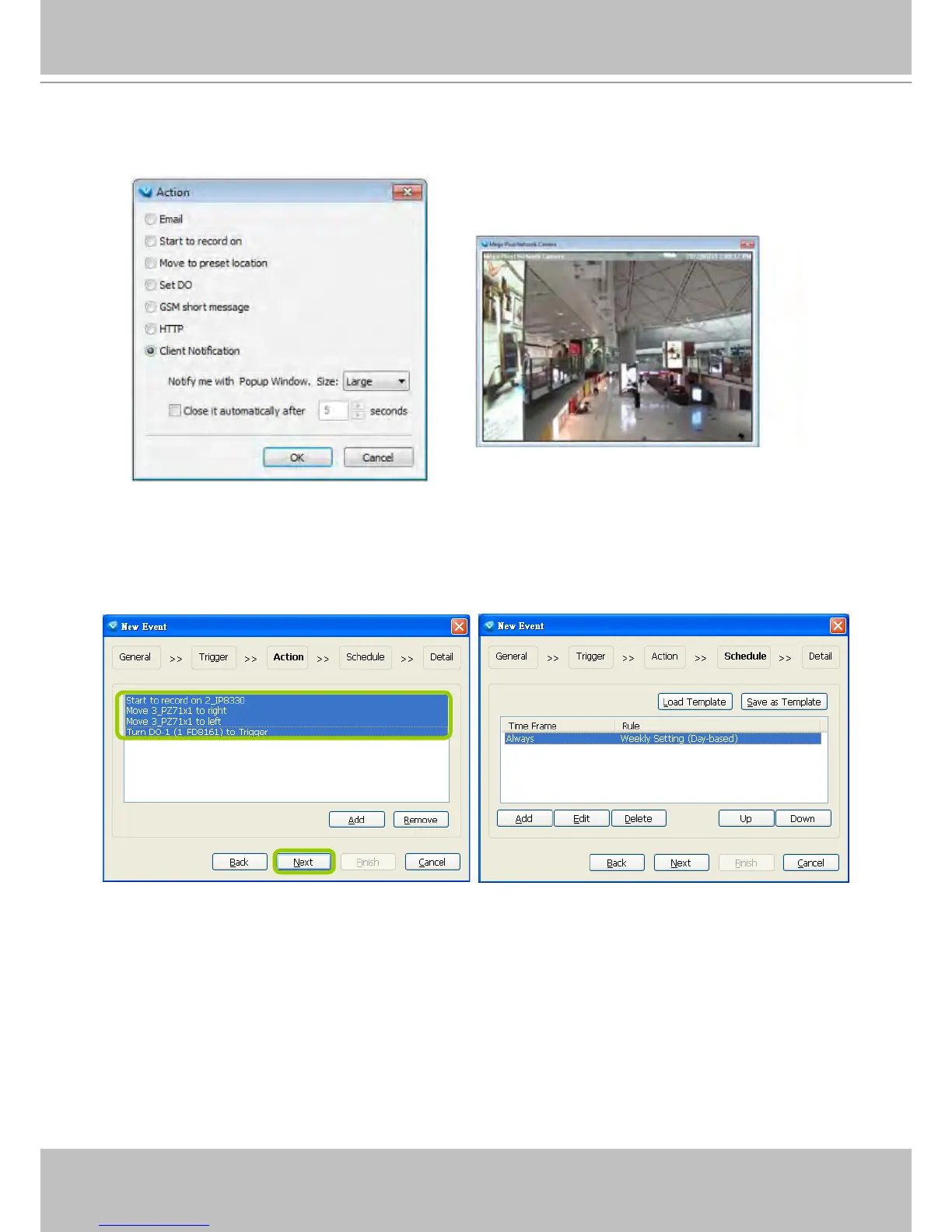
Client Notication: This function allows a notication video cell to prompt when an event is triggered.
You can select the size of the video cell, and select how long the view cell will stay on the screen.
s. The action(s) will be listed in the window as shown below.
Then click Next to set up schedule(s) to the action(s).
For more information about Schedule Settings, please refer to Recording Schedule Settings on page
77. You can assign more than one time frame to one action.



 To Next Page