Page 98 of 148 300004969171/B
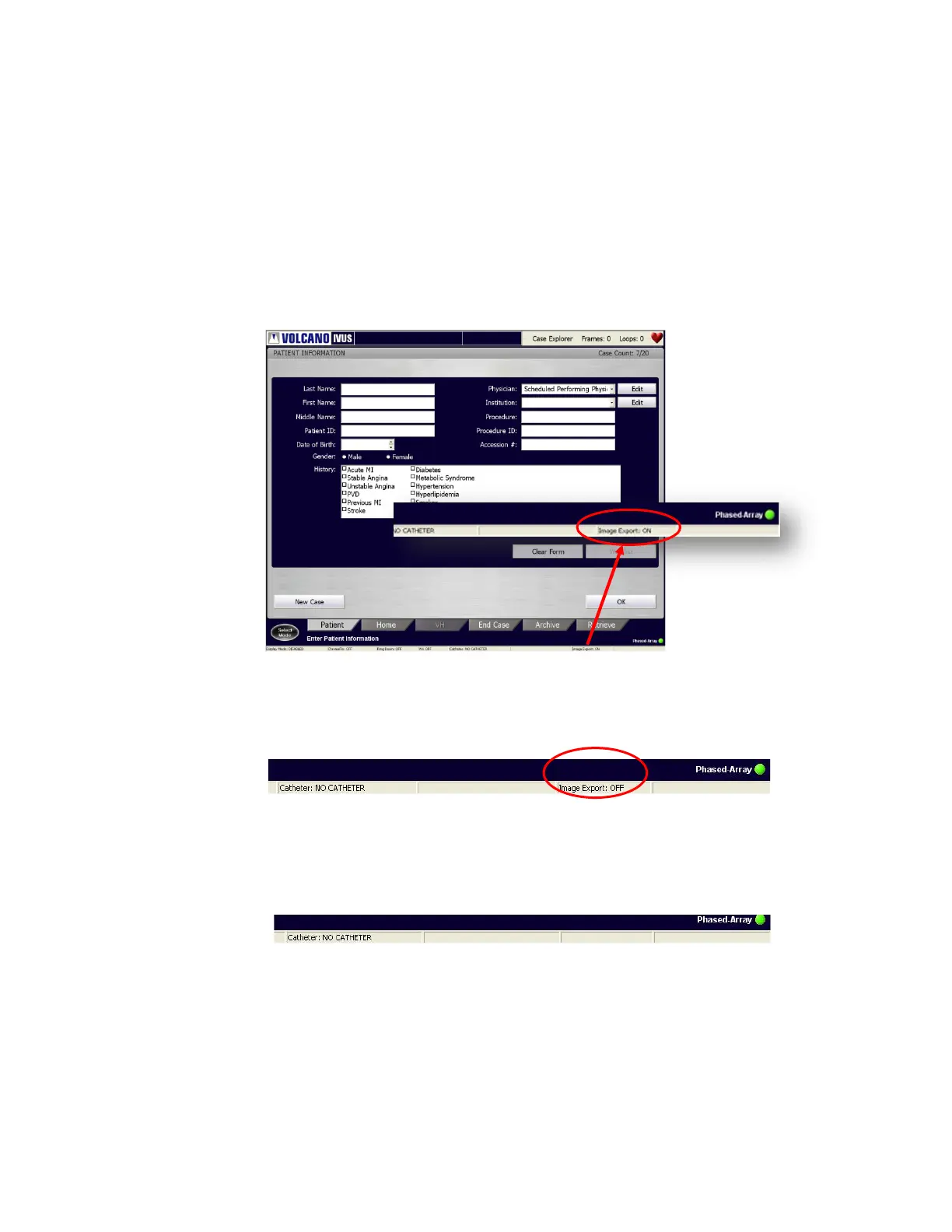
3. The status of the connection for the Image Export feature can be checked as follows
using the indicator at the right bottom corner of the screen:
a. If Image Export is enabled and an active connection is available between the
Artis and Volcano system, the right bottom corner of the Status Bar shows
“Image Export: ON”.
Figure 54: Patient Information – Image Export: ON
b. If Image Export is enabled but there is no active connection between Artis and
the Volcano system, the status shows “Image Export: OFF”.
Figure 55: Patient Information – Image Export: OFF
c. If the Image Export feature is not enabled on the system, nothing is displayed
on the Status Bar
.
Figure 56: 11Image Export Disabled – No Display


 To Next Page