VR Technology Limited
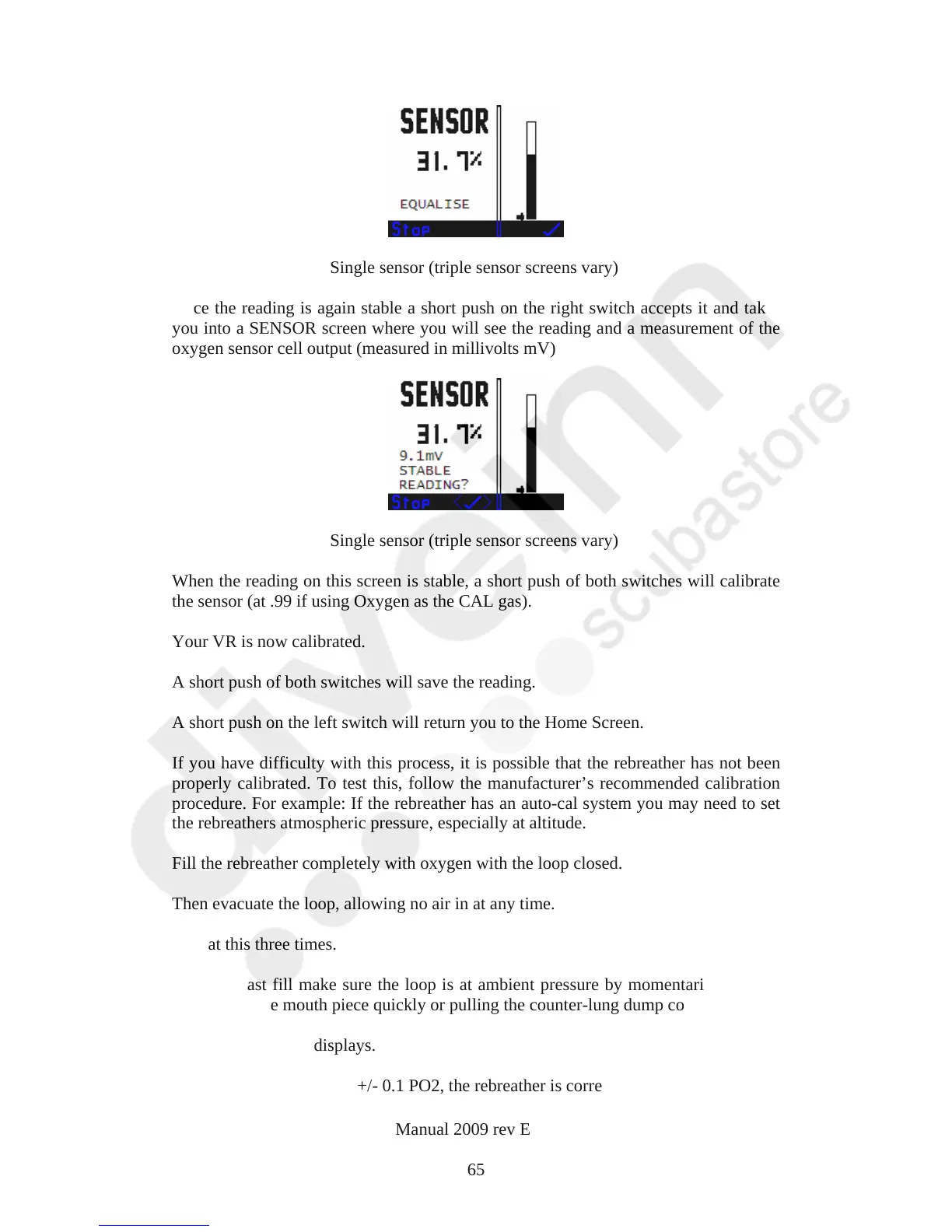
Single sensor (triple sensor screens vary)
Once the reading is again stable a short push on the right switch accepts it and takes
you into a SENSOR screen where you will see the reading and a measurement of the
oxygen sensor cell output (measured in millivolts mV)
Single sensor (triple sensor screens vary)
When the reading on this screen is stable, a short push of both switches will calibrate
the sensor (at .99 if using Oxygen as the CAL gas).
Your VR is now calibrated.
A short push of both switches will save the reading.
A short push on the left switch will return you to the Home Screen.
If you have difficulty with this process, it is possible that the rebreather has not been
properly calibrated. To test this, follow the manufacturer’s recommended calibration
procedure. For example: If the rebreather has an auto-cal system you may need to set
the rebreathers atmospheric pressure, especially at altitude.
Fill the rebreather completely with oxygen with the loop closed.
Then evacuate the loop, allowing no air in at any time.
Repeat this three times.
After the last fill make sure the loop is at ambient pressure by momentarily opening
and closing the mouth piece quickly or pulling the counter-lung dump cord.
Read the rebreather displays.
If they are at 1.0 Bar PO2 +/- 0.1 PO2, the rebreather is correctly calibrated.
VR Dive Computer Operations Manual 2009 rev E 28/01/2009
65



 To Next Page