Disassembly/Assembly Procedures LTC Repair
wc_tx000428gb.fm 156
8.13 Replacing Hour Meter
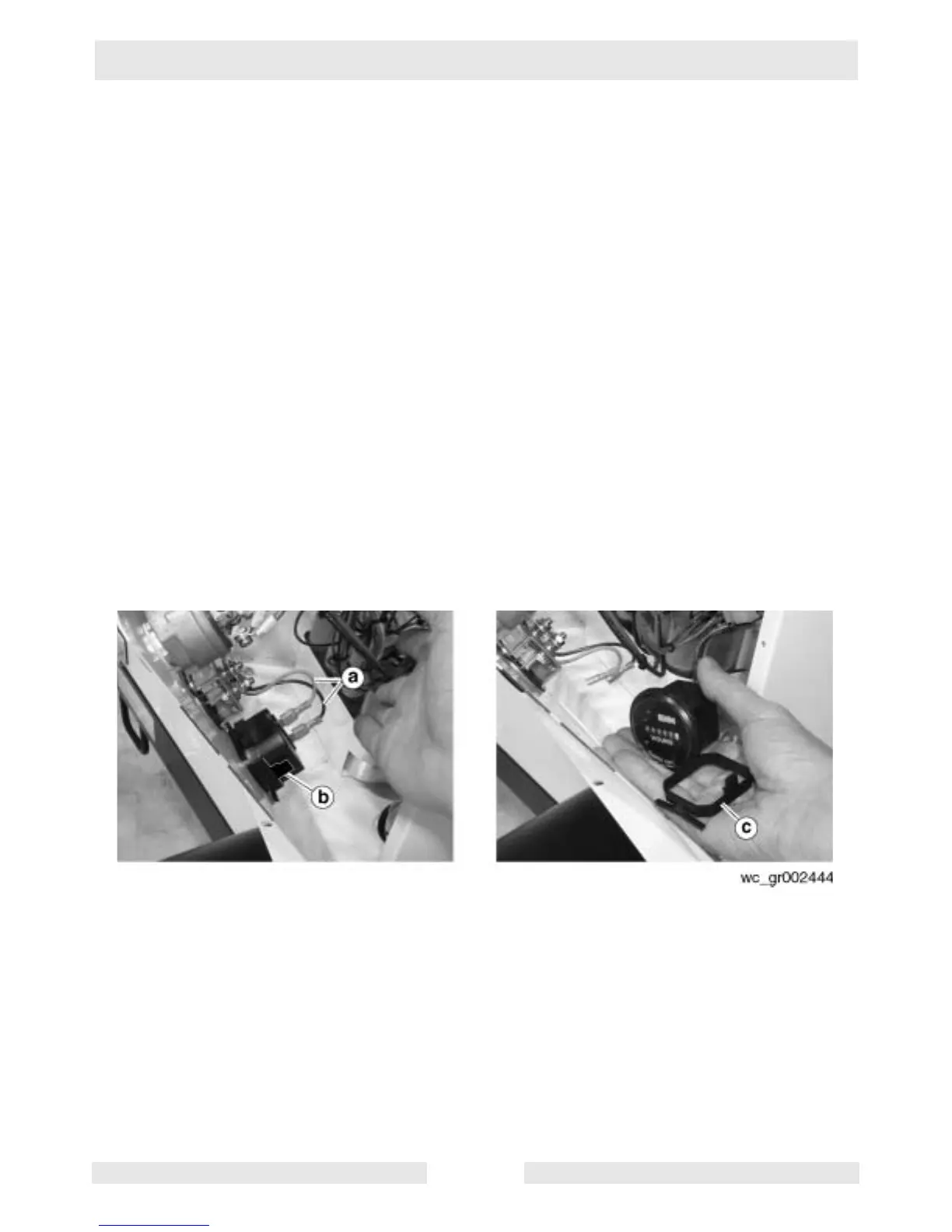
See Graphic: wc_gr002444
Disassembly:
8.13.1 Shut down the engine and disconnect the battery.
8.13.2 Remove the six screws securing the control panel cover to the control
panel.
8.13.3 Make note of the wire connections on the hour meter and remove the
wires (a) from the hour meter.
8.13.4 Pull out the tabs (b) on the locking bracket (c) and remove the hour
meter from the panel.
Reassembly:
8.13.5 Insert the replacement hour meter into the control panel and secure it
with the locking bracket (c).
8.13.6 Attach the wires (a) to the appropriate terminals of the hour meter.
8.13.7 Secure the control panel cover to the control panel with the six screws.



 To Next Page