Maintenance LTC Repair
wc_tx000427gb.fm 46
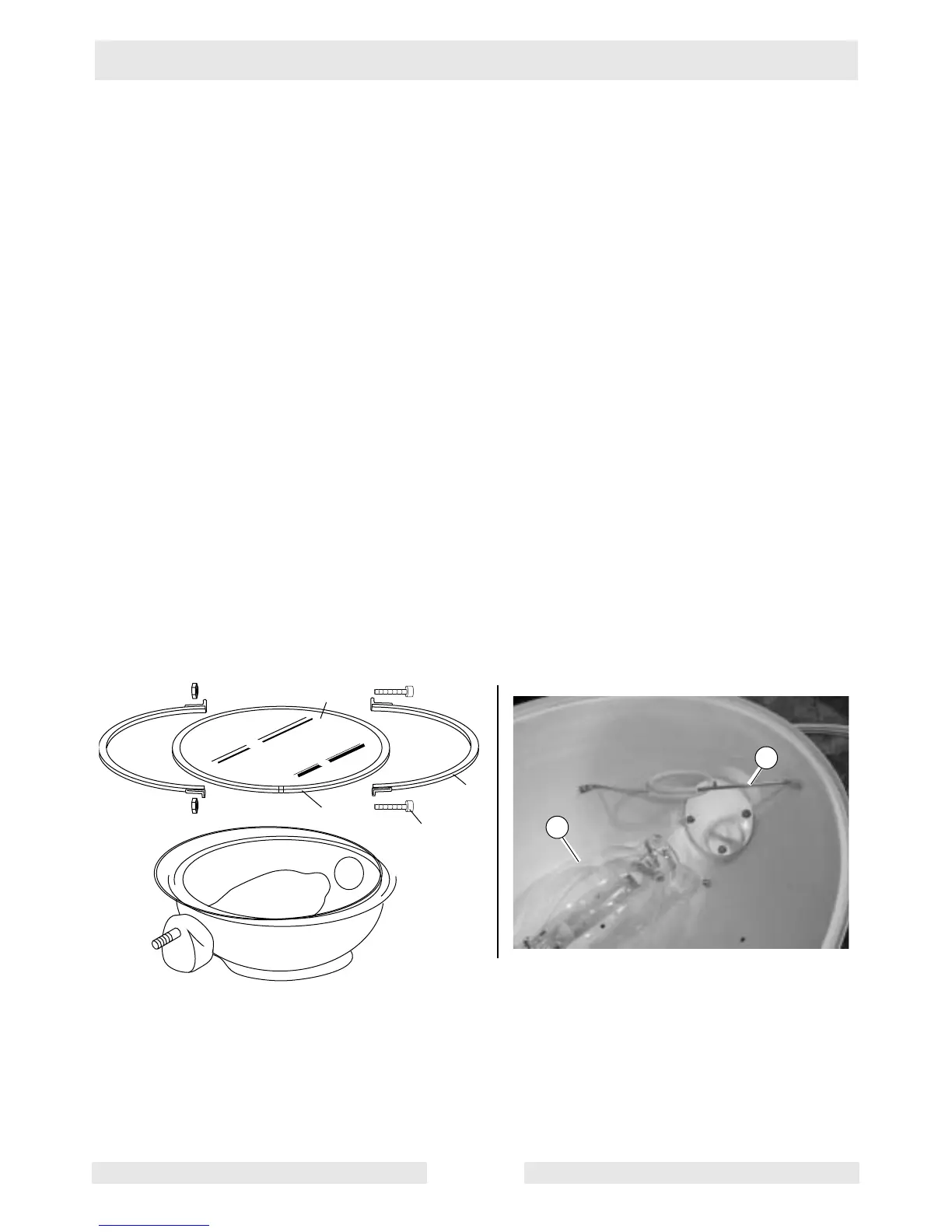
4.6 Replacing Bulbs
See Graphic: wc_gr0002464
Removal:
4.6.1 Shut down the engine and allow the bulb to cool.
4.6.2 Remove the screws (a) securing the flange rings (b) and remove the
flange rings.
4.6.3 Remove the lens (c) with the gasket (d) attached.
4.6.4 Remove the hardware securing one side of the bulb stabilizer (e).
Once removed, swing the bulb stabilizer to the side and unscrew the
bulb (f).
Installation:
4.6.5 Insert the bulb and secure it with the bulb stabilizer (e).
4.6.6 Install the gasket (d) around the lens (c) and secure the lens to the
reflector with flange ring (b) and screws (a).
a
d
c
b
e
f
wc_gr002464



 To Next Page