Caterpillar Engine Troubleshooting LTC Repair
wc_tx000476gb.fm 86
6.10 Checking Oil Pressure and Coolant Temperature Switches
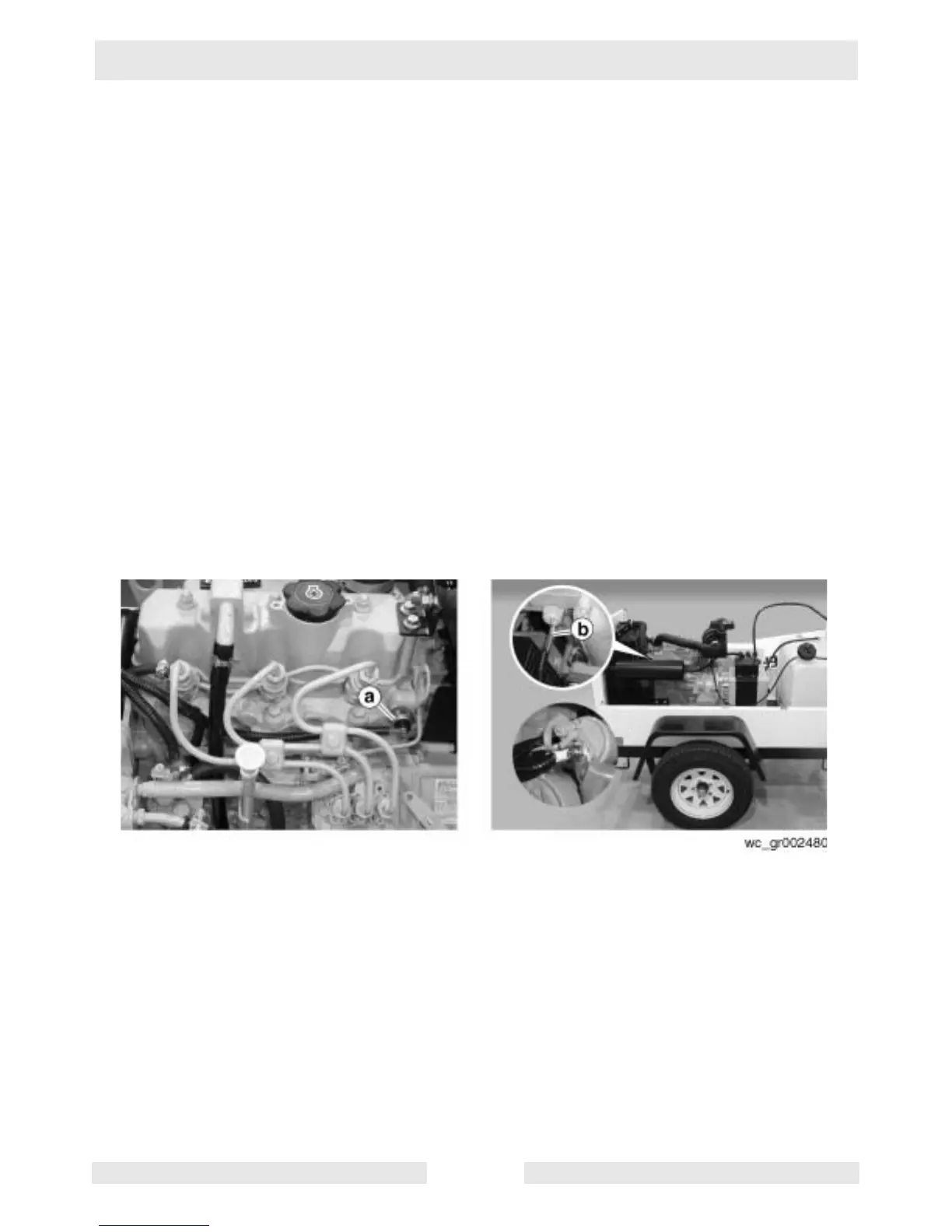
See Graphic: wc_gr002480
6.10.1 If the engine starts but shuts down after approximately 10 seconds,
check the following.
6.10.2 Check the engine oil level and add oil if necessary. Also check the
coolant temperature. If the coolant temperature is high, allow the
engine to cool. Flush and fill the radiator with the correct coolant.
6.10.3 Check the oil pressure switch (a) and coolant temperature switch (b)
wiring. If the wiring of either switch is shorted to ground, the engine will
shut down.
Be sure the switches are functioning—check each for continuity. The
oil pressure switch is a normally closed (NC) switch that should have
continuity when the engine is off. If the switch has no continuity when
the engine is off, the switch is faulty; replace it.
The high coolant temperature switch is a normally open (NO) switch.
This switch should have no continuity when the engine is off. If this
switch has continuity when the engine is off, it has shorted and is faulty;
replace it.



 To Next Page