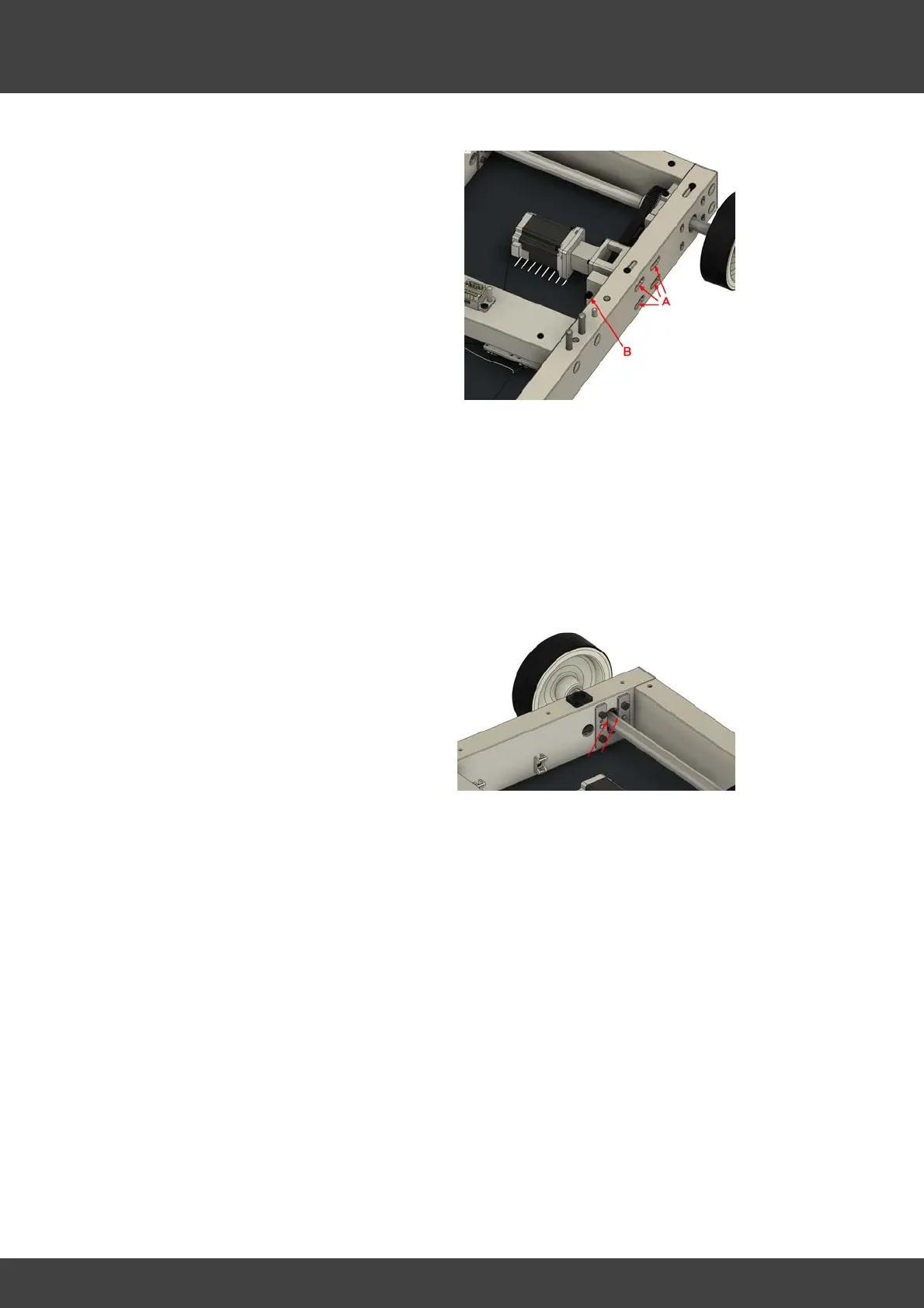
· To tighten the belt, loosen the 4
screws on the side of the platform
profile (A) a bit which hold the motor
mount.
· Turn the screw (B) clockwise to tighten
the belt (= to increase the frequency).
Turn the screw (B) counterclockwise to
release the belt (= to decrease the
frequency).
· Adjust the tension by turning the
screw (B) until the desired frequency
is achieved.
· Tighten the screws (A).
· Repeat the frequency measurement
as described in the previous step and
- if required - adjust again until the
correct belt tension is given.
Also every approx. 50 to 60 operating
hours, if the rear cover for checking
the belt tension is removed anyway,
you should briefly check whether the
rear axis bearing around the U-profile
is still sufficiently lubricated. If the
guide runs dry, spread some
commercially available machine grease
around the axis guide.



 To Next Page