61
Version 2.0.4 | © 2016-2021 wallPen GmbH
wallPen Control
5.2.3
Printing
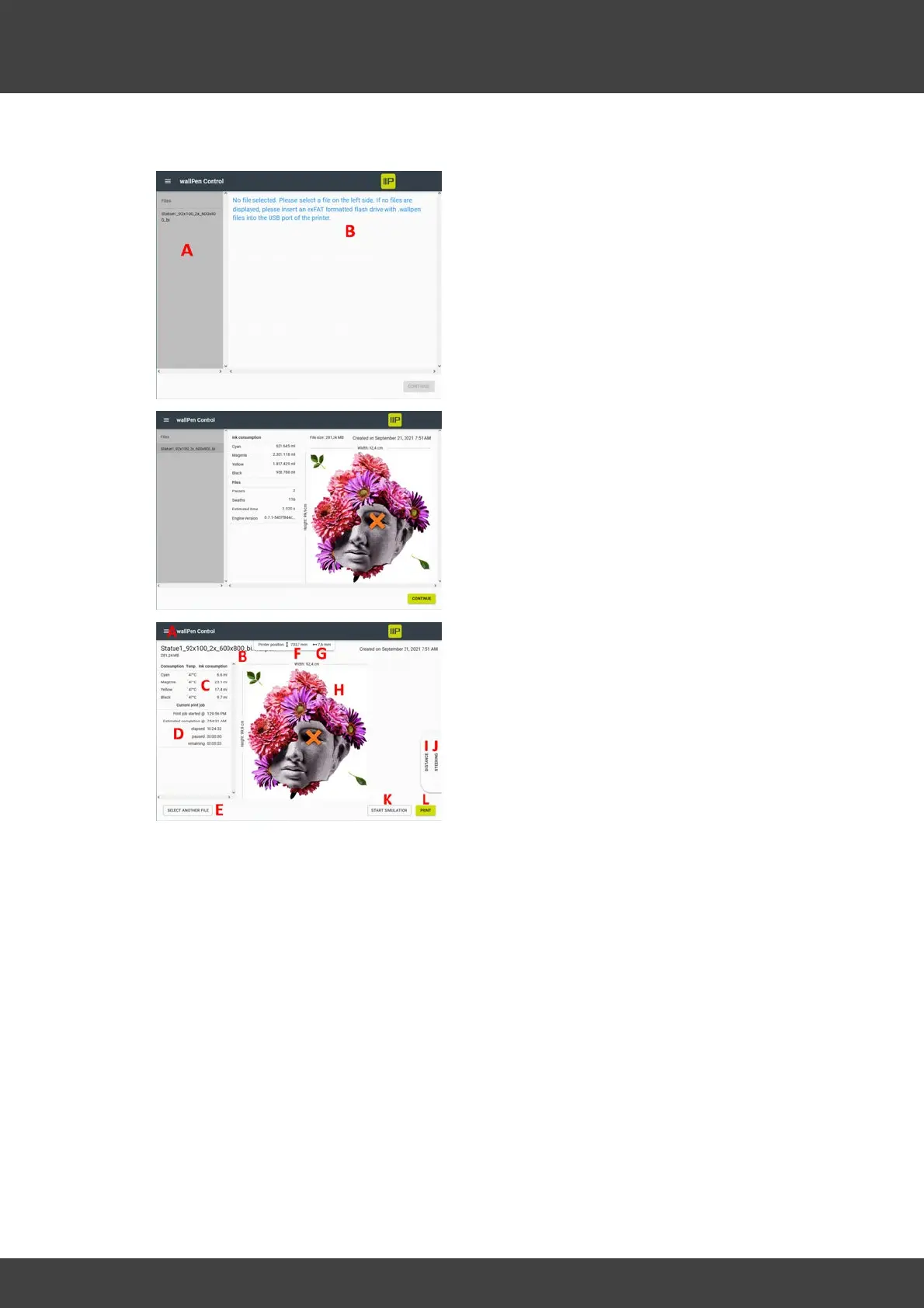
File selection Dialog
A - List of files on the actual USB Flash
device
B - Note text as long as no file has been
selected yet
As soon as a file has been selected from
the list, various details about the motif are
displayed.
Now you can either select another file in
the left column or click the button in the
lower right corner to get to the print
dialog.
Print Dialog
A - Access to the selection menu
(described in the "Positioning" chapter)
B - Name of the current file to be printed
C - Real-time display of the current ink
temperature and the instantaneous
deviation from the set temperature
(orange) on the left and display of the
roughly estimated amount of ink per color
in the right column.
D - Display of the start time of the current print job (1st line), the expected completion
time (2nd line), the elapsed print time in minutes (3rd line), the elapsed time in "Pause"
status (4th line) and the remaining print time in minutes (5th line). This display is reliable
only after the first print paths have been completed.
E - Back to the previous file selection dialog
F - Actual position of the printhead unit in millimeters above the floor.
G - Actual distance of the printhead nozzle plate from the substrate. This value should
be in the range of approx. 7 to 8 mm for a flat and vertical substrate to be printed.
H - Preview of the current motif. The width of the image is displayed at the top and the
height at the left.



 To Next Page