5.2.1
While the printer is being initiated and its
axes referenced, a Wifi Access Point (AP) is
also set up and made available for control.
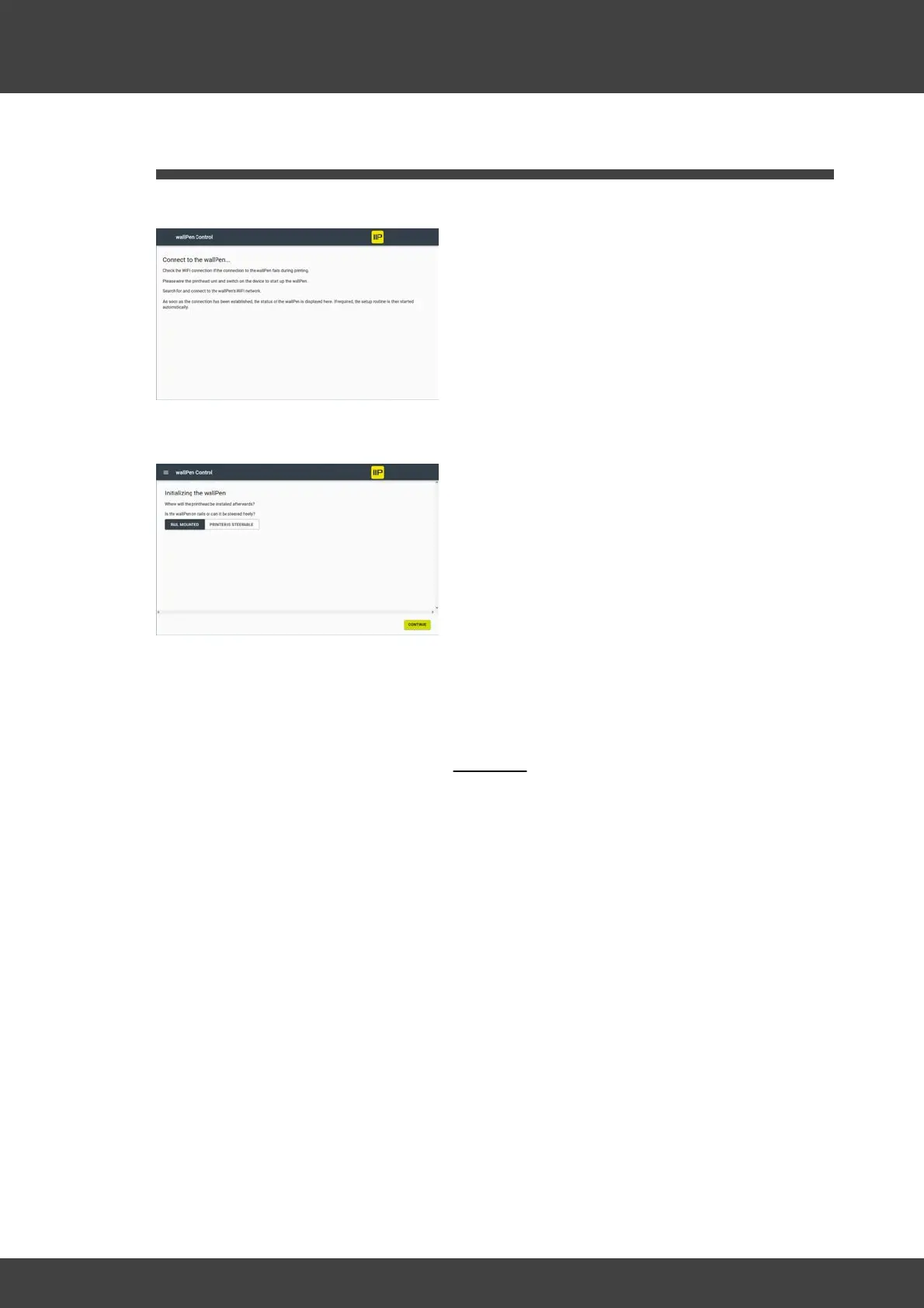
As long as this setup process is not
completed, the adjacent dialog is shown.
If, contrary to expectations, the dialog
shown has not disappeared even after 2 to
3 minutes, although the printer has
referenced properly, switch it off again, wait
a few seconds and switch it on again.
Once a Wifi connection is established,
select in the dialog whether the printer is
on tracks or freely steerable on the floor.
If rail mounting is selected here, the
steering axis is not referenced and only the
control element for forward/backward is
displayed in the traversing dialog.
If floor mounting is selected here, the
steering axis is automatically referenced
and the control element (circle) for the
forward/backward and steering movement
is displayed in the traversing dialog.
WARNING: If the printer is on rails and
floor mounting is selected, the unit may slip
off the rail system during steering
referencing and be damaged.
Once the correct configuration has been
selected, select "CONTINUE" at the bottom
right. to proceed to the positioning dialog.
(see Chapter "Software / wallPen Control /
Positioning" below)



 To Next Page