EasyManua.ls Logo

wallPen E2 - Ink System and Air Management; Printhead Unit Treatment

Default Icon
145 pages
Print Icon
To Next Page IconTo Next Page
To Previous Page IconTo Previous Page
Loading...
wallPen E2 | User Manual
100
Ink System
8 Ink System
8.1 Ink System and Air
The wallPen Ink System has been specially designed to ensure the most reliable ink
supply in the tightest of spaces while making the ink refill as easy as possible. Anyway,
ink supply has generally one main enemy: AIR !
If there are air bubbles in the pipe system, the failure of one or more nozzles is very
likely. If a nozzle is blocked by air, it is very unlikely that it will be released by itself.
Therefore it is extremely important to proceed with great care when refilling ink and to
always ensure that the enclosed air is removed as completely as possible, except for
the ink which must always remain in the filling hose after refill.
8.2 Printhead Unit Treatment
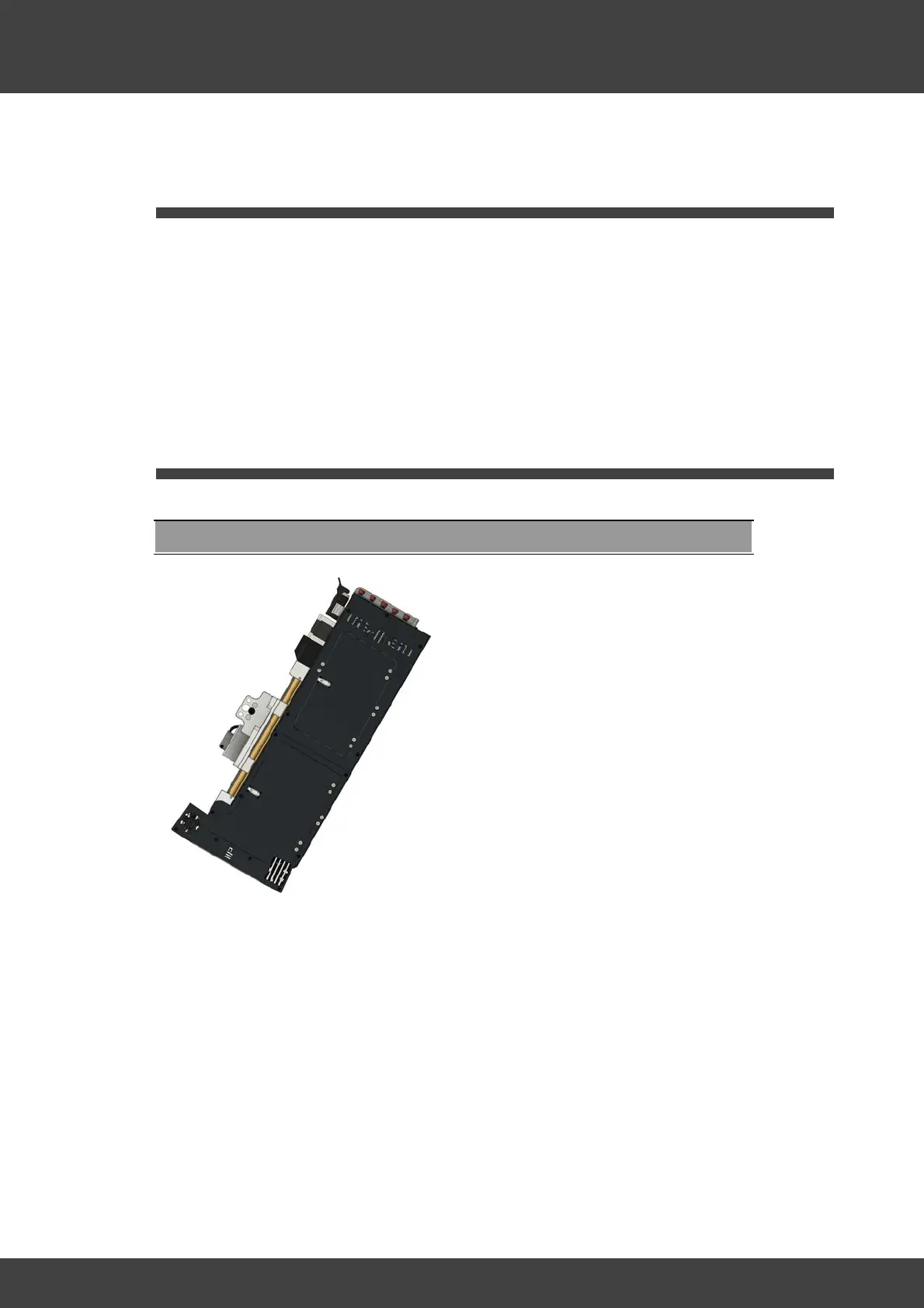
Printhead Unit Treatment after Transport
Hold the print head unit in this position
for just 1 second and shake slightly
Keep in mind that a small amount of air
will always (!) remain in the ink system, in
the rear supply pipes this air is even
wanted. For this reason, the bags lie at a
slight angle in the housing and ensure
that any residual air collects at the higher
end - far away from the ink outlet to the
print head - and may only enter the
piping if the ink supply is really running
low. Tossing, tilting or swiveling the print
head carries the great risk that the air at
the end of the bag will migrate to the
outlet and, after some time, lead to color
loss. It is therefore important to avoid
tilting the print head housing and always
storing and transporting it in a horizontal
position.
To retrieve any air bubbles that may have
gotten into the front ink supply inlet
during transport, hold the print head
about 50 to 70 degrees with the print
heads towards the floor for a maximum
of 1 (!) second after transport and before
mounting the print head and shake it
carefully.
After mounting on the wallPen, carefully
clean the printhead nozzles with a Dust