wallPen E2 | User Manual
62
Software
I - Direct access to the distance control of the printhead to the wall. Press the term
"DISTANCE" to open the corresponding menu.
J - Direct access to steering. Press the term "STEERING" to open the corresponding
menu.
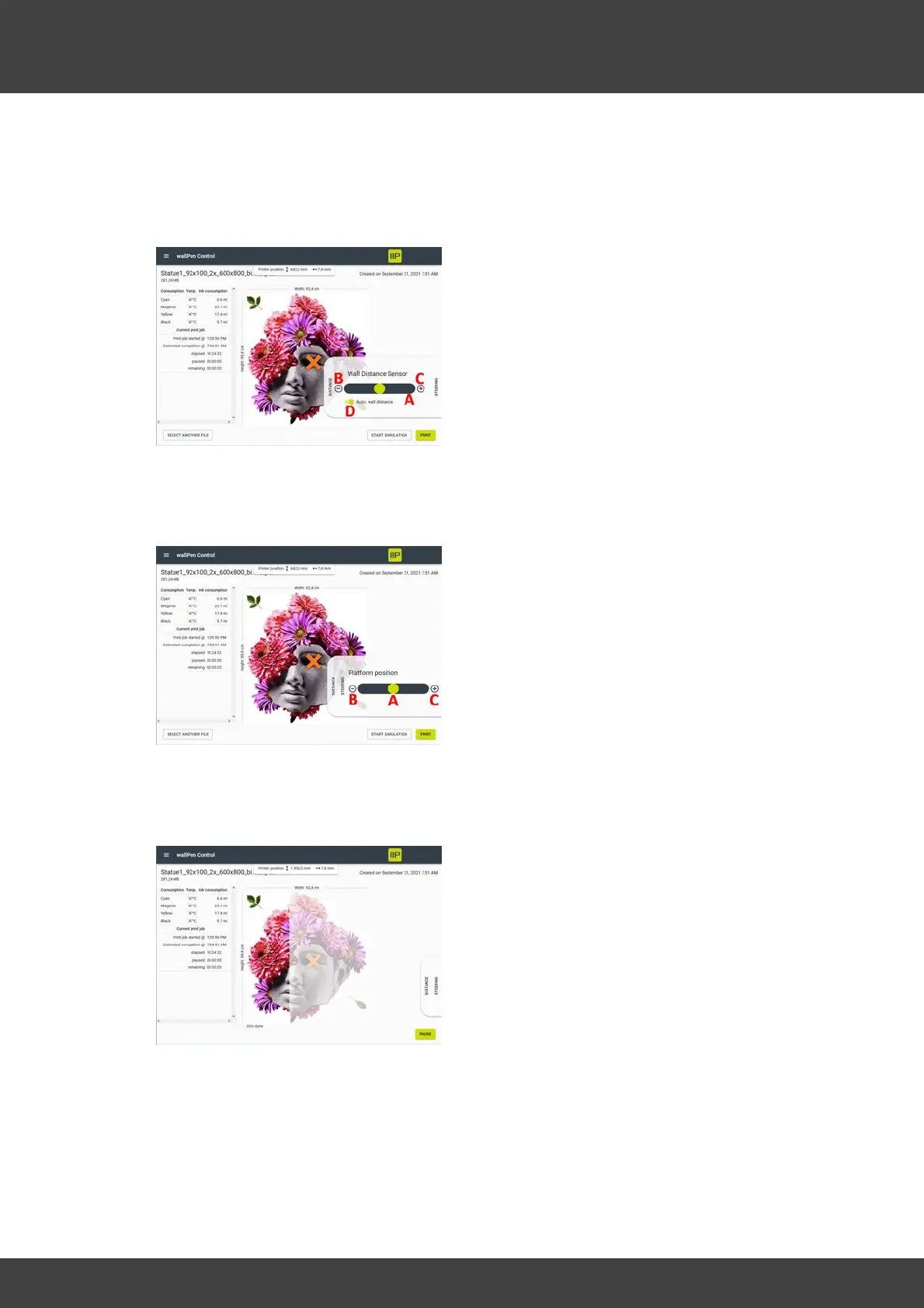
DISTANCE Menu
A - The slider can be used to move the
printhead towards and away from the
substrate.
B - Moves the printhead in the direction of
the substrate in steps of 0.5 mm per tap.
C - Moves the printhead away from the
substrate in 0.5 mm increments per tap.
D - Tap to turn the automatic wall distance control on or off. When this switch is
activated, the software tries to keep the distance value shown in the status line at the
time of activation (here in the sample picture = 7.4 mm).
STEERING Menu
A - The slider can be used to move the
front wheels to the left and right.
B - Per tap, turns the steering a few
angular minutes in the direction of the wall
(-).
C - Per tap, turns the steering a few
angular minutes away from the wall (+).
It is recommended to always pause a
running print before readjusting the
steering!
By selecting the "PAUSE" button in the print
dialog, the print job can be paused,
resumed or canceled at any time.
An alternative for these mentioned
software commands "PAUSE" / "RESUME" /
"CANCEL" still exists by pressing the black
hardware button on the front panel of the
control cabinet between the EMERGENCY
STOP button and the main switch.
Pressing the button briefly once pauses a
print or resumes a paused print.
If the button is held for more than two
seconds, the pressure is canceled when it
is released.



 To Next Page