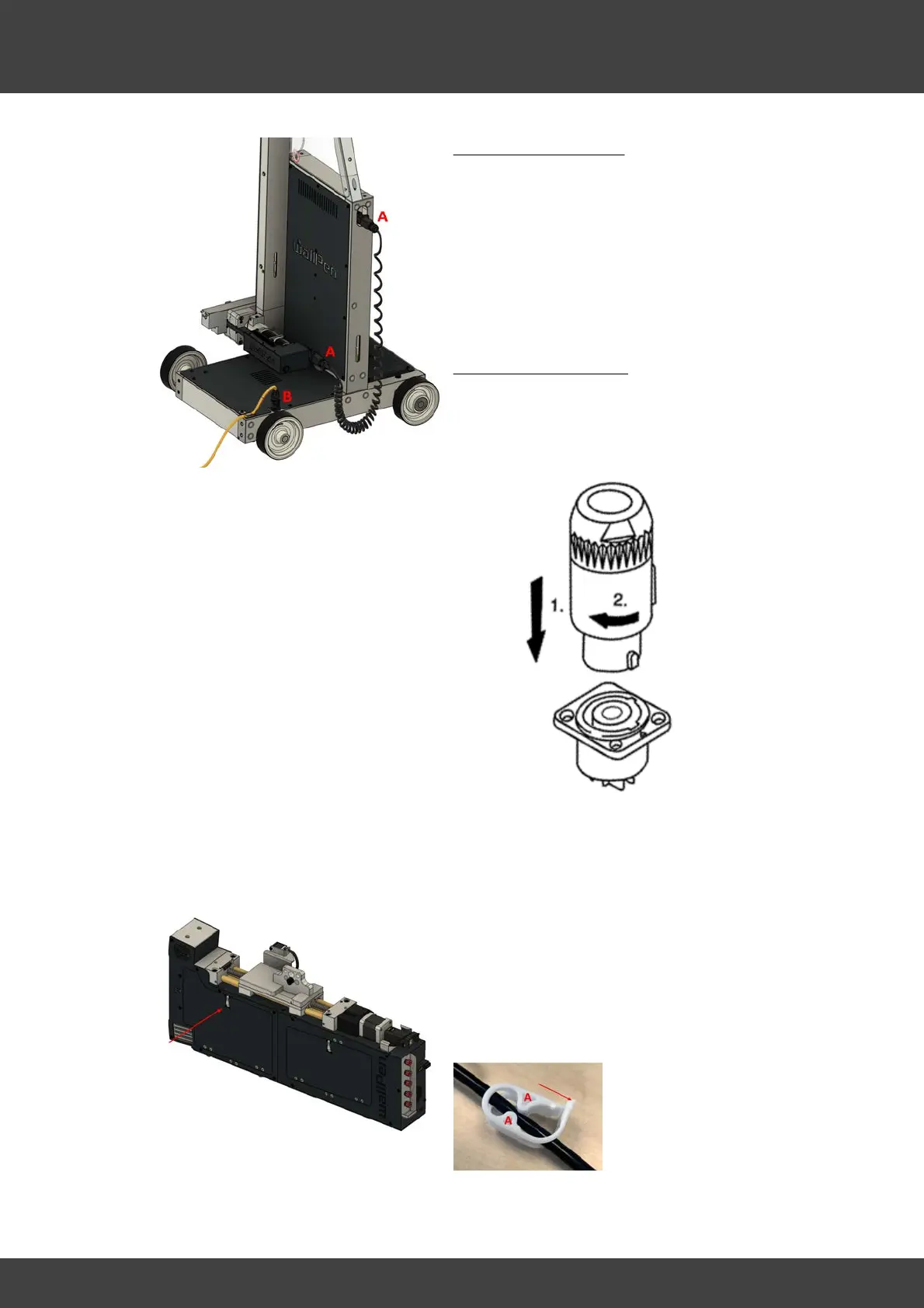
Spiral Cable Connection
Connect the control cabinet and slide with
the spiral cable (A).
To do this, lift the black locking clip on the
socket in each case, insert the plug and lock
it with the locking clip by pressing it down
until it clicks into place.
Power Cable Connection
Connect the power cable to a commercially
available power outlet and plug it into the
rear left jack on the platform.
To plug into the device, insert the plug into
the socket (1) and lock it by turning it
approx. 45 degrees to the right (2) until it
clicks.
· Remove the magnetic metal cover in
front of the printheads.
· Open the left front flap and loosen all
four/five white plastic pipe clamps and
holding it in place (A) and pressing the
lock in the direction of the arrow



 To Next Page