73
Version 2.0.4 | © 2016-2021 wallPen GmbH
Best Practice
Position an image exactly
In order to position an image exactly on the wall, the lower left corner of an image is
mostly relevant. So if you want to place an image precisely, determine the desired
lower left corner point of the image from the width and height of an image. Proceed as
follows after you have determined the corresponding offset values as in the previous
section.
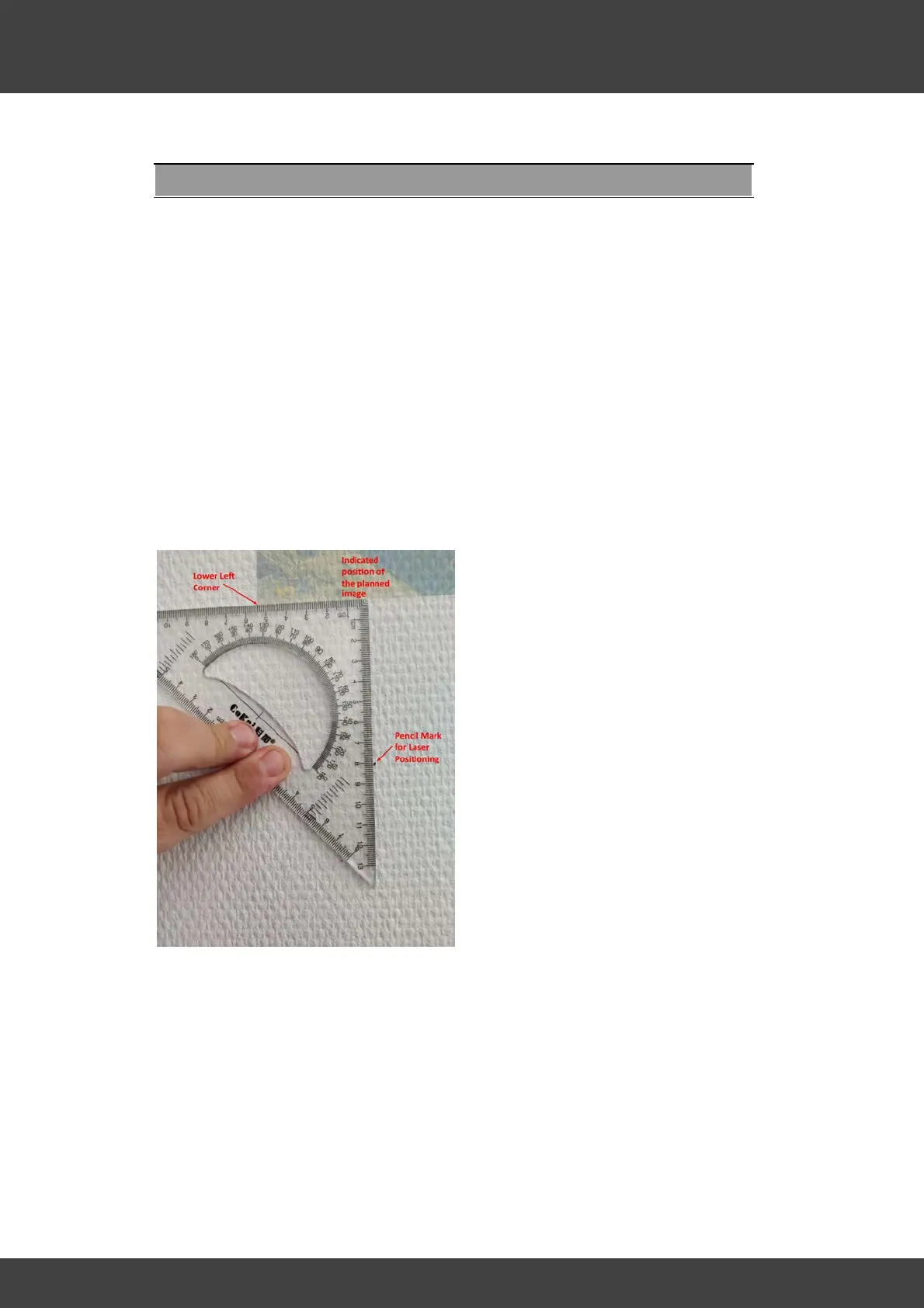
1. Mark the lower left corner of the intended image with a tiny pencil dot on the wall.
2. Place a triangle ruler as shown in the picture. (The pale indicated image is not yet
printed at the time of this measurement and is shown only for better
understanding!)
3. Align the upper scale of your triangle ruler at the desired image start point, with the
determined value for the horizontal distance (in our example 5.4 cm) placed exactly
in the intended lower left corner of your print. (Best is to use a small spirit level for
precise alignment. A smart-phone with a corresponding spirit level app has also
proved very useful for this.)
4. Mark the exact position to the right below the desired image start point with a small
pencil point (in our example 8 cm).
5. Move the printer and place the printer' laser dot exactly on the corresponding
mark.
6. Print your image as usual.



 To Next Page