Making Screw Terminal Connections with External Devices 49
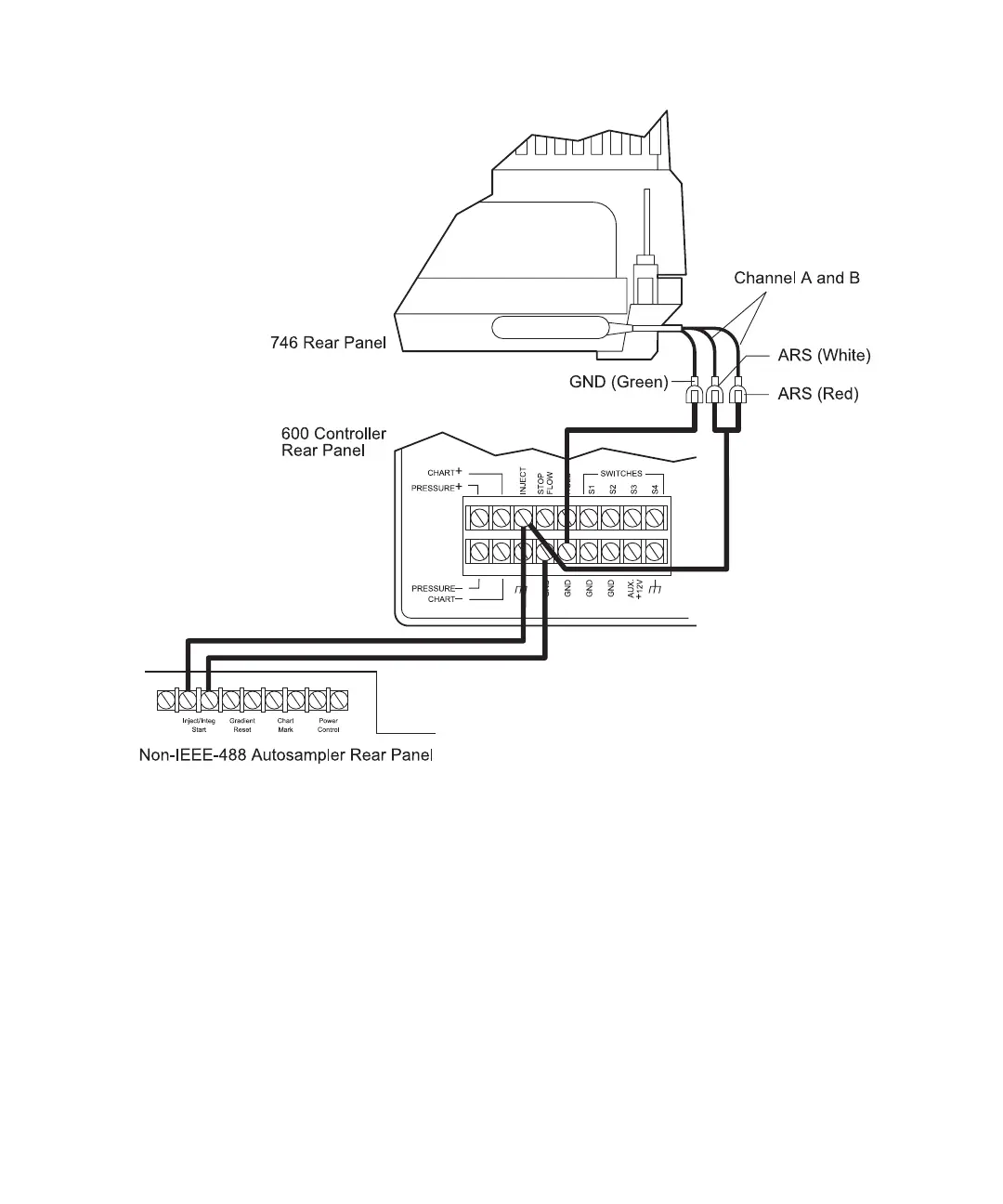
Figure 3-10 Connecting the Waters 746 and Autosampler to the Inject Terminal
Connecting the Pressure or Chart Terminals to the Waters 746
You can use the second channel on your Waters 746 to monitor one of the following pump
output signals.
Note: To use the second channel on the 746 to plot pressure or percent composition, the
data module must contain expanded memory. The 746 plots the second channel after the
first channel finishes.
• 600E pump pressure during ramp-up testing (from Pressure terminals)
• Effects that eluents have on pressure during various phases of gradient operation
(from Pressure terminals)



 To Next Page