52 Making Electrical Connections to the 600 Controller
Connections
To monitor the analog output signal from either the Pressure or Chart terminals, connect
the event cable (provided in the 600E Startup Kit) as outlined below:
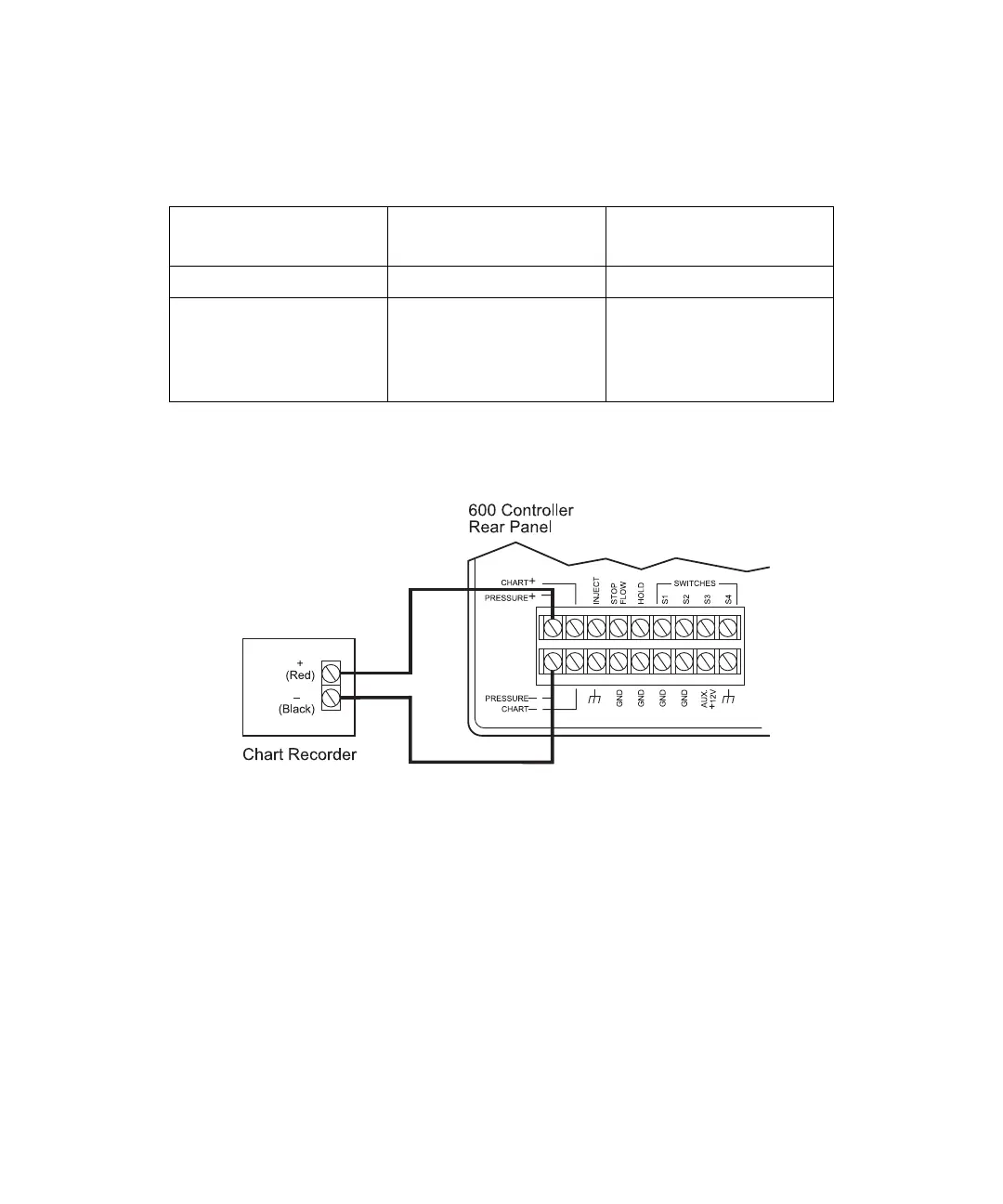
Figure 3-13 illustrates connecting the chart recorder to the 600 controller Pressure
terminals, and Figure 3-14 illustrates connection to the Chart terminals.
Figure 3-13 Connecting the Chart Recorder to the 600 Controller Pressure Terminals
Monitor Function
600 Controller
Connection
Chart Recorder
Pump Pressure Pressure + and – Pen 2 + and –
Eluent composition
(A%, B%, C%, or D%),
flow rate, or column
heater temperature
Chart + and – Pen 2 + and –



 To Next Page