Page 102 of 127
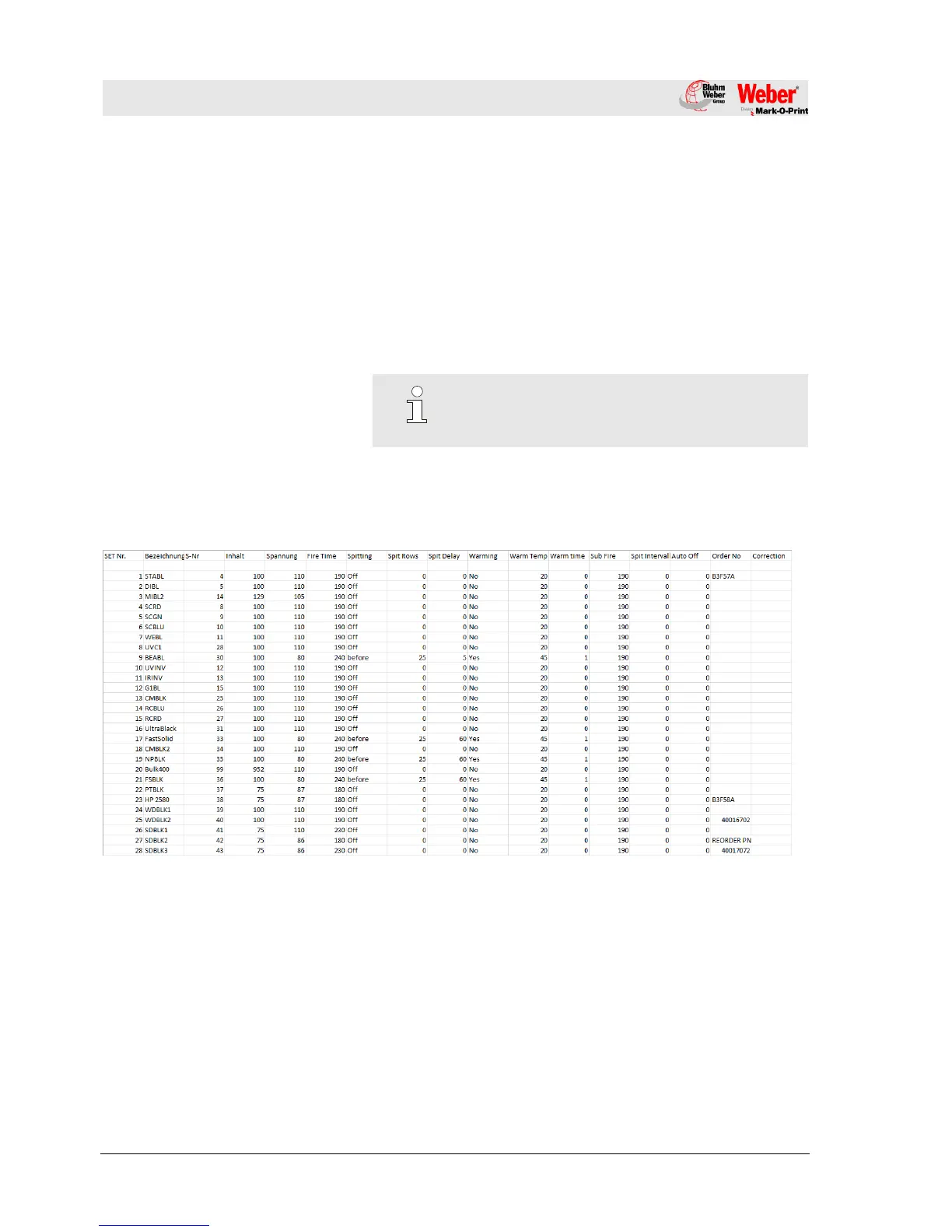
13.4 Ink chart
The iJET has a deposit ink chart. From this one the optimal
parameters are taken over for the selected ink automatically.
If the parameters were changed in the iDesign software, the
changed parameters stay active till a new ink type will be select.
The ink chart is discarded in the HMI index as excel sheet:
“InkPar.csv“.
The chart can be adapted customized and can transferred to the
iJET.
Chapter 13.7, Page 104



 To Next Page