EasyManua.ls Logo

Weber Markoprint iJET - Idesign; Create a Print Image

Weber Markoprint iJET
127 pages
Print Icon
To Next Page IconTo Next Page
To Previous Page IconTo Previous Page
Loading...
Art. No.: 72801001
iDesign
Page 79 of 127
9 iDesign
9.1 Create a print image
No print images can be created on the iJET controller itself.
Print images can be created and processed with the iDesign
software stored on the USB stick. For this purpose, this must be
installed on a commercially available PC (follow the enclosed
iDesign operating instructions).
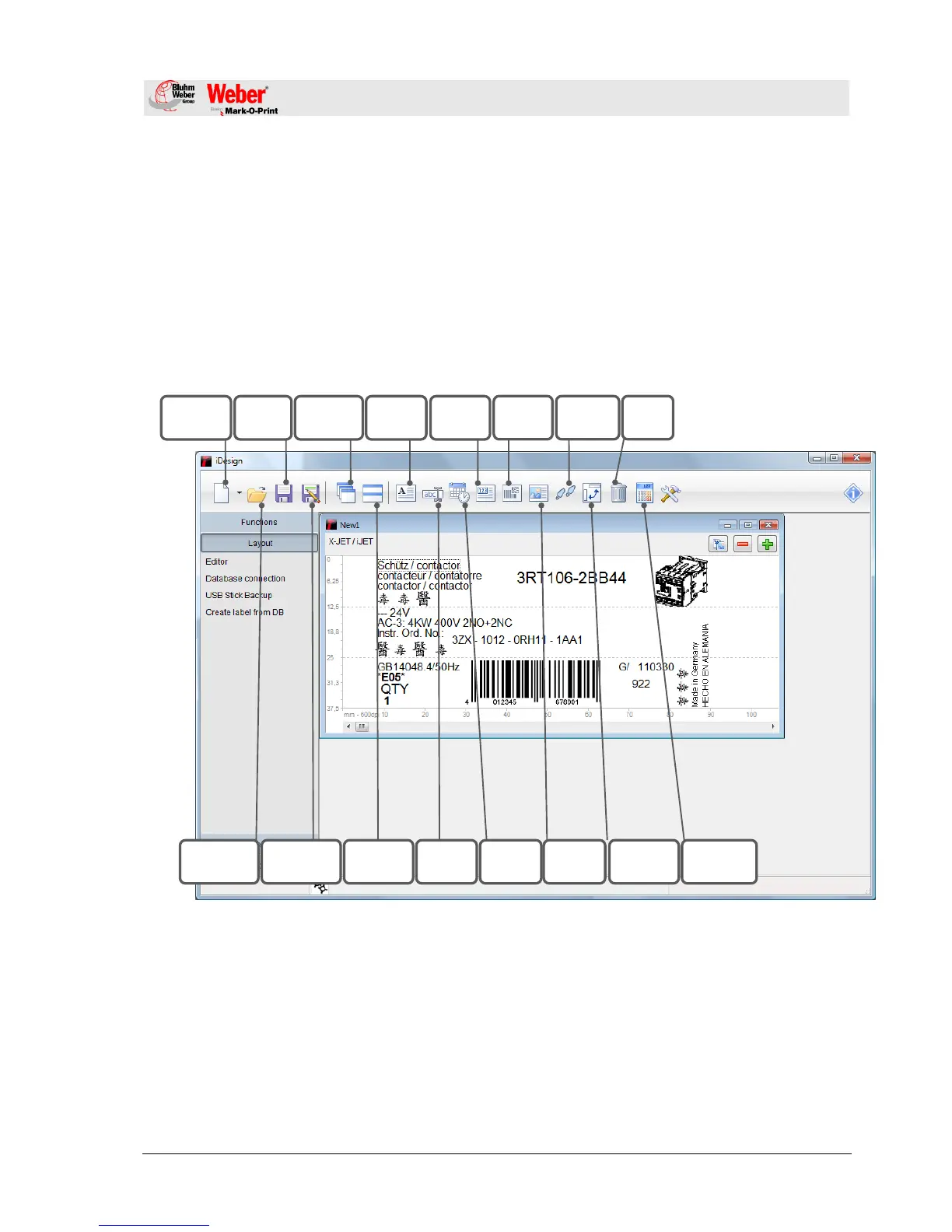
The diagram below shows the operating surface of the iDesign
software.
Fig. 22: User interface Editor iDesign Software

Create new
label
Save label
Add text
Cascade
arrangement
Add
counter
Add
barcode
Move pixel
by pixel
Delete
selection
Save label
below
Open existing
label
Arrangement
on top of each
other
Add date /
time
Add
variable
Add logo /
picture
Turn selection
through 90°
Ink
consumption
calculator

Table of Contents