Page 84 of 127
10.3.2 Rinsing and bleeding the ink cartridge with the ink activator
Applied by instructed person
Apply if, even after wiping the nozzle plate, the print quality
does not improve.
Ink cartridges exposed for an extended period may dry up to such
an extent that simple cleaning by wiping is inadequate.
Open ink cartridges subjected to severe shock or shaking may
result in air entering the nozzles. This result in increased nozzle
failures during printing or the ink cartridges stop printing altogether.
In this case, the cartridge nozzles can be rinsed with the ink
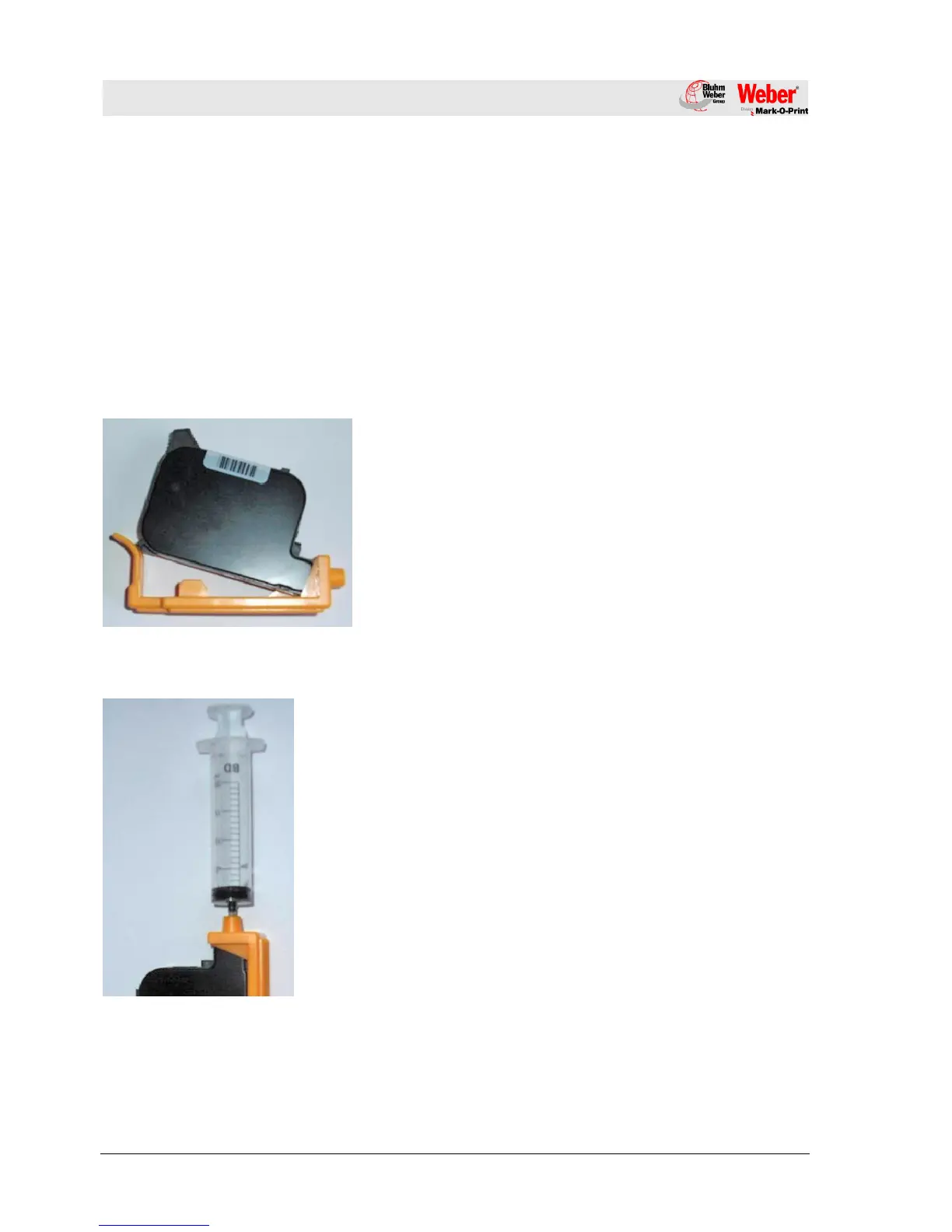
activator. The ink activator consists of a holder and a syringe.
Fig. 24: Inserting the ink cartridge
1. Insert the ink cartridge in the ink activator holder as illustrated.
2. Press the ink cartridge in the direction of the arrow until the
cartridge is firmly seated in the holder.
3. Insert the syringe in the opening of the holder.
4. Slowly and steadily extract approx. 1 to 2 ml of ink from the
cartridge.
In case of foam formation in the syringe, continue extraction
until the ink appears in the syringe.
5. Remove the syringe from the holder.
6. Remove the ink cartridge from the holder.
7. Wipe off the nozzle plate of the ink cartridge.
Chapter 10.3.1, Page 82
8. Check if ink is flowing out of the nozzles.
9. If no ink is flowing, re-use the cartridge.



 To Next Page