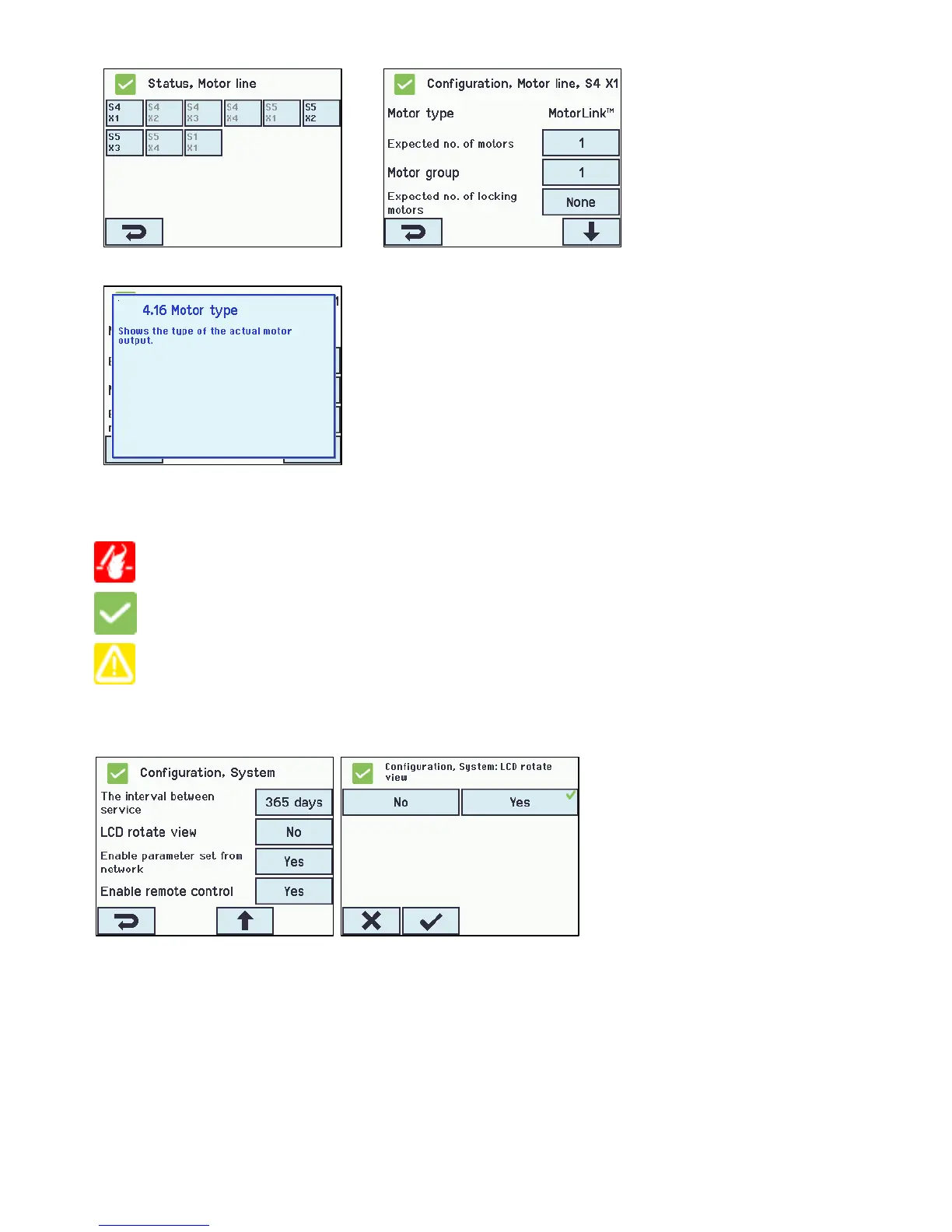
Help text
The touch screen has a help function with text explaining the menu item.
The help text occurs when the menu item is pressed (text on white
background).
For displaying the help text:
→ press the item e.g. “Motor type”
→ the help text appears
→ to turn off the help text press the screen.
13.1 Icons
The smoke ventilation panel has icons for quick viewing of: fire conditions, hardware OK and hardware error:
Fire conditions: smoke alarm has been triggered.
Hardware OK: motors and break glass units have been configured correctly.
Hardware error: hardware error or connected motors and break glass units has not been configured
correctly in motor lines, motor groups or smoke zones.
13.2 Rotation of the touch screen
The picture on the touch screen can be rotated 180°
14 Configuration – main menu
All connected components (motors, break glass units, keypads, weather station etc.) are to be configured.
As the panel has pre-settings for PIN code for access to level 3, the code is to be entered before it is possible to begin the
configuration (see chapter 14.16 “Log in”).
Before starting on the configuration it can be an advantage to change some of the pre-set settings. Ex. the language can be
changed from English to Danish or German (see section 13.15.1-1 “Language”) and the orientation of the text on the touch screen
can be rotated for a better viewing angle (see section 13.15.1-8 ”LCD rotate view”). It is also possible to change the log out time,
which is the time that the access to the access level is open/the touch screen in on (see section 13.12.1–3 – “Log out time”)



 To Next Page