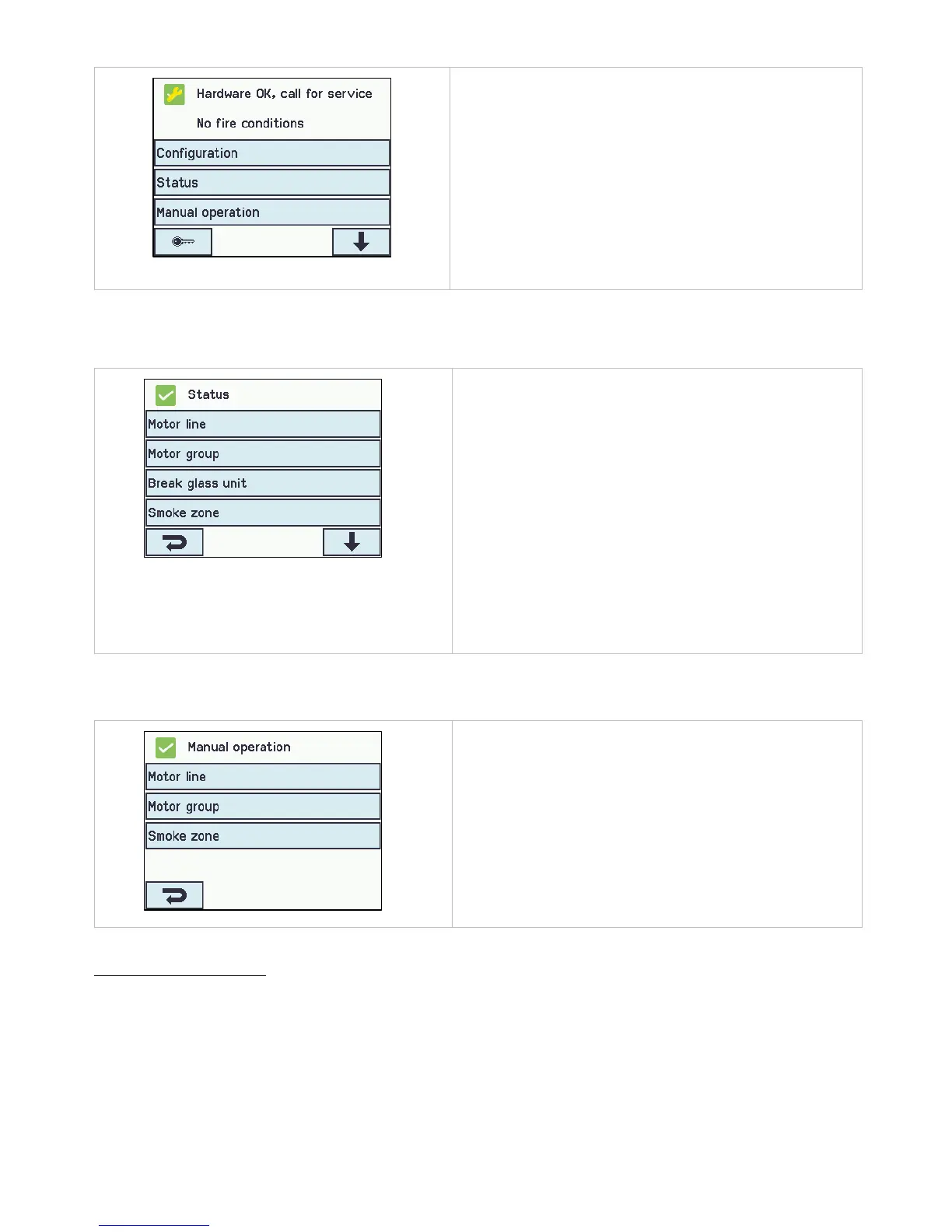
Main overview when the service timer
has been postponed
If you confirm the service timer by touching the touch screen, it will
be mute for a week, before the beeping sound starts again.
A maintenance icon will appear on the touch screen.
15 Status – main menu
In 'Status' you can see the status of all the menu items that can be configured under 'Configuration' as well as the status of the
power supply (including mains and battery status) and slots (inform the type of module in the slot).
Main overview: status of the system
Under ‘Status’ is possible to view the status for:
1. Motor line
2. Motor group
3. Break glass unit
4. Smoke zone
5. Local input
6. Local output
7. Weather station type
8. Power supply
9. CAN (local)
10. Ethernet
11. Slots
12. KNX Bus
13. System
It is not possible to configure the items in ’Status’ mode.
The appendix contains all the items shown in ‘Status’ - see
appendix for detailed explanation.
16 Manual operation – main menu
It is possible to operate the motor lines, the motor groups and the smoke zones direct on the touch screen.
Main overview: manual operation
What to be manually operated:
1. Motor line – see text below
2. Motor group
3. Smoke zone
Operation types
Motor lines and motor groups
They can be operated absolutely (percentage of full open) or relatively on the keypad ‘open/stop/close’ showed on the touch
screen.



 To Next Page