53
14.19 System
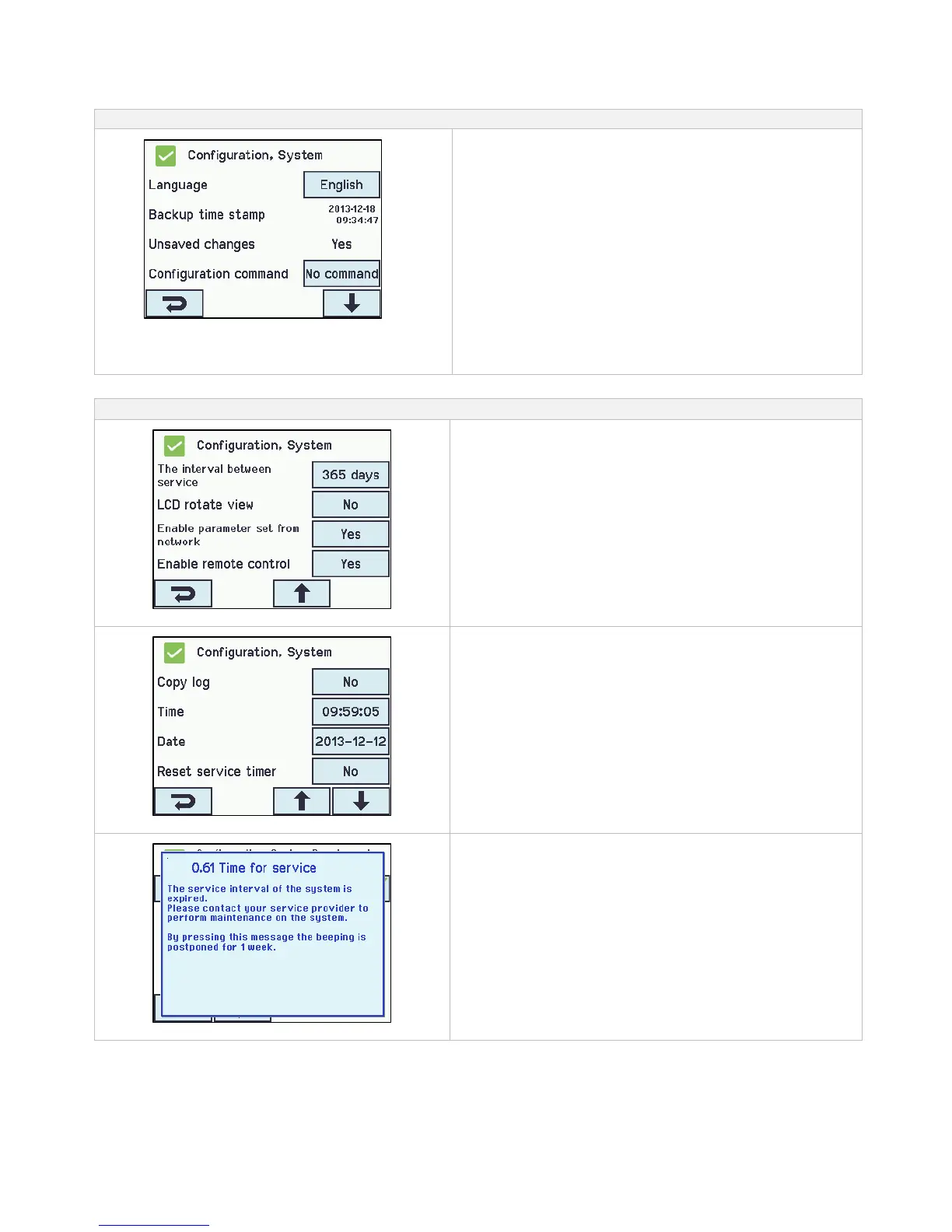
It is possible to change settings on the touch screen e.g. language, clock setting, date display, service timer etc.
System can be configured in:
Configuration of ’System’
1. Language
2. Backup time stamp (not to be configured)
3. Unsaved changes… (not to be configured)
4. Configuration command
5. Copy log
6. Time
7. Date
8. Reset service timer
9. The interval between service
10. LCD rotate view
11. Enable parameter set from network
12. Enable remote control
The appendix contains all the items that can be configured -
see appendix for detailed explanation.
Configuation of interval between maintenance:
Configuration of interval between service
The timer is set in “days until the next maintenance”. Typically, on
most markets, this will be 365 days.
If the interval between maintenances is set to 0, the timer is
disabled.
The acoustic notification can be activated or deactivated under
“View all details”
”Reset service timer” set the last maintenance date as today.
Message when the service timer expires
When the service timer expires the touch screen will show a
maintenance text and a clear beeping will sound from the panel.



 To Next Page